Category Archives: How to Fix

Error: java.lang.NumberFormatException : multiple points

Encountered error for java.lang.NumberFormatException : multiple points
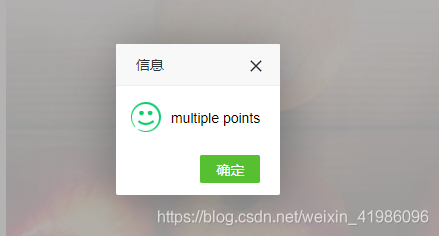
The background error is:

java.lang.NumberFormatException: multiple points
	at sun.misc.FloatingDecimal.readJavaFormatString(FloatingDecimal.java:1890)
	at sun.misc.FloatingDecimal.parseDouble(FloatingDecimal.java:110)
	at java.lang.Double.parseDouble(Double.java:538)
	at bus.mdrms.algorithm.indexmodel.exterInterface.StationIndexForecast.initPubertyIndex(StationIndexForecast.java:278)
	at bus.mdrms.algorithm.indexmodel.exterInterface.StationIndexForecast.init(StationIndexForecast.java:51)
	at bus.mdrms.algorithm.indexmodel.exterInterface.StationIndexForecast.calPubertySuitability(StationIndexForecast.java:55)
	at bus.mdrms.algorithm.indexmodel.IndexCalculator.processRequest(IndexCalculator.java:177)
	at com.supermap.mdrms.framework.util.MDRMSUtil.queryMDRMSInfo(MDRMSUtil.java:747)
	at com.supermap.mdrms.modules.mdrms.controller.MdrmsController.queryMDRMSInfo(MdrmsController.java:177)
	at sun.reflect.NativeMethodAccessorImpl.invoke0(Native Method)
	at sun.reflect.NativeMethodAccessorImpl.invoke(NativeMethodAccessorImpl.java:62)
	at sun.reflect.DelegatingMethodAccessorImpl.invoke(DelegatingMethodAccessorImpl.java:43)
	at java.lang.reflect.Method.invoke(Method.java:498)
	at org.springframework.web.method.support.InvocableHandlerMethod.doInvoke(InvocableHandlerMethod.java:221)
	at org.springframework.web.method.support.InvocableHandlerMethod.invokeForRequest(InvocableHandlerMethod.java:137)
	at org.springframework.web.servlet.mvc.method.annotation.ServletInvocableHandlerMethod.invokeAndHandle(ServletInvocableHandlerMethod.java:111)
	at org.springframework.web.servlet.mvc.method.annotation.RequestMappingHandlerAdapter.invokeHandlerMethod(RequestMappingHandlerAdapter.java:806)
	at org.springframework.web.servlet.mvc.method.annotation.RequestMappingHandlerAdapter.handleInternal(RequestMappingHandlerAdapter.java:729)
	at org.springframework.web.servlet.mvc.method.AbstractHandlerMethodAdapter.handle(AbstractHandlerMethodAdapter.java:85)
	at org.springframework.web.servlet.DispatcherServlet.doDispatch(DispatcherServlet.java:959)
	at org.springframework.web.servlet.DispatcherServlet.doService(DispatcherServlet.java:893)
	at org.springframework.web.servlet.FrameworkServlet.processRequest(FrameworkServlet.java:970)
	at org.springframework.web.servlet.FrameworkServlet.doPost(FrameworkServlet.java:872)
	at javax.servlet.http.HttpServlet.service(HttpServlet.java:650)
	at org.springframework.web.servlet.FrameworkServlet.service(FrameworkServlet.java:846)
	at javax.servlet.http.HttpServlet.service(HttpServlet.java:731)
	at org.apache.catalina.core.ApplicationFilterChain.internalDoFilter(ApplicationFilterChain.java:303)
	at org.apache.catalina.core.ApplicationFilterChain.doFilter(ApplicationFilterChain.java:208)
	at org.apache.tomcat.websocket.server.WsFilter.doFilter(WsFilter.java:52)
	at org.apache.catalina.core.ApplicationFilterChain.internalDoFilter(ApplicationFilterChain.java:241)
	at org.apache.catalina.core.ApplicationFilterChain.doFilter(ApplicationFilterChain.java:208)
	at com.alibaba.druid.support.http.WebStatFilter.doFilter(WebStatFilter.java:123)
	at org.apache.catalina.core.ApplicationFilterChain.internalDoFilter(ApplicationFilterChain.java:241)
	at org.apache.catalina.core.ApplicationFilterChain.doFilter(ApplicationFilterChain.java:208)
	at org.springframework.web.filter.CharacterEncodingFilter.doFilterInternal(CharacterEncodingFilter.java:85)
	at org.springframework.web.filter.OncePerRequestFilter.doFilter(OncePerRequestFilter.java:107)
	at org.apache.catalina.core.ApplicationFilterChain.internalDoFilter(ApplicationFilterChain.java:241)
	at org.apache.catalina.core.ApplicationFilterChain.doFilter(ApplicationFilterChain.java:208)
	at org.apache.catalina.core.StandardWrapperValve.invoke(StandardWrapperValve.java:218)
	at org.apache.catalina.core.StandardContextValve.invoke(StandardContextValve.java:110)
	at org.apache.catalina.core.StandardHostValve.invoke(StandardHostValve.java:169)
	at org.apache.catalina.valves.ErrorReportValve.invoke(ErrorReportValve.java:103)
	at org.apache.catalina.valves.AccessLogValve.invoke(AccessLogValve.java:962)
	at org.apache.catalina.core.StandardEngineValve.invoke(StandardEngineValve.java:116)
	at org.apache.catalina.connector.CoyoteAdapter.service(CoyoteAdapter.java:445)
	at org.apache.coyote.http11.AbstractHttp11Processor.process(AbstractHttp11Processor.java:1115)
	at org.apache.coyote.AbstractProtocol$AbstractConnectionHandler.process(AbstractProtocol.java:637)
	at org.apache.tomcat.util.net.JIoEndpoint$SocketProcessor.run(JIoEndpoint.java:316)
	at java.util.concurrent.ThreadPoolExecutor.runWorker(ThreadPoolExecutor.java:1149)
	at java.util.concurrent.ThreadPoolExecutor$Worker.run(ThreadPoolExecutor.java:624)
	at org.apache.tomcat.util.threads.TaskThread$WrappingRunnable.run(TaskThread.java:61)
	at java.lang.Thread.run(Thread.java:748)

The error is multiple points

Same code:
double D_ version = Double.parseDouble ( “1.1.2 “);

Exception in thread "main" java.lang.NumberFormatException: multiple points

It would be the same mistake

double d_ version = Double.parseDouble ( “1..2 “);

It’s also a mistake
 

Pychar appears“ PEP:8 expected 2 blank lines ,found 1″

When using pychar to write python, the above problem always appears in the line def function() .
“PEP 8: expected 2 blank lines, found 1”

The specific reason is that there must be two empty lines above the line that declares the function, otherwise this will happen.
The annotation of function can be integrated with function

# coding: utf-8
# fun1
def func1():
    return 0
# fun2


def func2():
    return 1


com.android.ddmlib . adbcommandrejectedexception: device offline error while installing APK solution

com.android.ddmlib .AdbCommandRejected Exception:device offline

Error while Installing APK


The problem is that the ADB has been killed. Just restart it

There are three ways:

1、 You can find Plattform tools in the SDK file, and you can find ADB, in this folder

double click the ADB to restart


2. You can also perform two-step command operations in CMD: 2

1、adb kill-server

2、adb start-server


3、 Restart the computer


The above is reprinted content

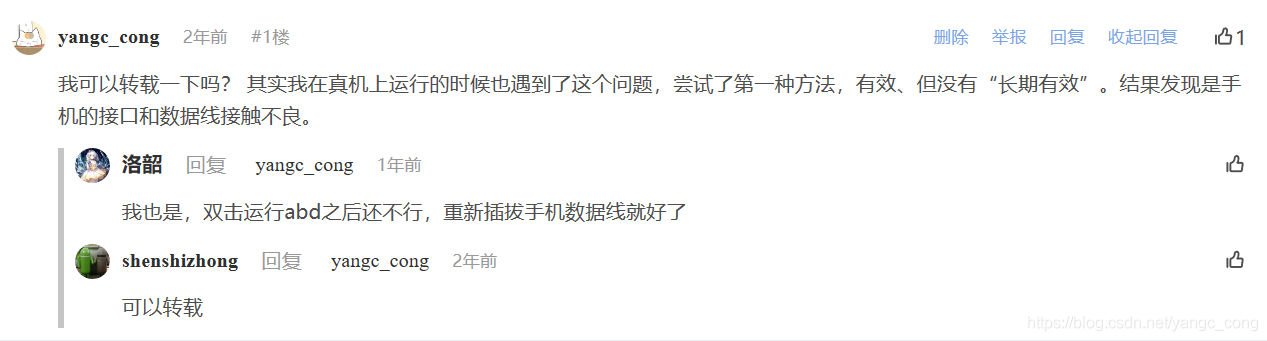
Personal supplement: I tried the first method, which is effective, and the result is effective and invalid when it runs again. Finally, it was found that the interface of the mobile phone was in poor contact, resulting in a sudden drop of the line during operation.

Episode: when searching for this question, the comments asked the original blogger if he could reprint it. Because he didn’t receive a reply immediately, he temporarily sent an original article. Today, some people like it. I just saw that the original blogger replied that it could be reproduced soon. Let’s make it up today.

【Unity 3D】Because you are not a member of this project this build will not access Unity services.

[problem description]

In the packaging settings, you will sometimes encounter such a warning: since you are not a member of this project, this version will not access the unity service.


This is because the unity account you are currently logged in to is not in the member list of the project.

If you are working on this project from the beginning to the end, and there is no problem in packaging before, then it is likely that the unity account you created when you created the project is different from the unity account you currently logged in (you did not log in when you created the project, or you did not log in when you logged in when you created the project, or the project was created by someone else and you took it with you, etc.)


[solution]

Open the Services tab (click on the window — & gt; services, or press Ctrl + 0).

Click new link — & gt; select your unity account — & gt; create

Then add your own account in.

java.lang.IllegalStateException: ArrayAdapter requires the resource ID to be a TextView

reward: java.lang.IllegalStateException ArrayAdapter requires the resource ID to be a TextView & & & & & & & & & & & & & & & & & & & & & & & & & & & & & & & & & & & & & & & & & & & & & & & & & & & & & & & & & &

at Android.widget.ArrayAdapter .createViewFromResource( ArrayAdapter.java:437 ♪ I love you ♪ ♪ I love you ♪ ♪ I love you ♪ ♪ I love you ♪ ♪ I love you ♪ ♪ I love you ♪ ♪ I love you ♪ ♪ I love you ♪ ♪ I love you ♪ Android.widget.ArrayAdapter .getView( ArrayAdapter.java:407 )

:: :: :: :: :: :: :: :: at Android.widget.AbsListView .obtainView( AbsListView.java:2372 )

:: :: :: :: :: :: :: :: at Android.widget.ListView .makeAndAddView( ListView.java:2052 )

I’m sorry, I’m sorry. Android.widget.ListView .fillDown( ListView.java:786 )

There’s one problem:

ArrayAdapter<String> adapte = new ArrayAdapter<String>(
  SiteActivity.this,android.R.layout.simple_list_item_2,site
);

I will be simple_ list_ item_ Change 2 to simple_ list_ item_ 1 will solve the problem and will not report an error

Refer to the causes of the problem: https://blog.csdn.net/xxg3053/article/details/6999872

Could not sync socket: %1

C:\Users\Administrator>adb devices -l
List of devices attached
adb server version (31) doesn’t match this client (40); Killing…
could not read OK from ADB server
* failed to start daemon
error: cannot connect to daemon
— prompt the above information. The solution is as follows: —
C: (users, administrator & gt; CD \

C: \ & gt; D:

D: \ & gt; CD: androidsdk, platform tools

D: (androidsdk, platform tools & gt; netstat -aon|findstr “5037”
  TCP    127.0.0.1:5037         0.0.0.0:0              LISTENING       10676

D:\androidsdk\platform-tools>tasklist|findstr “10676”
LdsMobileLink.exe             10676 Console                    1     27,344 K

——–Manually end the above process, from the new ADB devices – L ——– – – – – – – – – – – – – – – – – – – – – – – – – – – – – – – – – – – – – – – – – – – – – – – – – – – – – – – – – – – – – – – – – – – – – – – – – – – – – – – – – – – – – – – – – – – – – – – – – – – – – – – – – – -;  starting now at  tcp:5037
* daemon started successfully
2PFNW18B08014453       device  product:JKM-AL00b   model:JKM_ AL00b  device:HWJKM-HM  transport_ id:1

Android learning — cannot resolve symbol ‘EditText‘

EditText editText =(EditText)findViewById(R。 id.editText ); in “((R id.editText ))”Error cannot resolve symbol ‘EditText’

Today, there was an error when learning from the Android Studio development document. When starting another activity and building an intent, https://developer.android.google.cn/training/basics/firstapp/starting-activity#java

 public void sendMessage(View view) {
        Intent intent = new Intent(this, DisplayMessageActivity.class);
        EditText editText = (EditText) findViewById(R.id.editText);
        String message = editText.getText().toString();
        intent.putExtra(EXTRA_MESSAGE, message);
        startActivity(intent);
    }

Solution, view activity_ main.xml , text edit box section

<EditText
    android:id="@+id/editTextTextPersonName3"

Change the EditText in the SendMessage method to the corresponding, I’m here edittexttextpersonname3, as shown in the figure

public void sendMessage(View view) {
        Intent intent = new Intent(this, DisplayMessageActivity.class);
        EditText editText = (EditText) findViewById(R.id.editTextTextPersonName3);
        String message = editText.getText().toString();
        intent.putExtra(EXTRA_MESSAGE, message);
        startActivity(intent);
    }

“Failed to convert @ drawable / XX into a drawable exception details are logged in window”

Problem description

Image resource reference error, there are usually the following similar error logs:

java.lang.NumberFormatException: Color value 
'@drawable/xx' must start with #

reason

The most likely cause of this problem is that your image resource name is wrong, and it is likely to start with a number. In Android, if your image is named after a number, the system will treat it as a hexadecimal color value by default, and the definition of these color values often starts with “#”, so there is the following numberformatexception.

Solution

At this time, you need to check whether the name of the wrong resource starts with a number. If it starts with a number, rename it. If not, try to check whether the name of the resource starts with a space in eclipse (of course, the error at this time is that the drawable file cannot be found). If so, modify it. If not, delete the image and add it again.

After renaming, if the layout file cannot be displayed normally, refresh the preview of the layout view or restart the development tool.

Type error: the JSON object must be STR, bytes or byte array, not ‘textiowrapper’

When using JSON in Python to read a JSON file, an error is reported because the corresponding method is used incorrectly: typeerror: the JSON object must be STR, bytes or byte array, not ‘textiowrapper’.

Solution: first of all, we need to understand that there are four methods for JSON: dumps and loads, dump and load. Among them, dumps and loads are converted in memory (the conversion between Python objects and JSON strings), while dump and load are the processing corresponding to files.

The reason for this error is that I used the loads method to convert the JSON file into a python object, and the correct way is to use the load method.

SystemError: new style getargs format but argument is not a tuple

SystemError: new style getargs format but argument is not a tuple

**

A very simple but BD less than a small bug

Read data using CV2. Reset() function, the original program: CV2. Reset (IMG, 28,56), the picture to (28,56) size. The error is as follows: systemerror: new style getargs format but argument is not a tuple!

Parameter non tuple case!
At the beginning, change 28,56 to [28,56], but it still can’t be changed to (28,56)
that is, reset (IMG, (28,56)).
just started to write programs in Python, and used Matlab before, so there are always such and such errors, I hope others can find the debug as soon as possible!
I wish you a quick and successful debug!

The usage details of SVM

1. When the training code is CLF = SVC (probability = false), predict_ The prompt is as follows: attributeerror: predict_ proba is not available when  probability=False;

Parameter explanation: probability boolean type; optional; default is false

Decide whether to enable probability estimation. We need to add this parameter when training fit () model, and then we can use the related method: predict_ Proba and predict_ log_ proba

2. The score function can be used to get the score, and the score is the accuracy rate;

#coding=utf-8
import pandas as pd
import xlrd
import os
import matplotlib.pyplot as plt
import numpy as np
from sklearn.svm import SVC
X = np.array ([[-1,-1],[-2,-1],[1,1],[2,1],[-1,1],[-1,2],[1,-1],[1,-2]])
y = np.array ([0,0,1,1,2,2,3,3])
# y= np.array ([1,1,2,2,3,3,4,4])
# clf = SVC(decision_ function_ shape=”ovr”,probability=True)
clf = SVC(probability=True)
#clf = SVC(probability=False)
clf.fit (X, y)
print( clf.decision_ Function (x))


for n classification, there will be n classifiers. Then, any two classifiers can work out a classification interface. In this way, the decision_ Function (), for any sample, there will be n * (n-1) / 2 values.
Any two classifiers can work out a classification interface, and then this value is the distance from the classification interface.
I think this function is for statistical drawing. It is most obvious for binary classification. It is used to count how far each point is from the hyperplane, to intuitively represent data in space, to draw hyperplane and interval plane, etc.
decision_ function_ When the shape is “ovr”, it has 4 values, and when it is “ovo”, it has 6 values.
”’
print( clf.predict (X))
print( clf.predict_ Proba (x)) # this is the score, the score of each classifier, take the class corresponding to the maximum score.
print( clf.score (x, y))
# drawing
plot_ step=0.02
x_ min, x_ max = X[:, 0].min() – 1, X[:, 0].max() + 1
y_ min, y_ max = X[:, 1].min() – 1, X[:, 1].max() + 1
xx, yy = np.meshgrid ( np.arange (x_ min, x_ max, plot_ step),
                      np.arange (y_ min, y_ max, plot_ step))

Z = clf.predict (np.c_ [ xx.ravel (), yy.ravel ()) (?) predicts the points on the coordinate style to draw the interface. In fact, the final boundary of the class is the boundary line of the interface.
Z = Z.reshape( xx.shape )
cs = plt.contourf (xx, yy, Z, cmap= plt.cm.Paired )
plt.axis (“tight”)

class_ names=”ABCD”
plot_ colors=”rybg”
for i, n, c in zip(range(4), class_ names, plot_ colors):
    idx = np.where (y = = I) # I is 0 or 1, two classes
are defined plt.scatter (X[idx, 0], X[idx, 1],
                c=c, cmap= plt.cm.Paired ,
                label=”Class %s” % n)
plt.xlim (x_ min, x_ max)
plt.ylim (y_ min, y_ max)
plt.legend (loc=’upper right’)
plt.xlabel (‘x’)
plt.ylabel (‘y’)
plt.title (‘Decision Boundary’)
plt.show ()

