Author Archives: Robins

Error: no such keg: / usr / local / cellular / node & install NVM & Brew install & oh my Zsh. Git install & git set alias & no bundle URL press

Problems with new PC configuration environment:

The node cannot be found, but when it is reinstalled, it will be prompted with node: or the node will report an error: no such keg: / usr / local / cellular / node

brew cleanup 

brew link node

brew uninstall node

brew uninstall –force node

brew install node


Install NVM command (node version management tool)

curl -o- https://raw.githubusercontent.com/creationix/nvm/v0.33.11/install.sh | bash

Press finish to restart item


Install n (node version management tool)

 $ sudo npm install -g n


Brew installation command:

/usr/bin/ruby -e “$(curl -fsSL https://raw.githubusercontent.com/Homebrew/install/master/install )”


Oh my Zsh. Git plug in installation command

sh -c “$(curl -fsSL https://raw.github.com/robbyrussell/oh-my-zsh/master/tools/install.sh )”


Git set alias

We just need to type a command and tell git, then st means status:

git config –global alias.s status

git config –global alias.c commit

git config –global alias.ck checkout

git config –global alias.a add


No bundle URL present

Appdelegate. M modify the generated code

jsCodeLocation = [NSURL URLWithString:@” http://127.0.0.1 :8081/ index.bundle?platform=ios&amp ;dev=false”];


New computer error reporting unit test error reporting jest.mock () is not allowed to reference any out-of-scope variables

Node version problem reduced to v8.12.0 or v6.11.3


If the node version switch is useless, please use:

NVM alias default v6.11.3 to modify the default node version
Jstack command execution error: unable to open socket file: target process not responding or hotspot VM not loaded

An error is reported when the jstack command is executed. The error is as follows

Unable to open socket file: target process not responding or HotSpot VM not loaded
The -F option can be used when the target process is not responding

This process can be viewed through PS command

I found an article about jstack command not configured well on the Internet

Switch to the / tmp directory

cd /tmp

There are several directories at the beginning of hsperfdata. Go to the directory to see if there is a process number executed by jstack

After checking, it is found that the process behind jstack is not executed by the root user, and the switch to another user is successful

Later, we found that PS – aux can also see who executed the process, so we don’t have to be so troublesome

TypeError: ‘numpy.int64′ object is not iterable ,’int’ object is not iterable

If you want to use a list to dynamically add numpy type data, as shown in the following code, you will find that the error type error is: ‘ numpy.int64 ‘ object is not iterable 

a = []
b = np.array([1,2,3])
a.extend(b[0])
a.extend(b[1])
a.extend(b[2])
print(a)

The numpy data is converted to the list type, as follows:

a = []
b = np.array([1,2,3])
a.extend(b[0].tolist())
a.extend(b[1].tolist())
a.extend(b[2].tolist())
print(a)

Error found: typeerror: ‘Int’ object is not Iterable

By printing the type of ‘B [0]. Tolist ()’, we find that the type of ‘B [0]. Tolist ()’ is’ Int ‘, that is, it does not convert’ B [0]. Tolist () ‘to list type

Then modify the code as follows, change ‘B [0]. Tolist ()’ to list type by adding a bracket []

a = []
b = np.array([1,2,3])
a.extend([b[0].tolist()])
a.extend([b[1].tolist()])
a.extend([b[2].tolist()])
print(a) #[1, 2, 3]

————————————————————————-Dividing line————————————————————————————————–

Later, I found that the following code can also be used directly:

a = []
b = np.array([1,2,3])
a.extend([b[0]])
a.extend([b[1]])
a.extend([b[2]])
print(a) #[1, 2, 3]

This is because the ‘B [0]’ is changed from numpy data type to list type by adding a bracket []

Error analysis of receive comments before first target. Stop

Error analysis of receive comments before first target. Stop

Today, make an example of using the make file, install the operation and write the file. This error occurred using ‘make – F makefile1’.

recipe commences before first target.  Stop

The content of makefile1 is also very simple

[tab]3.o: 3.c b.h c.h

[tab][tab]gcc -c 3.c

Later, it was found that the [tab] in the first line needed to be deleted, and the command passed.

3.o: 3.c b.h c.h

[tab][tab]gcc -c 3.c

There is a very regrettable syntax phenomenon in makefile: there is a difference between control and tab. The line of the rule must start with a tab, not a space.

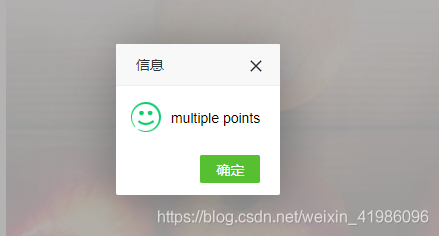
Error: java.lang.NumberFormatException : multiple points

Encountered error for java.lang.NumberFormatException : multiple points

The background error is:

java.lang.NumberFormatException: multiple points
	at sun.misc.FloatingDecimal.readJavaFormatString(FloatingDecimal.java:1890)
	at sun.misc.FloatingDecimal.parseDouble(FloatingDecimal.java:110)
	at java.lang.Double.parseDouble(Double.java:538)
	at bus.mdrms.algorithm.indexmodel.exterInterface.StationIndexForecast.initPubertyIndex(StationIndexForecast.java:278)
	at bus.mdrms.algorithm.indexmodel.exterInterface.StationIndexForecast.init(StationIndexForecast.java:51)
	at bus.mdrms.algorithm.indexmodel.exterInterface.StationIndexForecast.calPubertySuitability(StationIndexForecast.java:55)
	at bus.mdrms.algorithm.indexmodel.IndexCalculator.processRequest(IndexCalculator.java:177)
	at com.supermap.mdrms.framework.util.MDRMSUtil.queryMDRMSInfo(MDRMSUtil.java:747)
	at com.supermap.mdrms.modules.mdrms.controller.MdrmsController.queryMDRMSInfo(MdrmsController.java:177)
	at sun.reflect.NativeMethodAccessorImpl.invoke0(Native Method)
	at sun.reflect.NativeMethodAccessorImpl.invoke(NativeMethodAccessorImpl.java:62)
	at sun.reflect.DelegatingMethodAccessorImpl.invoke(DelegatingMethodAccessorImpl.java:43)
	at java.lang.reflect.Method.invoke(Method.java:498)
	at org.springframework.web.method.support.InvocableHandlerMethod.doInvoke(InvocableHandlerMethod.java:221)
	at org.springframework.web.method.support.InvocableHandlerMethod.invokeForRequest(InvocableHandlerMethod.java:137)
	at org.springframework.web.servlet.mvc.method.annotation.ServletInvocableHandlerMethod.invokeAndHandle(ServletInvocableHandlerMethod.java:111)
	at org.springframework.web.servlet.mvc.method.annotation.RequestMappingHandlerAdapter.invokeHandlerMethod(RequestMappingHandlerAdapter.java:806)
	at org.springframework.web.servlet.mvc.method.annotation.RequestMappingHandlerAdapter.handleInternal(RequestMappingHandlerAdapter.java:729)
	at org.springframework.web.servlet.mvc.method.AbstractHandlerMethodAdapter.handle(AbstractHandlerMethodAdapter.java:85)
	at org.springframework.web.servlet.DispatcherServlet.doDispatch(DispatcherServlet.java:959)
	at org.springframework.web.servlet.DispatcherServlet.doService(DispatcherServlet.java:893)
	at org.springframework.web.servlet.FrameworkServlet.processRequest(FrameworkServlet.java:970)
	at org.springframework.web.servlet.FrameworkServlet.doPost(FrameworkServlet.java:872)
	at javax.servlet.http.HttpServlet.service(HttpServlet.java:650)
	at org.springframework.web.servlet.FrameworkServlet.service(FrameworkServlet.java:846)
	at javax.servlet.http.HttpServlet.service(HttpServlet.java:731)
	at org.apache.catalina.core.ApplicationFilterChain.internalDoFilter(ApplicationFilterChain.java:303)
	at org.apache.catalina.core.ApplicationFilterChain.doFilter(ApplicationFilterChain.java:208)
	at org.apache.tomcat.websocket.server.WsFilter.doFilter(WsFilter.java:52)
	at org.apache.catalina.core.ApplicationFilterChain.internalDoFilter(ApplicationFilterChain.java:241)
	at org.apache.catalina.core.ApplicationFilterChain.doFilter(ApplicationFilterChain.java:208)
	at com.alibaba.druid.support.http.WebStatFilter.doFilter(WebStatFilter.java:123)
	at org.apache.catalina.core.ApplicationFilterChain.internalDoFilter(ApplicationFilterChain.java:241)
	at org.apache.catalina.core.ApplicationFilterChain.doFilter(ApplicationFilterChain.java:208)
	at org.springframework.web.filter.CharacterEncodingFilter.doFilterInternal(CharacterEncodingFilter.java:85)
	at org.springframework.web.filter.OncePerRequestFilter.doFilter(OncePerRequestFilter.java:107)
	at org.apache.catalina.core.ApplicationFilterChain.internalDoFilter(ApplicationFilterChain.java:241)
	at org.apache.catalina.core.ApplicationFilterChain.doFilter(ApplicationFilterChain.java:208)
	at org.apache.catalina.core.StandardWrapperValve.invoke(StandardWrapperValve.java:218)
	at org.apache.catalina.core.StandardContextValve.invoke(StandardContextValve.java:110)
	at org.apache.catalina.core.StandardHostValve.invoke(StandardHostValve.java:169)
	at org.apache.catalina.valves.ErrorReportValve.invoke(ErrorReportValve.java:103)
	at org.apache.catalina.valves.AccessLogValve.invoke(AccessLogValve.java:962)
	at org.apache.catalina.core.StandardEngineValve.invoke(StandardEngineValve.java:116)
	at org.apache.catalina.connector.CoyoteAdapter.service(CoyoteAdapter.java:445)
	at org.apache.coyote.http11.AbstractHttp11Processor.process(AbstractHttp11Processor.java:1115)
	at org.apache.coyote.AbstractProtocol$AbstractConnectionHandler.process(AbstractProtocol.java:637)
	at org.apache.tomcat.util.net.JIoEndpoint$SocketProcessor.run(JIoEndpoint.java:316)
	at java.util.concurrent.ThreadPoolExecutor.runWorker(ThreadPoolExecutor.java:1149)
	at java.util.concurrent.ThreadPoolExecutor$Worker.run(ThreadPoolExecutor.java:624)
	at org.apache.tomcat.util.threads.TaskThread$WrappingRunnable.run(TaskThread.java:61)
	at java.lang.Thread.run(Thread.java:748)

The error is multiple points

Same code:
double D_ version = Double.parseDouble ( “1.1.2 “);

Exception in thread "main" java.lang.NumberFormatException: multiple points

It would be the same mistake

double d_ version = Double.parseDouble ( “1..2 “);

It’s also a mistake


Pychar appears“ PEP:8 expected 2 blank lines ,found 1″

When using pychar to write python, the above problem always appears in the line def function() .
“PEP 8: expected 2 blank lines, found 1”

The specific reason is that there must be two empty lines above the line that declares the function, otherwise this will happen.
The annotation of function can be integrated with function

# coding: utf-8
# fun1
def func1():
    return 0
# fun2


def func2():
    return 1


com.android.ddmlib . adbcommandrejectedexception: device offline error while installing APK solution

com.android.ddmlib .AdbCommandRejected Exception:device offline

Error while Installing APK


The problem is that the ADB has been killed. Just restart it

There are three ways:

1、 You can find Plattform tools in the SDK file, and you can find ADB, in this folder

double click the ADB to restart


2. You can also perform two-step command operations in CMD: 2

1、adb kill-server

2、adb start-server


3、 Restart the computer


The above is reprinted content

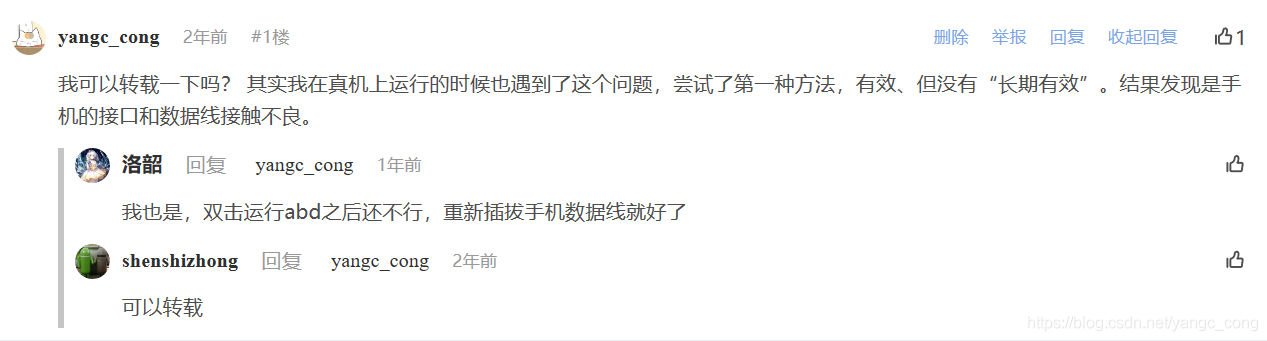
Personal supplement: I tried the first method, which is effective, and the result is effective and invalid when it runs again. Finally, it was found that the interface of the mobile phone was in poor contact, resulting in a sudden drop of the line during operation.

Episode: when searching for this question, the comments asked the original blogger if he could reprint it. Because he didn’t receive a reply immediately, he temporarily sent an original article. Today, some people like it. I just saw that the original blogger replied that it could be reproduced soon. Let’s make it up today.

【Unity 3D】Because you are not a member of this project this build will not access Unity services.

[problem description]

In the packaging settings, you will sometimes encounter such a warning: since you are not a member of this project, this version will not access the unity service.


This is because the unity account you are currently logged in to is not in the member list of the project.

If you are working on this project from the beginning to the end, and there is no problem in packaging before, then it is likely that the unity account you created when you created the project is different from the unity account you currently logged in (you did not log in when you created the project, or you did not log in when you logged in when you created the project, or the project was created by someone else and you took it with you, etc.)


[solution]

Open the Services tab (click on the window — & gt; services, or press Ctrl + 0).

Click new link — & gt; select your unity account — & gt; create

Then add your own account in.

java.lang.IllegalStateException: ArrayAdapter requires the resource ID to be a TextView

reward: java.lang.IllegalStateException ArrayAdapter requires the resource ID to be a TextView & & & & & & & & & & & & & & & & & & & & & & & & & & & & & & & & & & & & & & & & & & & & & & & & & & & & & & & & & &

at Android.widget.ArrayAdapter .createViewFromResource( ArrayAdapter.java:437 ♪ I love you ♪ ♪ I love you ♪ ♪ I love you ♪ ♪ I love you ♪ ♪ I love you ♪ ♪ I love you ♪ ♪ I love you ♪ ♪ I love you ♪ ♪ I love you ♪ Android.widget.ArrayAdapter .getView( ArrayAdapter.java:407 )

:: :: :: :: :: :: :: :: at Android.widget.AbsListView .obtainView( AbsListView.java:2372 )

:: :: :: :: :: :: :: :: at Android.widget.ListView .makeAndAddView( ListView.java:2052 )

I’m sorry, I’m sorry. Android.widget.ListView .fillDown( ListView.java:786 )

There’s one problem:

ArrayAdapter<String> adapte = new ArrayAdapter<String>(
  SiteActivity.this,android.R.layout.simple_list_item_2,site
);

I will be simple_ list_ item_ Change 2 to simple_ list_ item_ 1 will solve the problem and will not report an error

Refer to the causes of the problem: https://blog.csdn.net/xxg3053/article/details/6999872