Author Archives: Robins

Hive ERROR Failed with exception java.io.IOException:java.lang.IllegalArgumentException

Failed with exception Java.io.IOException Quote: java.lang.illegalArgumentException : java.net.URISyntaxException Relative path in absolute URI: system:user.name *


/apache-hive-1.2.1-bin/iotmp-36827;/ apache-hive-1.2.1-bin > conf> hive- site.xml E

28155;” system:java.io.tmpdir
<property>
<name> system:java.io.tmpdir</name >
<value>/../apache-hive-1.2.1-bin/iotmp</value> ’35;’27880;” 3732444;’24452;’32477;’ 2354552;
<description/>
</property>


“229144;”26524;”36824;” 199811;”

“32487;” 32493;”hive- site.xml [Music]

23558; HIV.exec.local scratchdir.

${ system:java.io.tmpdir { system:user.name *

259130;”

HIV.exec.local scratchdir.

${ java.io.tmpdir { user name *

Spring Boot Thymeleaf ERROR 8592 org.thymeleaf.TemplateEngine

Spring Boot + Thymeleaf Error: ERROR 8592 org.thymeleaf.TemplateEngine
Error Message:
org.thymeleaf.exceptions.TemplateInputException: An error happened during template parsing (template: “class path resource [templates/…….html]”)
……ERROR 8592 — [p-nio-80-exec-7] o.a.c.c.C.[.[.[/].[dispatcherServlet] : Servlet.service() for servlet [dispatcherServlet] in context with path [] threw exception [Request processing failed; nested exception is org.thymeleaf.exceptions.TemplateInputException: An error happened during template parsing (template: “class path resource [templates/…….html]”)] with root cause
Problem location and solution
1、Location
Checked the return value of the Controller, path spelling, annotations and so on are not found problems
Fortunately, there is a page can be displayed normally, so the exchange comparison, found that the problem in the <!DOCTYPE> tag
2, solve

<!DOCTYPE HTML PUBLIC "-//W3C//DTD HTML 4.01 Transitional//EN">

Change to

<!DOCTYPE html PUBLIC "-//W3C//DTD HTML 4.01 Transitional//EN" "http://www.w3.org/TR/html4/loose.dtd">

or

<!DOCTYPE HTML PUBLIC "-//W3C//DTD HTML 4.01 Transitional//EN" "http://www.w3c.org/TR/1999/REC-html401-19991224/loose.dtd">

I think it’s puzzling, but because of the project problem, the front end can only use this webpage written with a lot of obsolete tags. Thymeleaf has strict requirements on the front end, and suggests that H5 standard be used in new projects.

extend

Here is a configuration method to turn off strict syntax checking for thymeleaf

1. In pom.xml Add dependency to file

<dependency>
   <groupId>net.sourceforge.nekohtml</groupId>
   <artifactId>nekohtml</artifactId>
   <version>1.9.21</version>
</dependency>

2. In application.properties Add in

spring.thymeleaf.mode=LEGACYHTML5

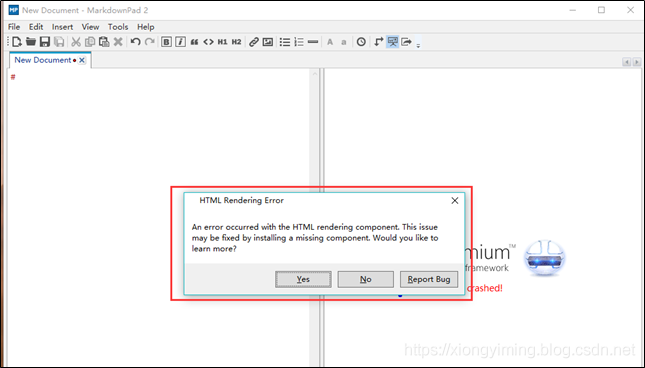
Markdownpad2 Error: Html Rendering Error (An error occurred with the Html rendering component.)

window 10 after installing markdownpad2 software, open the software prompt: an error occurred with the HTML rendering component. This </ font> as shown in the figure below:

error reason: markdownpad 2 has this view has crashed in win10.


Solution: install a SDK toolkit.

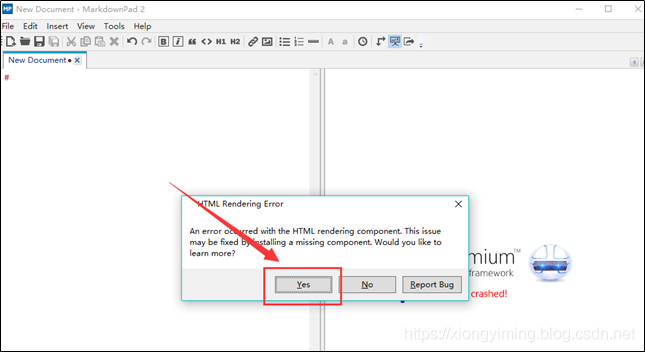
1. Click the prompt box below: “yes” to enter the official website directly and automatically http://markdownpad.com/faq.html#livepreview -DirectX

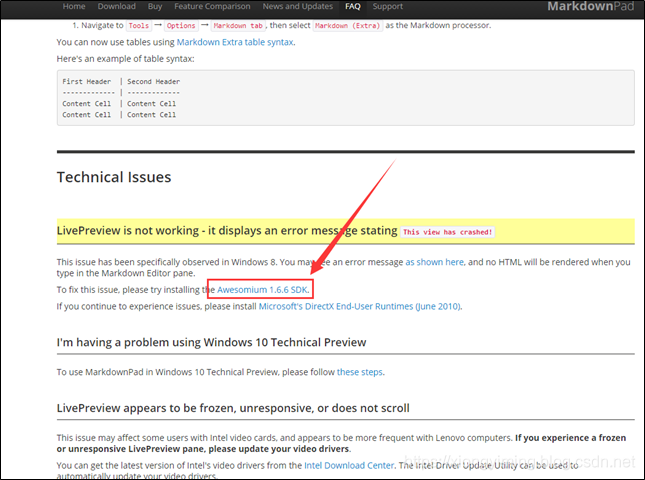
2 as shown in the figure below: click awesomium 1.6.6 SDK </ font> to enter download

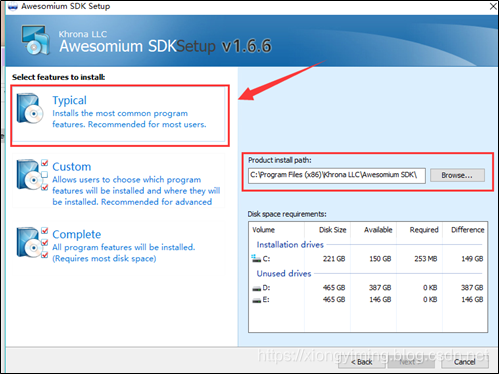
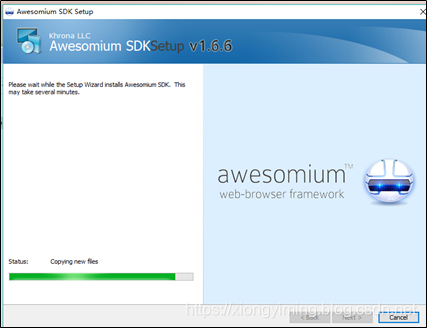
3 after download, click Install, as shown in the figure below:


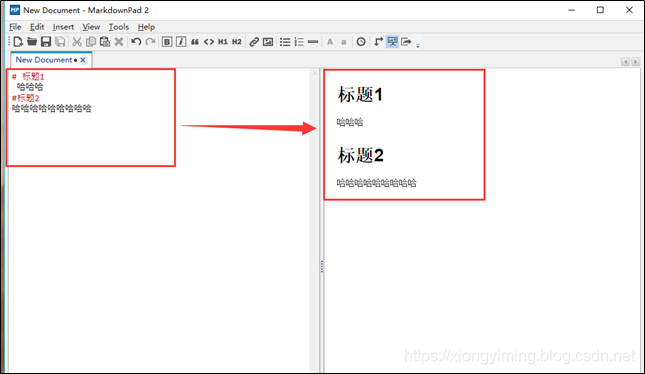
4. After the installation is completed, reopen the markdownpad 2 software, and no error will appear. Write something casually, as shown in the figure below:

How to Solve Python AttributeError: ‘module’ object has no attribute ‘xxx’

Python script error attributeerror: ‘module’ object has no attribute ‘xxx’ solution

when you encounter a few problems, you should pay attention to the same problem when you don’t ask for a solution

1. When naming py script, it should not be the same as the reserved word and module name of Python
(it is not easy to notice when naming files)
2 Delete the. PyC file of the library (because the. PyC file will be generated every time the PY script runs; if the. PyC file has been generated, if the code is not updated, the runtime will still go PyC, so you need to delete the. PyC file), rerun the code, or find an environment where you can run the code and copy and replace the. PyC file of the current machine Import questions </ font> </ font>

Java Running Error: Could not find or load main class

[problem description]

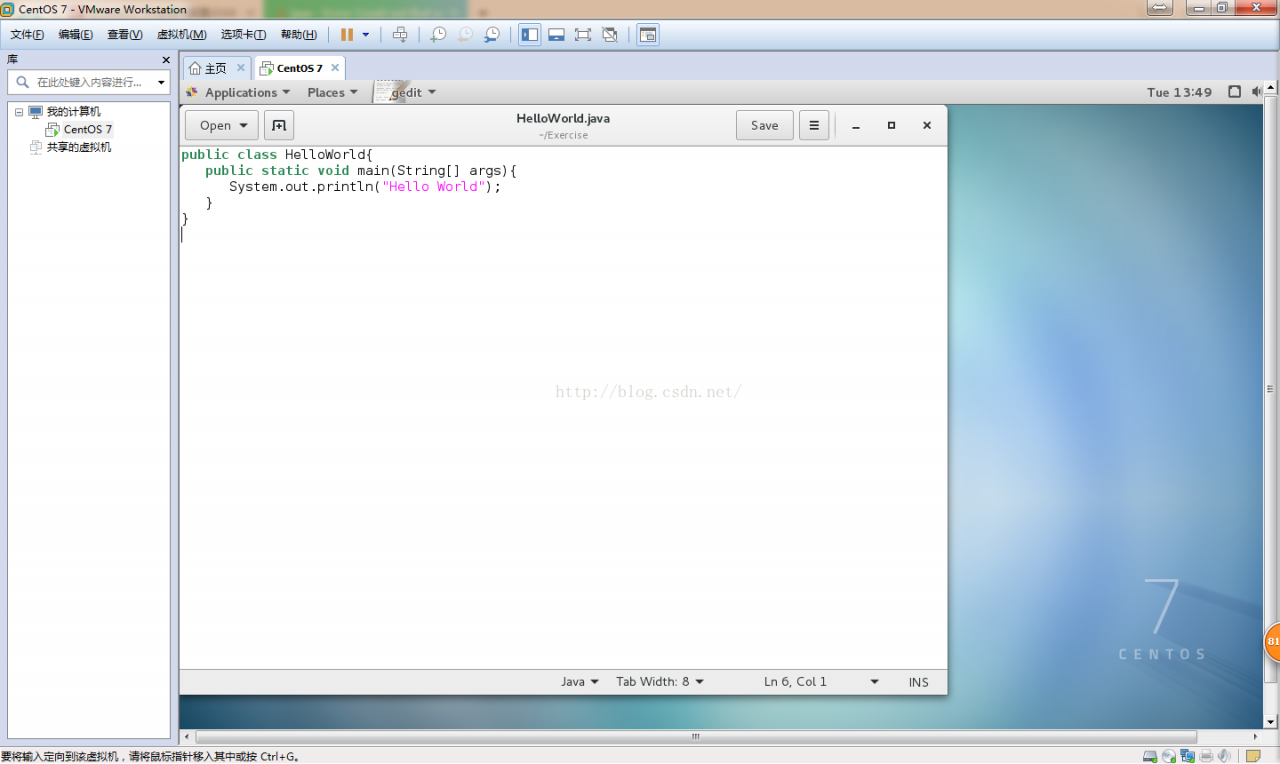
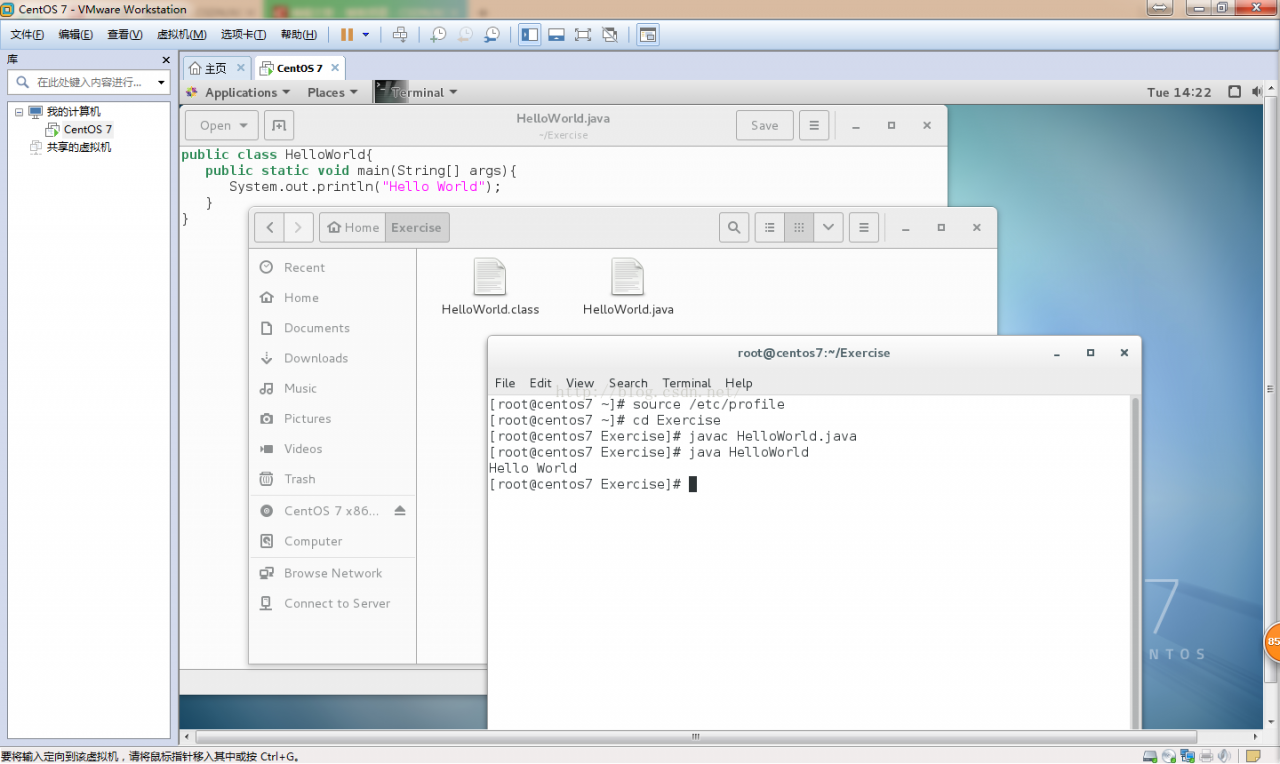
User root is created in the/root/exercise folder HelloWorld.java The code is as follows:

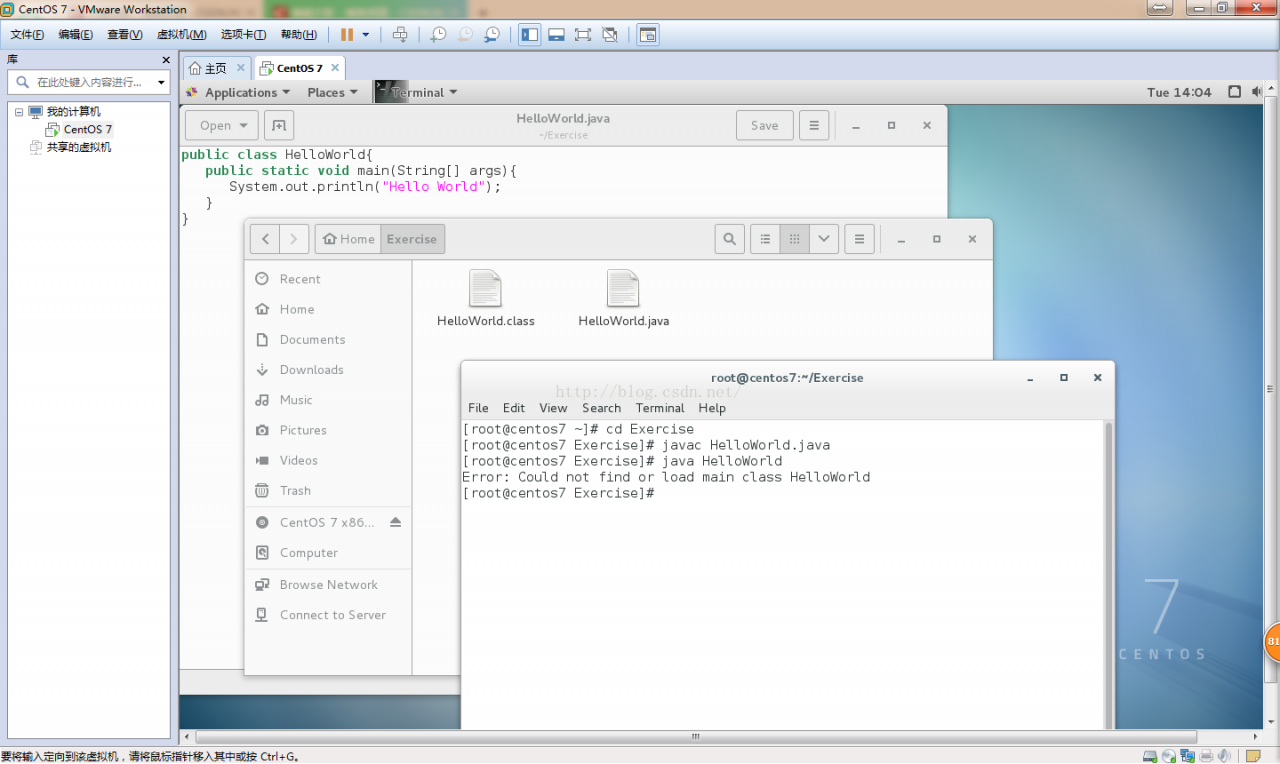
Compile and run the file as follows:

Compile HelloWorld.java Generate bytecode file HelloWorld.class , running HelloWorld.class Error: could not find or load main class.


[cause analysis]

The current directory is the directory where the. Class file is located. To run the. Class bytecode file, you need to add the current directory to the system variable classpath to find the Java class in the current directory.


[solution]

Step 1: add the classpath system variable at the end of the profile file in/etc.:,. To represent the current path.

The classpath in the original/etc/profile file is:

CLASSPATH=$JAVA_ HOME/jre/lib/ext:$JAVA_ HOME/lib/ dt.jar :$JAVA_ HOME/lib/ tools.jar .

The added classpath is: classpath =.: $Java_ HOME/jre/lib/ext:$JAVA_ HOME/lib/ dt.jar :$JAVA_ HOME/lib/ tools.jar

Step 2: input source/etc/profile on the command line to make the system variables in/etc/profile effective and then run.

Note: you can modify system variables only if the current user is root. If you enter source/etc/profile on the command line, the system variable will only take effect temporarily. If you close terminal, the system variable will be restored to its original state. Because the system variable is loaded at system startup, the system variable will be loaded automatically only at the next system restart, so you don’t need to enter source/etc/profile again.

The results are as follows

Android studio can’t start, running error: warning: crash service did not start

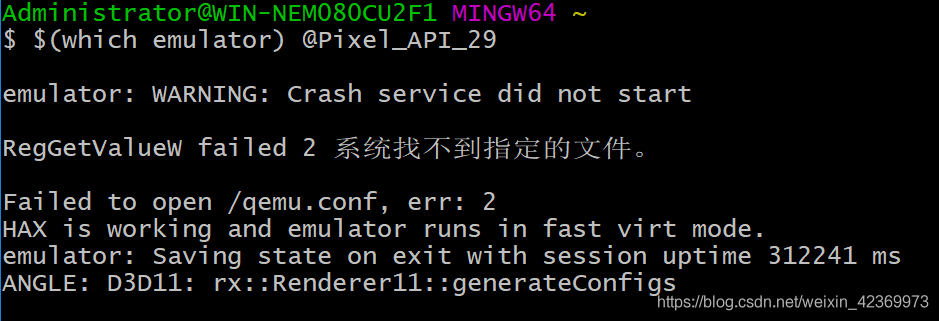
Android StudioAn error was reported when starting the emulator, as follows:
emulator: WARNING: Crash service did not start
RegGetValueW failed 2 The system could not find the specified file.
Failed to open /qemu.conf, err: 2
HAX is working and emulator runs in fast virt mode.
emulator: Saving state on exit with session uptime 312241 ms
ANGLE: D3D11: rx::Renderer11::generateConfigs
Cause of the problem:The cause of the problem is that I am using the Nexus 5X emulator and both images force the “Emulated Performance” to be set to “Automatic Graphics”.

Solution:

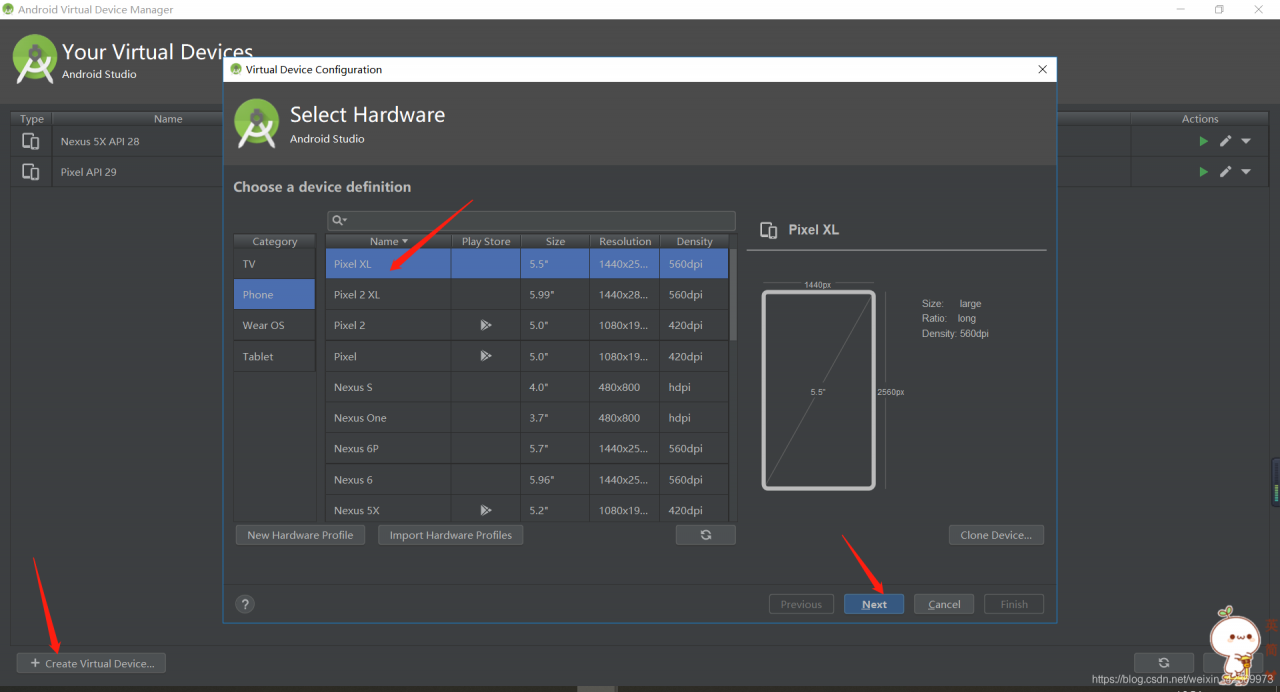
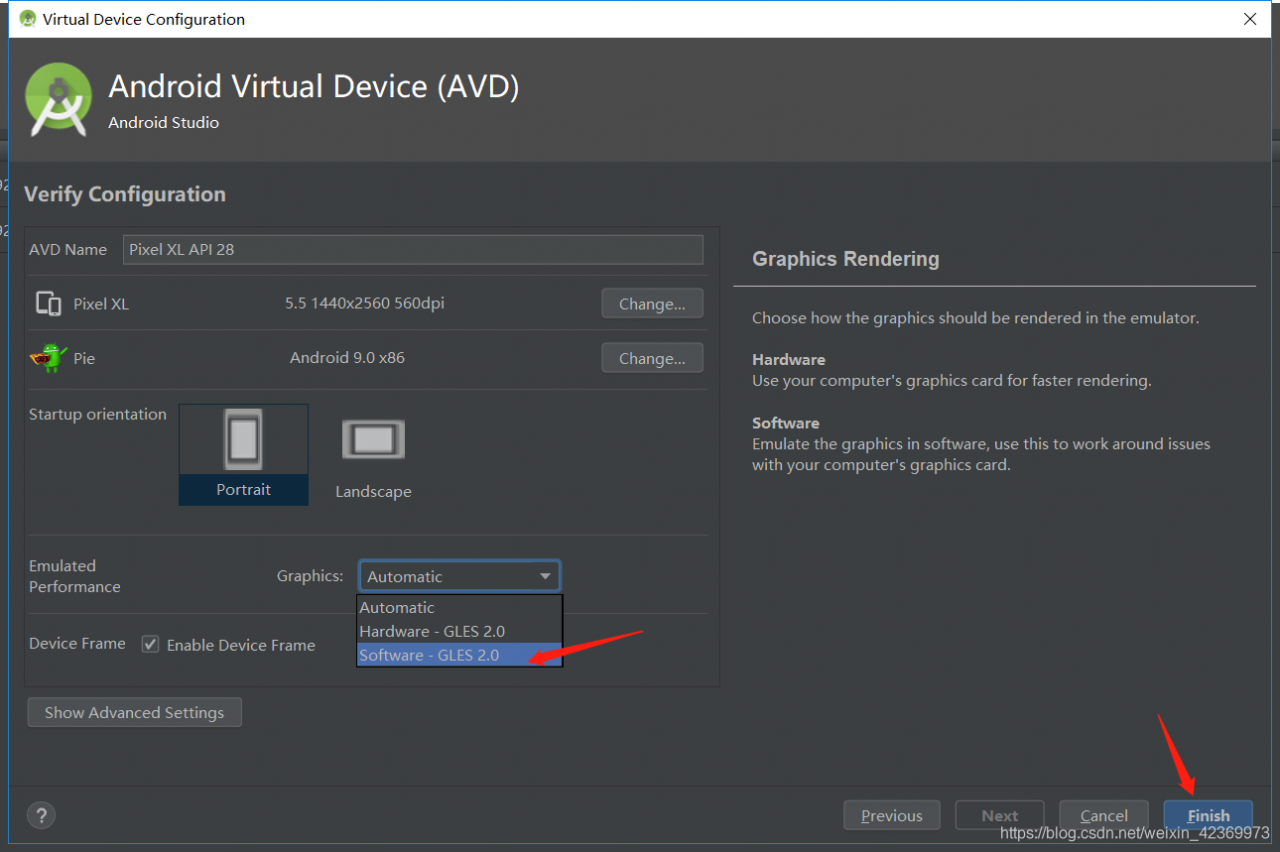
Create a new emulator, for example using “Pixel XL”。 “Emulated Performance” change to “Software graphics”。

Error in PostgreSQL installation of win10

problem

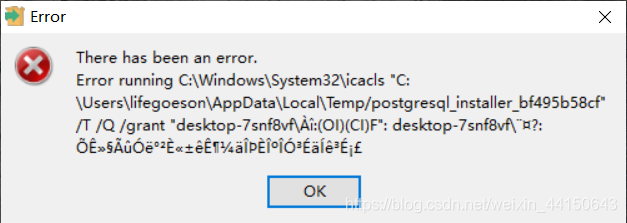
The installation of PostgreSQL in win10 reports an error. The 10, 11 and 12 versions downloaded from the official website are not available. The error is as follows

there has been an error. Error running icacls
"c:\Users\abdo\AppData\Local\Temp/postgresql_installer_b4be1776ca"/T/Q/grant: Access is denied


How to fix
install this version https://get.enterprisedb.com/postgresql/postgresql-11.2-1-windows-x64.exe

https://superuser.com/questions/1475822/postgresql-install-fail-in-windows-10-icacls-error-access-denied

NLTK Error [nltk_data] Error loading stopwords: hostname

Nltk error [nltk]_ Data] error loading stopwords: host name. Use the following code to download stopwords

import nltk
import ssl

try:
    _create_unverified_https_context = ssl._create_unverified_context
except AttributeError:
    pass
else:
    ssl._create_default_https_context = _create_unverified_https_context
    

nltk.download('stopwords')
nltk.download('punkt')

Mysql 8.0.13 Enabling remote access (ERROR 1064 (42000): You have an error in your SQL syntax; check the manual th)

preface

When opening remote access permission on windows, we searched a lot of information. Most of the commands explaining how to open remote MySQL remote service are as follows:

grant all privileges on *.* to 'root'@'%' identified by 'Your passwords' with grant option 

This method is not applicable to the version after MySQL 8.0.

you need to use the following command to start the remote service.

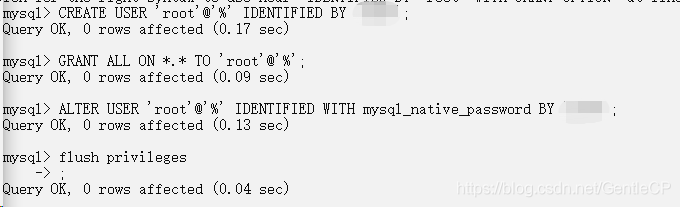
CREATE USER 'root'@'%' IDENTIFIED BY 'Your passwords'; 
GRANT ALL ON *.* TO 'root'@'%'; 
ALTER USER 'root'@'%' IDENTIFIED WITH mysql_native_password BY 'Your passwords';

After the three commands are executed in sequence, refresh the permissions:

FLUSH PRIVILEGES;

Actual effect:

Github Clone Error: RPC failed; result=56, HTTP code=200

Error Message:
error: RPC failed; result=56, HTTP code = 200 fatal: The remote end hung up unexpectedly

fatal: early EOF

fatal: index-pack failed

Error code 56 indicates a curl receive error of CURLE_RECV_ERROR which means there was some issue that prevented the data from being received during the clone process. Typically this is caused by a network setting, firewall, VPN client, or anti-virus that is terminating the connection before all data has been transferred.
How to Solve:
git config –global http.postBuffer 2M

Kafka Error while fetching metadata with correlation id 1 : {alarmHis=LEADER_NOT_AVAILABLE}

environment

springboot2 + kafka_ Kafka is a stand-alone environment

Error report

Error while fetching metadata with correlation id 1 : {alarmHis=LEADER_NOT_AVAILABLE}

Cause of error

Error getting metadata with correlation ID XX

Problem solving

    1. Modify

config\ server.properties , as follows:

listeners=PLAINTEXT://localhost:9092
advertised.listeners=PLAINTEXT://localhost:9092

Restart Kafka and start the program to store

result

Smooth solution