Author Archives: Robins

Browser Error: net::ERR_CONTENT_LENGTH_MISMATCH 200 (OK)

Browser error:

net::ERR_CONTENT_LENGTH_MISMATCH 200 (OK)

To view the Nginx error log:

13505#0: *1107085 pwritev() "/usr/local/nginx/proxy_temp/5/88/0000050885" failed 
(28: No space left on device) while reading upstream

There is not enough space, which means the disk is full.

Because proxy_Temp is the cache folder of Nginx. My CSS and JS files are too large, so Nginx usually takes them from the cache instead of directly loading them at the original address every time.

Refer to
browser error net:: err_ CONTENT_ LENGTH_ Mismach 200 (OK) solution

Port occupancy error address already in use: bind [Solved]

Port occupancy error address already in use: bind
solution:
Open CMD

netstat -ano   View the processes and their port numbers
taskkill /PID 6272 /F Terminate the process with PID 6272

In app_config_Under of the dev.properties folder,

ipsd.port=11111     

Enter netstat – ano in CMD, find out that the process corresponding to 11111 is 6272
and then enter taskkill/PID 6272/F to terminate the process with PID 6272

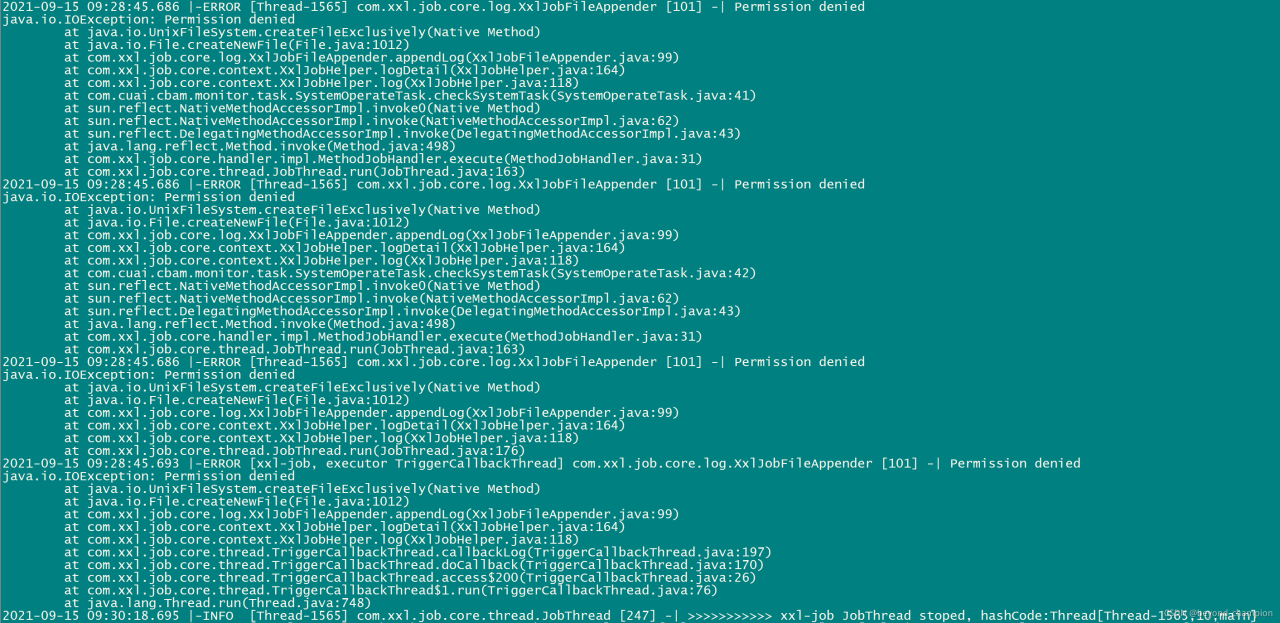
[Solved] XxlJob Error: XxlJobFileAppender [101] -| Permission denied

1. Xxljob reports an error. Xxljobfileappender [101] – [permission denied

An error is reported in xxljob: xxljobfileappender [101] – [permission denied. The detailed error is as follows:

2021-09-15 09:28:45.686 |-ERROR [Thread-1565] com.xxl.job.core.log.XxlJobFileAppender [101] -| Permission denied
java.io.IOException: Permission denied
        at java.io.UnixFileSystem.createFileExclusively(Native Method)
        at java.io.File.createNewFile(File.java:1012)
        at com.xxl.job.core.log.XxlJobFileAppender.appendLog(XxlJobFileAppender.java:99)
        at com.xxl.job.core.context.XxlJobHelper.logDetail(XxlJobHelper.java:164)
        at com.xxl.job.core.context.XxlJobHelper.log(XxlJobHelper.java:118)
        at com.cuai.cbam.monitor.task.SystemOperateTask.checkSystemTask(SystemOperateTask.java:41)
        at sun.reflect.NativeMethodAccessorImpl.invoke0(Native Method)
        at sun.reflect.NativeMethodAccessorImpl.invoke(NativeMethodAccessorImpl.java:62)
        at sun.reflect.DelegatingMethodAccessorImpl.invoke(DelegatingMethodAccessorImpl.java:43)
        at java.lang.reflect.Method.invoke(Method.java:498)
        at com.xxl.job.core.handler.impl.MethodJobHandler.execute(MethodJobHandler.java:31)
        at com.xxl.job.core.thread.JobThread.run(JobThread.java:163)

2. Positioning problem

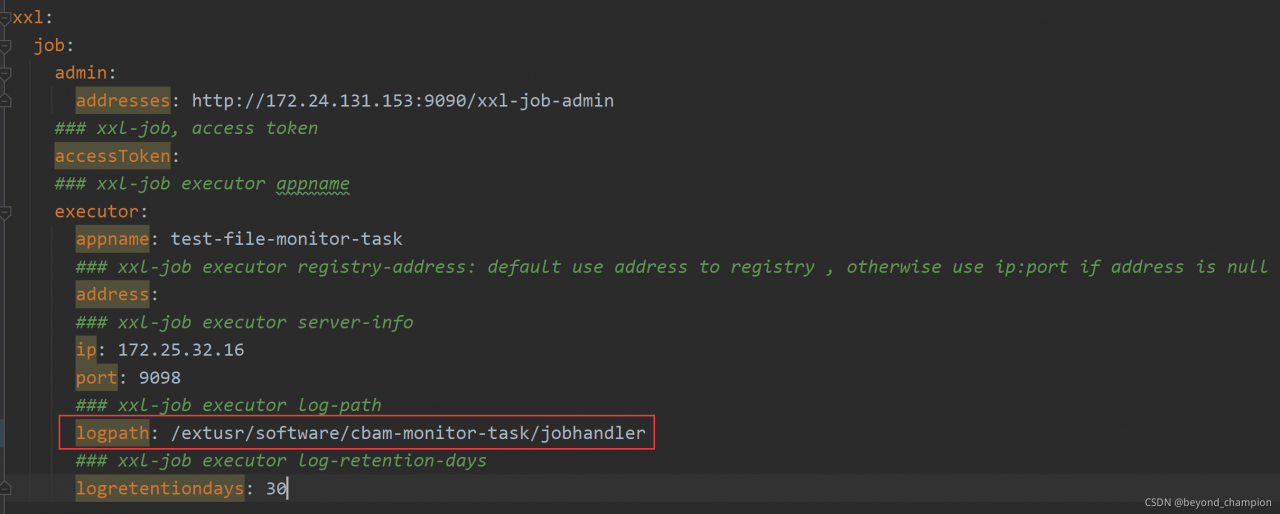
After analyzing the log, you can find that it is normal to use logback to output the log, but use * * xxljobhelper.log (“…”)** When an error is reported, check the relevant configuration of xxljob and find a logpath parameter. Combined with the error, it is speculated that the server does not have the configured logpath path or the current operating user does not have the operation permission of the logpath path

3. Problem solving

Grant the logpath path the permission that the current user can operate, and then restart the application. It is found that the program is normal. So far, the problem has been solved.

log4j Error: Please initialize the log4j system properly [How to Solve]

pom.xml

<dependency>
            <groupId>org.slf4j</groupId>
            <artifactId>slf4j-log4j12</artifactId>
            <version>1.7.7</version>
        </dependency>
        <dependency>
            <groupId>log4j</groupId>
            <artifactId>log4j</artifactId>
            <version>1.2.17</version>
        </dependency>

log4j.properties

 log4j.rootLogger=INFO.console
 log4j.appender.console=org.apache.log4j.ConsoleAppender
 log4j.appender.console.layout=org.apache.log4j.PatternLayout
 log4j.appender.console.layout.ConversionPattern=%d{HH:mm:ss.SSS} %-5p %-60c %X - %m%n

Errors found:

log4j:WARN No appenders could be found for logger (org.apache.flink.streaming.api.graph.StreamGraphGenerator).
log4j:WARN Please initialize the log4j system properly.
log4j:WARN See http://logging.apache.org/log4j/1.2/faq.html#noconfig for more info.

Later, it was found that the configuration was written incorrectly. Just change “log4j. Rootlogger = info. Console” to “log4j. Rootlogger = info, console”

Elasticsearch Startup Error: unable to install syscall filter: java.lang.UnsupportedOperationException: seccomp

Error Message:

[2021-09-12T10:40:53,855][WARN ][o.e.b.JNANatives         ] [DESKTOP-BPG73KH] unable to install syscall filter:
java.lang.UnsupportedOperationException: seccomp unavailable: CONFIG_SECCOMP not compiled into kernel, CONFIG_SECCOMP and CONFIG_SECCOMP_FILTER are needed
        at org.elasticsearch.bootstrap.SystemCallFilter.linuxImpl(SystemCallFilter.java:342) ~[elasticsearch-7.7.0.jar:7.7.0]
        at org.elasticsearch.bootstrap.SystemCallFilter.init(SystemCallFilter.java:617) ~[elasticsearch-7.7.0.jar:7.7.0]        at org.elasticsearch.bootstrap.JNANatives.tryInstallSystemCallFilter(JNANatives.java:260) [elasticsearch-7.7.0.jar:7.7.0]
        at org.elasticsearch.bootstrap.Natives.tryInstallSystemCallFilter(Natives.java:113) [elasticsearch-7.7.0.jar:7.7.0]
        at org.elasticsearch.bootstrap.Bootstrap.initializeNatives(Bootstrap.java:116) [elasticsearch-7.7.0.jar:7.7.0]
        at org.elasticsearch.bootstrap.Bootstrap.setup(Bootstrap.java:178) [elasticsearch-7.7.0.jar:7.7.0]
        at org.elasticsearch.bootstrap.Bootstrap.init(Bootstrap.java:393) [elasticsearch-7.7.0.jar:7.7.0]
        at org.elasticsearch.bootstrap.Elasticsearch.init(Elasticsearch.java:170) [elasticsearch-7.7.0.jar:7.7.0]
        at org.elasticsearch.bootstrap.Elasticsearch.execute(Elasticsearch.java:161) [elasticsearch-7.7.0.jar:7.7.0]
        at org.elasticsearch.cli.EnvironmentAwareCommand.execute(EnvironmentAwareCommand.java:86) [elasticsearch-7.7.0.jar:7.7.0]
        at org.elasticsearch.cli.Command.mainWithoutErrorHandling(Command.java:127) [elasticsearch-cli-7.7.0.jar:7.7.0]
        at org.elasticsearch.cli.Command.main(Command.java:90) [elasticsearch-cli-7.7.0.jar:7.7.0]
        at org.elasticsearch.bootstrap.Elasticsearch.main(Elasticsearch.java:126) [elasticsearch-7.7.0.jar:7.7.0]
        at org.elasticsearch.bootstrap.Elasticsearch.main(Elasticsearch.java:92) [elasticsearch-7.7.0.jar:7.7.0]

Solution:

Problem reason: because centos6 does not support seccomp, es5.2.1 defaults to bootstrap.system_call_filter is true for detection, so the detection fails. After the failure, the ES cannot be started directly. See: https://github.com/elastic/elasticsearch/issues/22899

Solution: configure bootstrap.system in elasticsearch. YML _ call_ If the filter is false, note that it should be under memory:

bootstrap.memory_lock: false
bootstrap.system_call_filter: false

How to Solve Nginx 413 Error (request entity too large)

Solve the error of Nginx 413 (request entity too large)

Error reporting reason:
the request body is too large. The default upload file size in the nginx configuration file is 1m. You need to modify the upload file size configuration in the configuration file
in the Nginx directory,
find the conf folder,
open the Nginx.conf file
add the following code to HTTP {…}

http{
    
    #upload the file size
    client_max_body_size 1024m;
    
}

After modifying the configuration file, restart Nginx
Restart command: Nginx – s reload

Vue installation @ Vue/cli error: npmerr gyp err

At home on weekends, I want to install Vue on the local computer, but I always report the error of ‘gyp’. All kinds of Baidu attempts always fail until I see an explanation: installing @ Vue/cli reports the error npmerr gyp err
(intrusion and deletion)

Sort out:
1. First delete three Vue related files in the local folder directory C:// user/xxx/appdata/roaming/NPM
2. Switch the NPM image source of Taobao back to the initial image source of NPM:

https://registry.npmjs.org/
npm config set registry https://registry.npmjs.org/

Then run NPM install - G @ Vue/cli and wait.

[Solved] Uni.createintersectionobserver Error: Uncaught TypeError: Cannot read property ‘bottom’ of null

Error content

Uncaught TypeError: Cannot read property 'bottom' of null
    at a (chunk-vendors.js:319)
    at chunk-vendors.js:319
    at Array.forEach (<anonymous>)
    at IntersectionObserver.s.<computed>.IntersectionObserver.root (chunk-vendors.js:319)

Cause
the listening element cannot be found
PS: it seems that it only appears from the H5 platform

Solution
in the hide and unload life cycle of the page, cancel listening to elements

onHide:function(){
	this.observer.disconnect();
},
onUnload: function(){
	this.observer.disconnect();
},

Judge whether the element exists during listening, and clear the last listening

Vue.prototype.$lazyImg = function(fn){
	this.observer.disconnect();//The previous ones must be cleared. Otherwise, elements that have been loaded will still be listened to, or if the listened to elements disappear, an error will be reported
	uni.createSelectorQuery().in(this).selectAll('.lazy').boundingClientRect(data => {
		if(data.length > 0){//If there is no lazy element on the page, it will report an error directly, which is really fucking outrageous!
			this.observer.observe('.lazy', (res) => {
				if(res.intersectionRatio > 0){//sometimes, intersectionRatio is undefined
					fn(res.dataset)
				}
			})
		}
	}).exec();
}
[Solved] ModuleNotFoundError: No module named ‘_polyiou‘

Problem recurrence

//install swig
sudo apt-get install swig
swig -c++ -python polyiou.i
python setup.py build_ext --inplace

//report error
ModuleNotFoundError: No module named '_polyiou'

Solution:

Swig is not installed correctly. Because there are python2 and python3 in the environment, the command to install swig is modified as follows

sudo apt-get install swig
swig -c++ -python polyiou.i
python3 setup.py build_ext --inplace

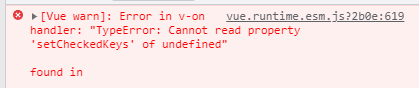
[Solved] Cannot read property ‘setCheckedKeys‘ of undefined“

Elementui reports an error. Cannot read property ‘setcheckedkeys’ of undefined“

Click the tree node and execute the following code. An error will be reported because the DOM element is not loaded

  handleRowClick(row) {
    this.$refs.tree.setCheckedKeys(ids);
  },

Correct writing:

  handleRowClick(row) {
    this.$nextTick(() => {
      this.$refs.tree.setCheckedKeys(ids);
    })
  },

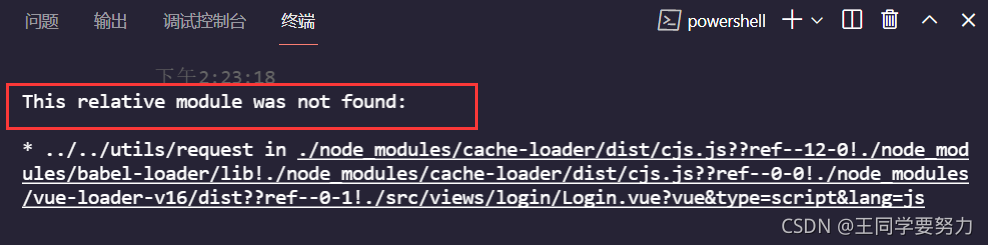
[Solved] Vue Project Error: This relative module was not found

Vue project error: this relative module was not found

The questions are as follows

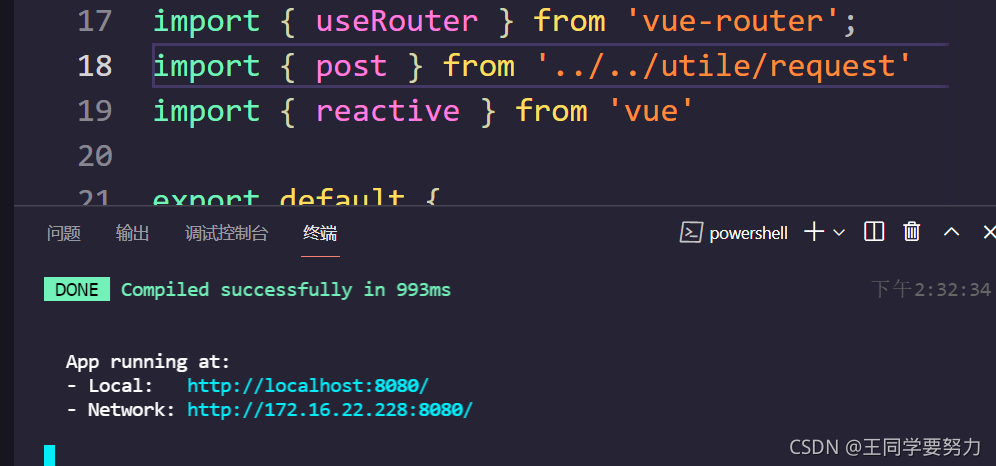
Solution:

If this error occurs, check your own path. I have solved the problem

“. /”: represents the current directory.

“.. /” represents the upper level directory.

“.. /. /” represents the upper level directory.

And so on

I have solved it successfully