Author Archives: Robins

There was an unexpected error (type=Internal Server Error, status=500).Invalid bound statement (not

Full error:

The problem revolves around mapper. There may be many reasons for the problem:

1. The control document is written incorrectly

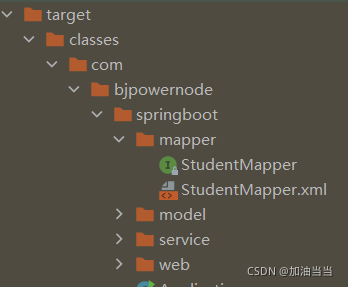
2. The file generated after compilation does not contain XML file

Solution: manually specify the resource folder in the pop file

<!--        Manually specify the resource folder-->
        <resources>
            <resource>
                <directory>src/main/java</directory>
                <includes>
                    <include>**/*.xml</include>
                </includes>
            </resource>
        </resources>

Error creating bean with name ‘studentMapper‘ defined in file

org.springframework.beans.factory.UnsatisfiedDependencyException: Error creating bean with name ‘studentServiceImpl’: Unsatisfied dependency expressed through field ‘studentMapper’; nested exception is org.springframework.beans.factory.BeanCreationException: Error creating bean with name ‘studentMapper’Cause of error:
Because repeated code generation with Mybatis Generator automatically generated duplicate code
You can find two sameselectByExampleWithRowbounds in *mapper.xml.

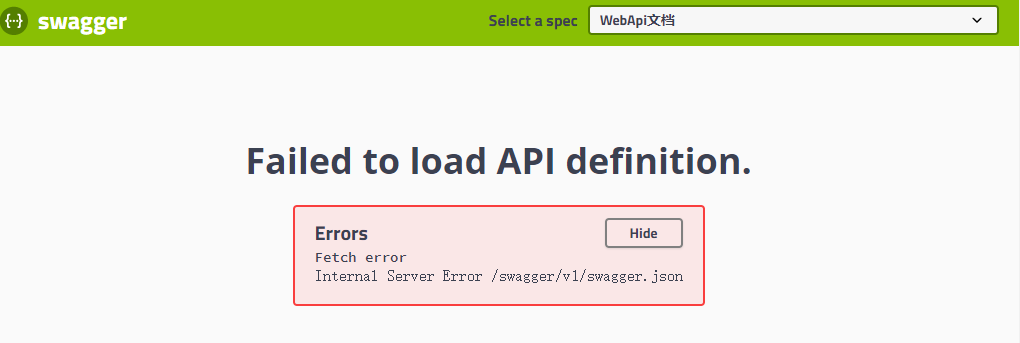
How to Solve Internal Server Error: /swagger/v1/swagger.json

Sometimes, when running swagger, it will cause“   Internal Server Error /swagger/v1/swagger.json  ” Wrong.

Here are my solutions:

1. First look at the console and check the reason. The reason is: ambiguous HTTP method for action, which is translated as “ambiguous HTTP operation method”. It is estimated that a brother did not indicate the HTTP method when submitting the code.

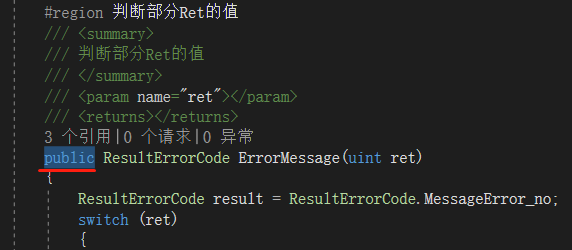
2. Search all public methods in the controller. In the search result window, press ↓ on the keyboard   and   ↑   Button to quickly switch to search. Finally, it is found that the method is written in public and changed to private.

Conclusion:

Ambiguous HTTP method for action, translated as “ambiguous HTTP operation method”.

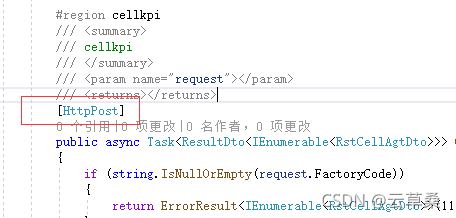
There may be no HTTP method written, such as [httpget], [httppost], add to the method.

It may also be caused by writing some methods that should have been private to public.

[Solved] Selenium Error: ERROR: Message: element not interactable

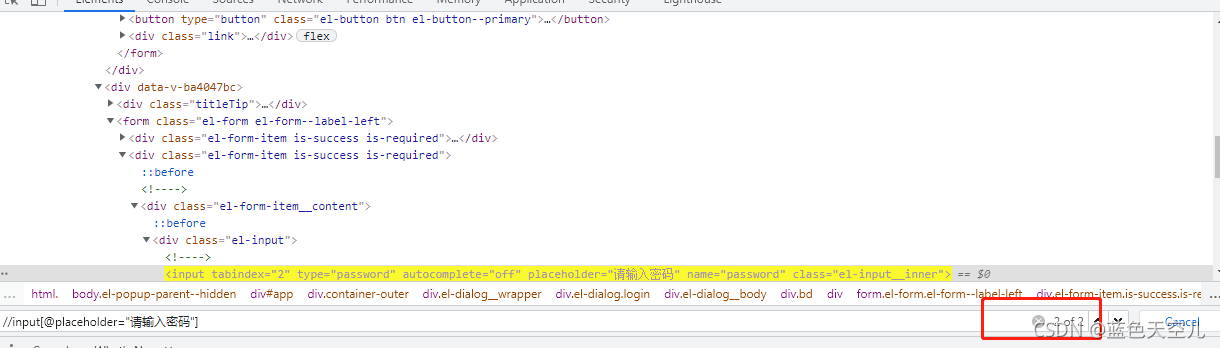
For this error, you can check whether there are duplicate elements on the next page

For example, the following: run the error on the old newspaper and find that there are duplicate elements on the page

password=(By.XPATH,'//input[@placeholder="Please input the password"])'

Solution: find the one you need, as follows

password=(By.XPATH,'(//input[@placeholder="Please input the password"])[2]')

Specify element positioning method: (//span [text() = ‘match’) [2]

C++:error C2872: ‘byte‘: ambiguous symbol [How to Solve]

The reason is to merge two project programs written by others. There is no problem with separate testing. After merging, compile and report errors

After searching the data, it is suspected that it is related to the header file windows.H

#include<math.h>
#include <string>
#include <iostream>
#include <fstream>
#include <vector>
#include <windows.h> // Commented out to compile properly
#include <map>
#include <any>

My solution is to #include <windows.h> comment it out (the header file is not used in the code), and then it can run successfully. I didn’t delve into the specific reasons, mainly by referring to the reference materials at the end of the article.

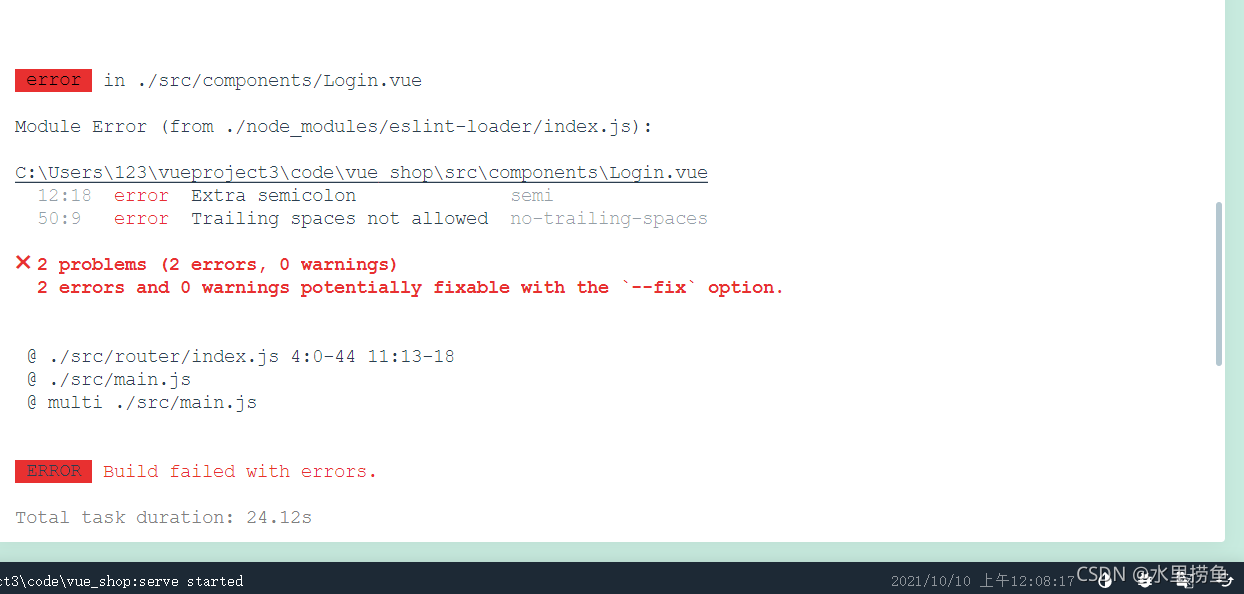
[Solved] ✖ 2 problem (1 error, 0 warnings) 2 error and 0 warnings potentially fixable with the`–fix`

Semi in eslint is to check whether the semicolon is wrong. No trailing spaces is the absence of spaces in the code Open. Eslintrc.js in the project and add the following code in the rules to solve the above problems. Just add the first and second lines of code in the box. Some are added to the problems later. It is recommended to add them because they are useful later.
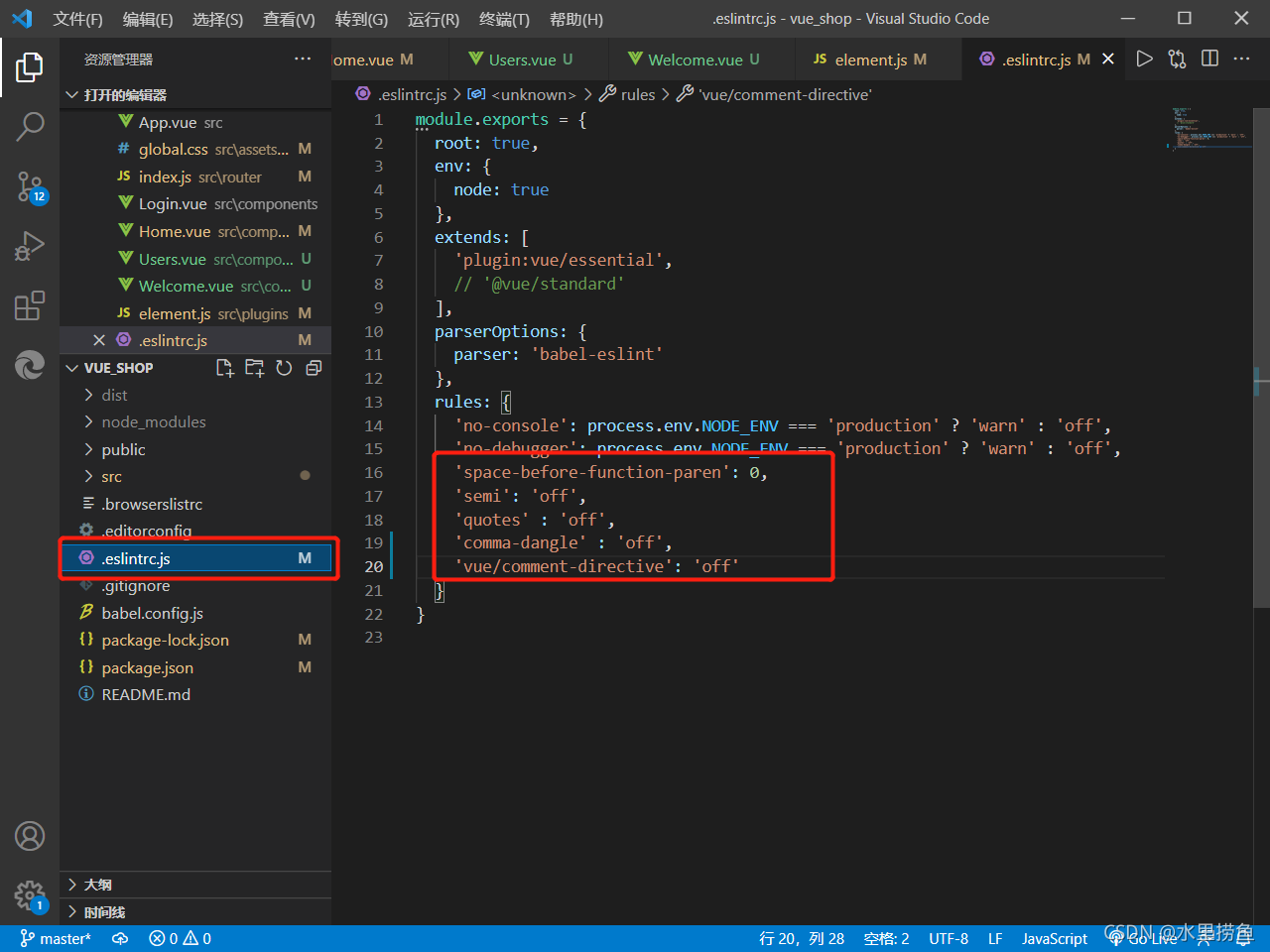
'space-before-function-paren': 0,
'semi': 'off',
'quotes' : 'off',
'comma-dangle' : 'off',
'vue/comment-directive': 'off'

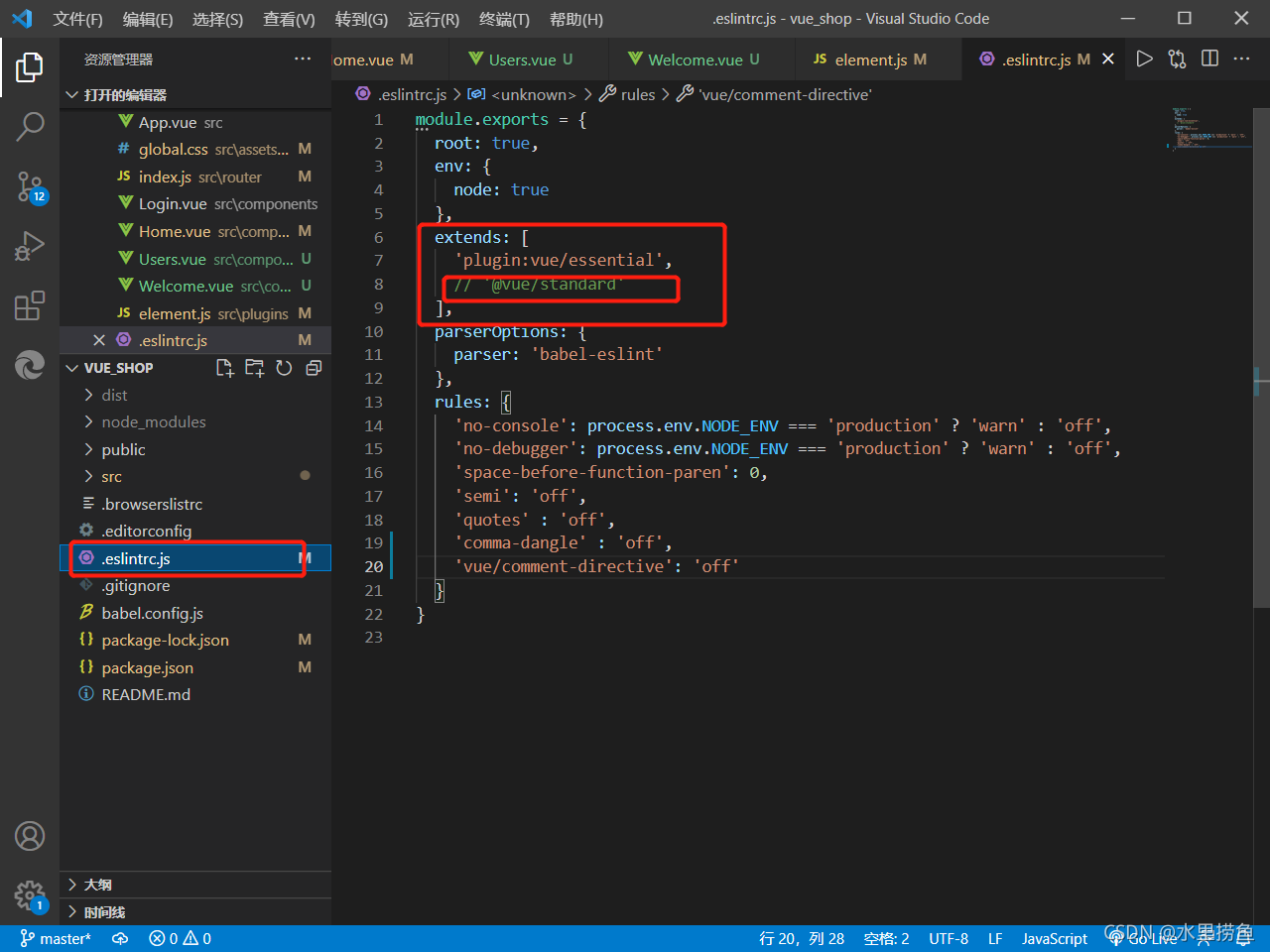
Eslint requires strict code format. Sometimes errors will occur when there are fewer or more spaces. It is recommended to replace the extensions in. Eslintrc.js in the project  ‘@ Vue/standard ‘is commented out. This will reduce many subsequent format problems.

[Solved] Vs error: link: fatal error lnk1168: unable to open for writing

Project scenario:

use VS to program in C language and generate solution report – > Execution error


Problem Description:

error: link: fatal error lnk1168: unable to open C:\users\86139\desktop\plan\notes\C\tryproject \ debug\tryproject.exe for writing

#include <stdio.h>
#include "math.h"//Since the library function sqrt() is to be used

int main(){
	//Requirement: determine if the quadratic function has real roots, and output if it does?
	double a,b,c,disc,x1,x2,p,q;//declare variables
	printf("Please enter the values of a,b,c respectively: \n");
	scanf("%lf%lf%lf",&a,&b,&c);//enter the value and store it at address a,b,c
	disc=b*b-4*a*c;//discriminant
	if(disc<0){
		printf("This equation has no real roots!!!");
	}else{//disc>=0
		p=-b/(2.0*a);
		q=sqrt(disc)/(2.0*a);
		x1=p+q;
		x2=p-q;
		printf("此方程的两实根为:\nx1=%7.2f\nx2=%7.6f\n",x1,x2);
	}
}

Cause analysis:

the process may already exist, so it cannot be opened and run


Solution:

just finish the process of the program. You can open “process manager” (Task Manager), Ctrl + Alt + delete, find the corresponding process, and right-click to finish.

Hibernate Error: Error executing DDL “create table course (xxx)“

Error code:

Hibernate: create table course (id integer not null auto_increment, index integer, name varchar(255), primary key (id)) engine=InnoDB
Oct 12, 2021 4:31:05 PM org.hibernate.tool.schema.internal.ExceptionHandlerLoggedImpl handleException
WARN: GenerationTarget encountered exception accepting command : Error executing DDL "create table course (id integer not null auto_increment, index integer, name varchar(255), primary key (id)) engine=InnoDB" via JDBC Statement
org.hibernate.tool.schema.spi.CommandAcceptanceException: Error executing DDL "create table course (id integer not null auto_increment, index integer, name varchar(255), primary key (id)) engine=InnoDB" via JDBC Statement
...

Hibernate: create table student (id integer not null auto_increment, name varchar(255), primary key (id)) engine=InnoDB
...

Caused by: java.sql.SQLSyntaxErrorException: You have an error in your SQL syntax; check the manual that corresponds to your MySQL server version for the right syntax to use near 'integer, name varchar(255), primary key (id)) engine=InnoDB' at line 1
	at com.mysql.cj.jdbc.exceptions.SQLError.createSQLException(SQLError.java:120)
	at com.mysql.cj.jdbc.exceptions.SQLExceptionsMapping.translateException(SQLExceptionsMapping.java:122)
	at com.mysql.cj.jdbc.StatementImpl.executeInternal(StatementImpl.java:762)
	at com.mysql.cj.jdbc.StatementImpl.execute(StatementImpl.java:646)
	at org.hibernate.tool.schema.internal.exec.GenerationTargetToDatabase.accept(GenerationTargetToDatabase.java:54)
	... 36 more

Finally, I found that the problem is that an attribute name of my Course class is index, and this is a keyword in MySQL

@Data
@NoArgsConstructor
@AllArgsConstructor
@Entity(name = "course")
@ManagedBean(name = "course")
public class Course {
    @Id
    @GeneratedValue(strategy = GenerationType.IDENTITY)
    private Integer id;

    private String name;
    private Integer index;

    @ManyToMany(mappedBy = "courseList")
    private List<Student> studentList;

}

Just change the name of index

Summary: attribute names of entity classes should not be keywords in the database

[Solved] Apex Install Error: ERROR: Command errored out with exit status 1

First of all, the most important thing is the version correspondence problem:
my environment
linux Ubuntu 16.04.7 lts
python = 3.7
python = 1.4
CUDA = 10.1
the versions of the above four should correspond. This can be found online.

This is the official installation procedure:

git clone https://github.com/NVIDIA/apex
cd apex
pip install -v --disable-pip-version-check --no-cache-dir --global-option="--cpp_ext" --global-option="--cuda_ext" ./

If not, replace the installation statement with the following:

python setup.py install --cuda_ext --cpp_ext

Errors may be reported here:
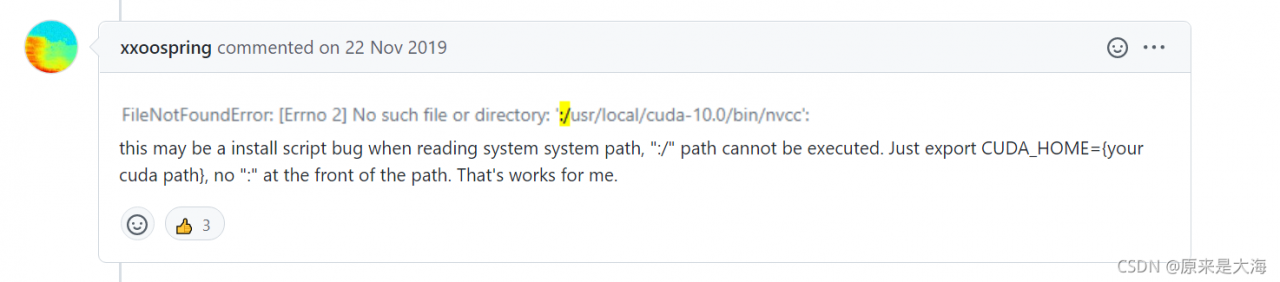
filenotfounderror: [errno 2] no such file or directory: ‘:/usr/local/cuda-10.1/bin/nvcc’: ‘:/usr/local/cuda-10.1/bin/nvcc’

The problem here lies in “: /”, so we just need to specify
export cuda_home = {/usr/local/cuda-10.1} to remove the redundant “:”, and then run it again. We will report some warnings. Don’t worry.