Author Archives: Robins

[Solved] Sequelize DatabaseError: ER_WRONG_FIELD_WITH_GROUP: Expression #2 of SELECT list is not in GROUP

Error report after project deployment

SequelizeDatabaseError: ER_ WRONG_ FIELD_ WITH_ GROUP: Expression #2 of SELECT list is not in GROUP BY clause and contains nonaggregated column ‘mysql.category.id’ which is not functionally dependent on columns in GROUP BY clause; this is incompatible with sql_mode=only_ full_ group_ by

To put it simply, the output result is called target list, which is the field followed by select. There is another place, group by column, which is the field followed by group by. Because only_FULL_GROUP_By is turned on set, so if a field does not appear in the target list and group by fields at the same time, or the value of the aggregate function, the SQL query is considered illegal by MySQL and an error will be reported.

Error source code:

// Find All
const categoryAll = async (ctx) => {
  const resData = await Category.findAll({
    attributes: ['name', 'id', [sequelize.fn('COUNT', sequelize.col('name')), 'count']],
    // group: 'name', // Key
    where: {
      articleId: { [Op.not]: null }
    },
    order: [[sequelize.fn('COUNT', sequelize.col('name')), 'desc']]
  })
  ctx.body = successResult(resData)
}

Solution:

Global SQL modification is mentioned in several reference articles_ Mode, but I failed to modify it with this method. Even if it succeeds, it is temporary and will reappear after MySQL is restarted
so I chose another method to modify the MySQL configuration file and add SQL manually_Mode is mandatory. Only_FULL_GROUP_By is not required property
1. Confirm which configuration file MySQL loads. You can use the following methods to confirm

mysql –verbose –help | grep my.cnf

Directory where my configuration is located:

2. Modify the configuration and add the following content at the end of the configuration file

[mysqld]
sql_mode=STRICT_TRANS_TABLES,NO_ZERO_IN_DATE,NO_ZERO_DATE,ERROR_FOR_DIVISION_BY_ZERO,NO_AUTO_CREATE_USER,NO_ENGINE_SUBSTITUTION

Note: there is no keyword [mysqld] in my configuration file. If there is no keyword, an error will be reported
then restart MySQL.

[Solved] RuntimeError: one of the variables needed for gradient computation has been modified by an inplace

Error Messages:
RuntimeError: one of the variables needed for gradient computation has been modified by an inplace operation: [torch.FloatTensor [544, 768]], which is output 0 of ViewBackward, is at version 1; expected version 0 instead.
Hint: enable anomaly detection to find the operation that failed to compute its gradient, with torch.autograd.set_detect_anomaly(True).

Solution:
The reason for the error is that when I was building the network model, the code for summing residuals was written like this: x += y
But in pytorch, it is wrong to write it like this, just change it to: x = x+y

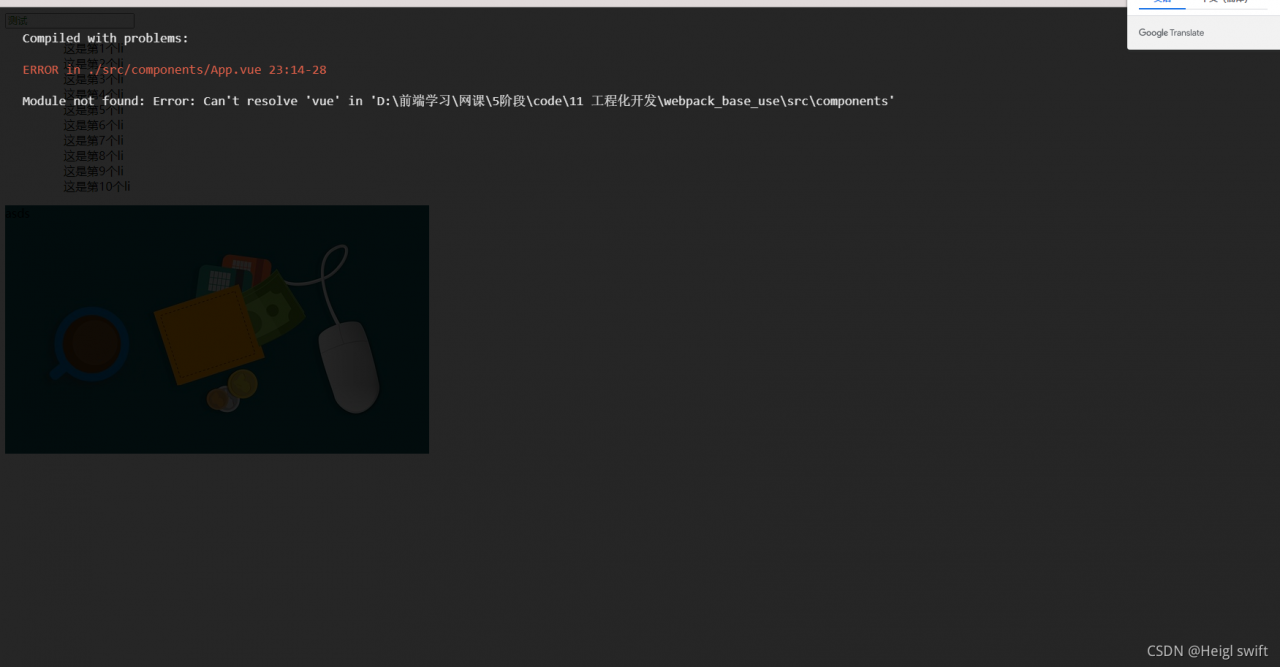
[Webpack Update] vue-loader Error: Compiled with problems : ERRORModule notfound: Error:Can‘ t resolve vue in

In the package.json package

 "scripts": {
        "test": "echo \"Error: no test specified\" && exit 1",
        "dev": "webpack-dev-server --open",
        "bulid": "webpack -p"
    },

“bulid”: “webpack -p” – The P instruction can no longer be recognized and has been eliminated. Change to:

"scripts": {
        "test": "echo \"Error: no test specified\" && exit 1",
        "dev": "webpack-dev-server --open",
        "bulid": "webpack"
    },

CSS loader update

In the old version, CSS loader cannot recognize the URL address. In addition, URL loader is cumbersome, but it can automatically generate Base64 images to reduce the pressure on the server. The new version directly supports URL parsing, but obviously this function can also be configured:

module.exports = {
  module: {
    rules: [
      {
        test: /\.css$/i,
        loader: "css-loader",
        options: {
          url: true,
        },
      },
    ],
  },
};

Disable the URL, but it seems that the CSS attribute and ID selector will not work after configuration;

Vue loader configuration encountered great obstacles

When using Vue loader, you must download Vue template compiler to parse Vue files

Configuration options:

const VueLoaderPlugin = require('vue-loader/lib/plugin');//Must Import
module.exports = {

     module: {
        rules: [
            { test: /\.vue/, use: ['vue-loader'] }
        ]
    },
    plugins: [new VueLoaderPlugin()]//Must configurate
}

But there was a problem after I configured it

All the methods on the Internet are invalid. Finally, it is found that Vue is not installed

npm i vue

There are also problems after installation, and the error is still reported

Finally, you can see that the version numbers of Vue template compiler and Vue are different, so they are updated   The problem was finally solved after Vue template compiler

[Solved] Mac VS Code fatal error: ‘bits/stdc++.h‘ file not found

Baidu’s answer is too lame. Find a correct answer from stackeexchange and link to solve MAC fatal error: ‘bits/STDC + +.H’ file not found
follow the steps below

    1. brew install GCC — versioncd/library/Developer/commandlinetools/usr/bincd…/includesudo MKDIR bitscd bits create a new STDC + +.H file under downloads, paste the contents of the link STDC + +.H into the newly created STDC + +.H file under downloads sudo CP ~/Downloads/STDC + +. H STDC + +.H

be accomplished

[Solved] Docker Desktop Start MongoDb Error: Error: spawn C:\Windows\system32\cmd.exe; ENOENT

Complete error reporting information

Complete error reporting information:
cannot start docker-compose application. Reason: error invoking remote method ‘compose action’: error: spawn C:\windows\system32\cmd.exe enoent

Solving process

When installing MongoDB, the installation method is to run the command in the CMD window to pull the MongoDB image for installation, and habitually delete the configuration file after installation. Therefore, it is thought that this configuration file may be missing. Therefore, MongoDB is deleted from the docker desktop, and a path is selected for reinstallation.

Solution (for reference only)

Create a folder under any path (here is my path)

D:\Program Files\docker-mongodb

And put the docker-compose.yml configuration file in the folder (the following is the content of the configuration file)

version: '3.7'
services:
  mongodb_container:
    image: mongo:latest
    environment:
      MONGO_INITDB_ROOT_USERNAME: root
      MONGO_INITDB_ROOT_PASSWORD: rootpassword
    ports:
      - 27017:27017
    volumes:
      - mongodb_data_container:/data/db

volumes:
  mongodb_data_container:

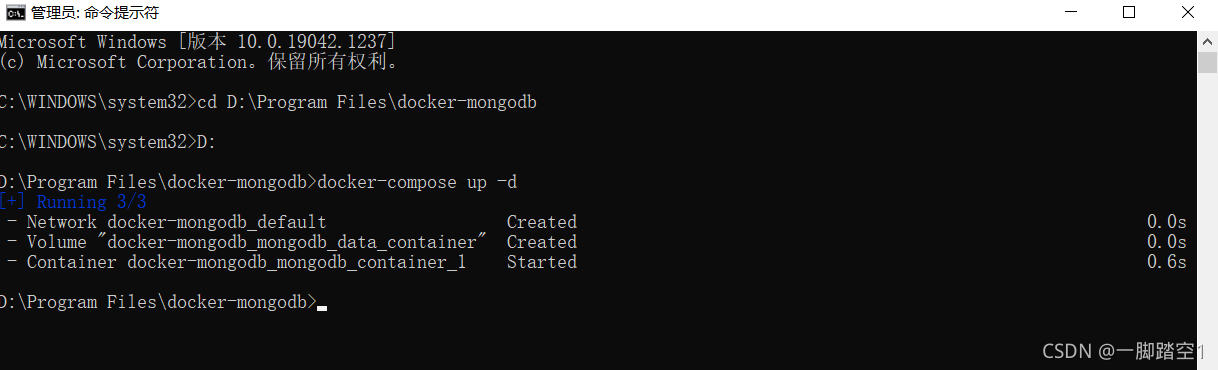
Open CMD as an administrator and enter the path to the docker-compose.yml configuration file, that is, execute the command docker-compose up – d
in the folder just created. Open the docker desktop again and you can use mongodb normally

enter Mongo admin – U root – P password for testing
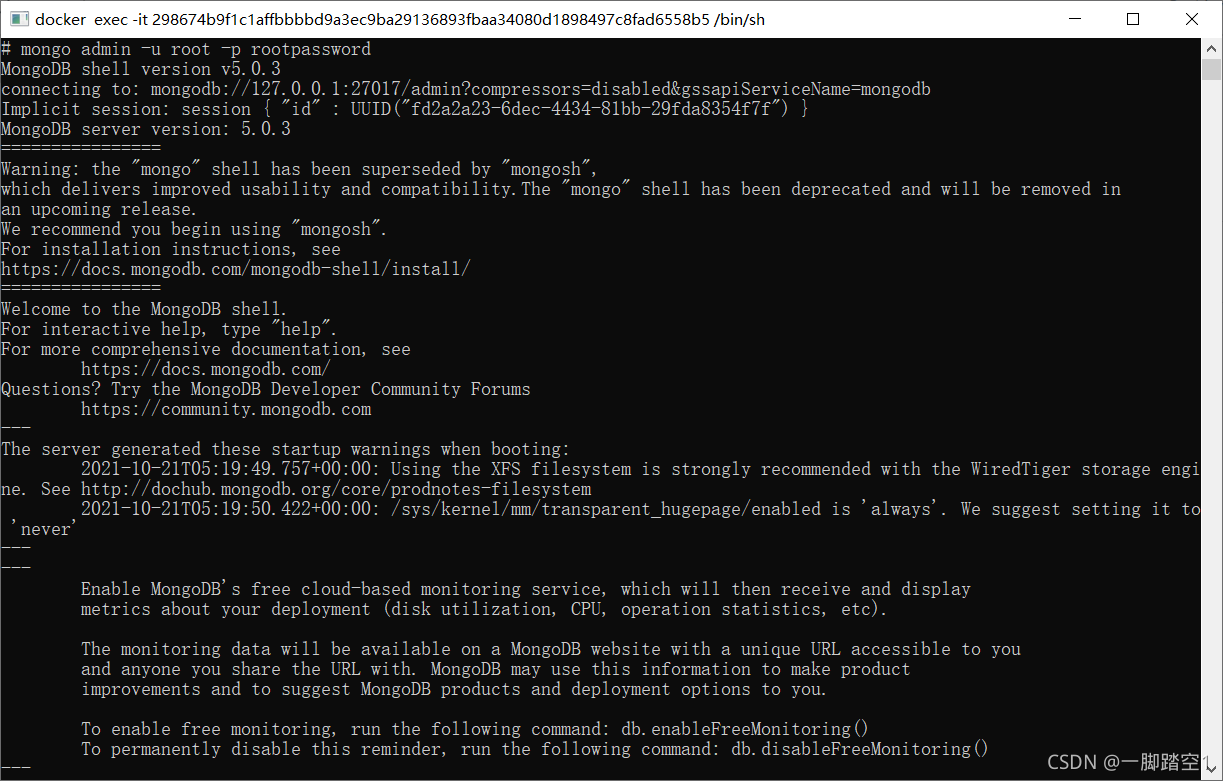

be careful

The mongodb version number and root password here can be modified in the configuration file of. YML

[Solved] YOLO v5 Error: AttributeError: Can‘t get attribute SPPF on module models

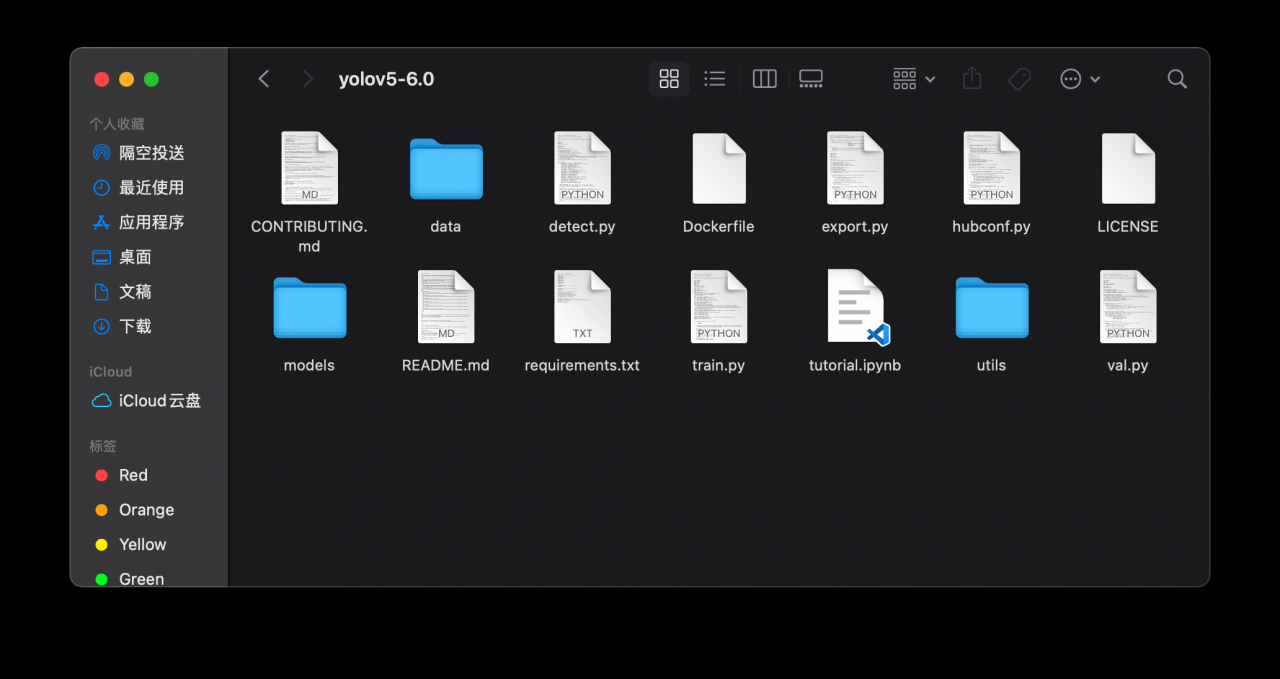
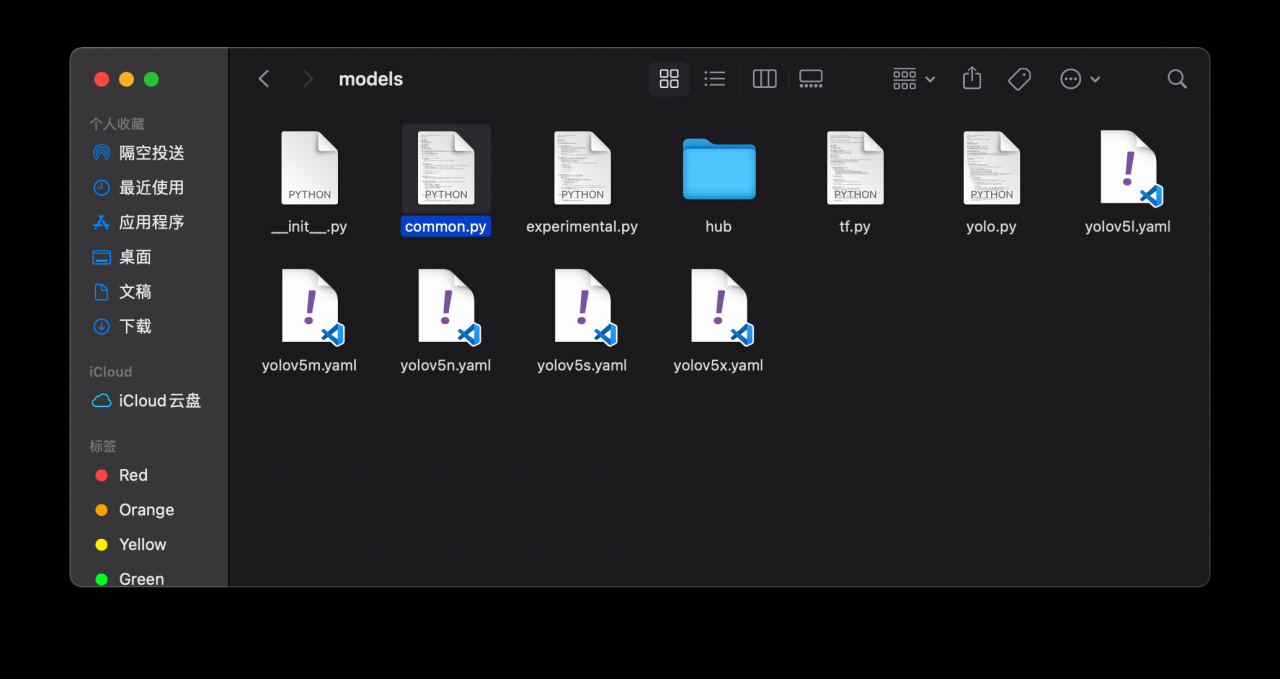
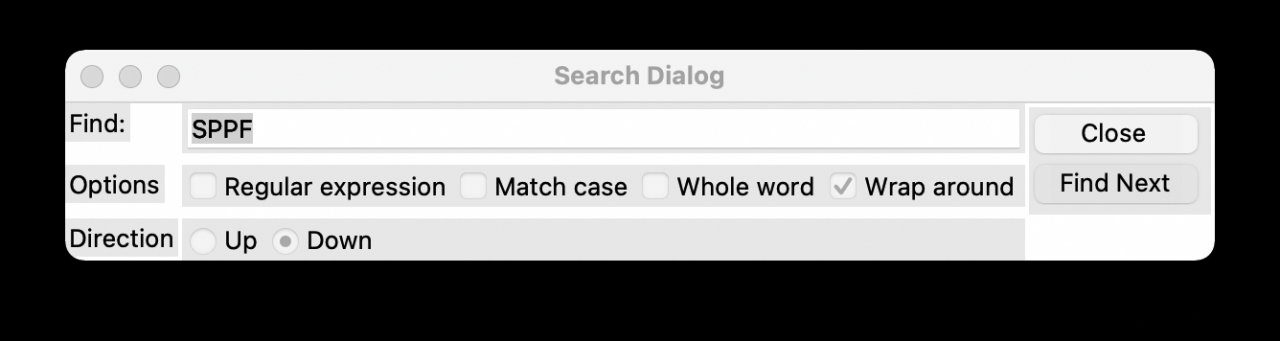
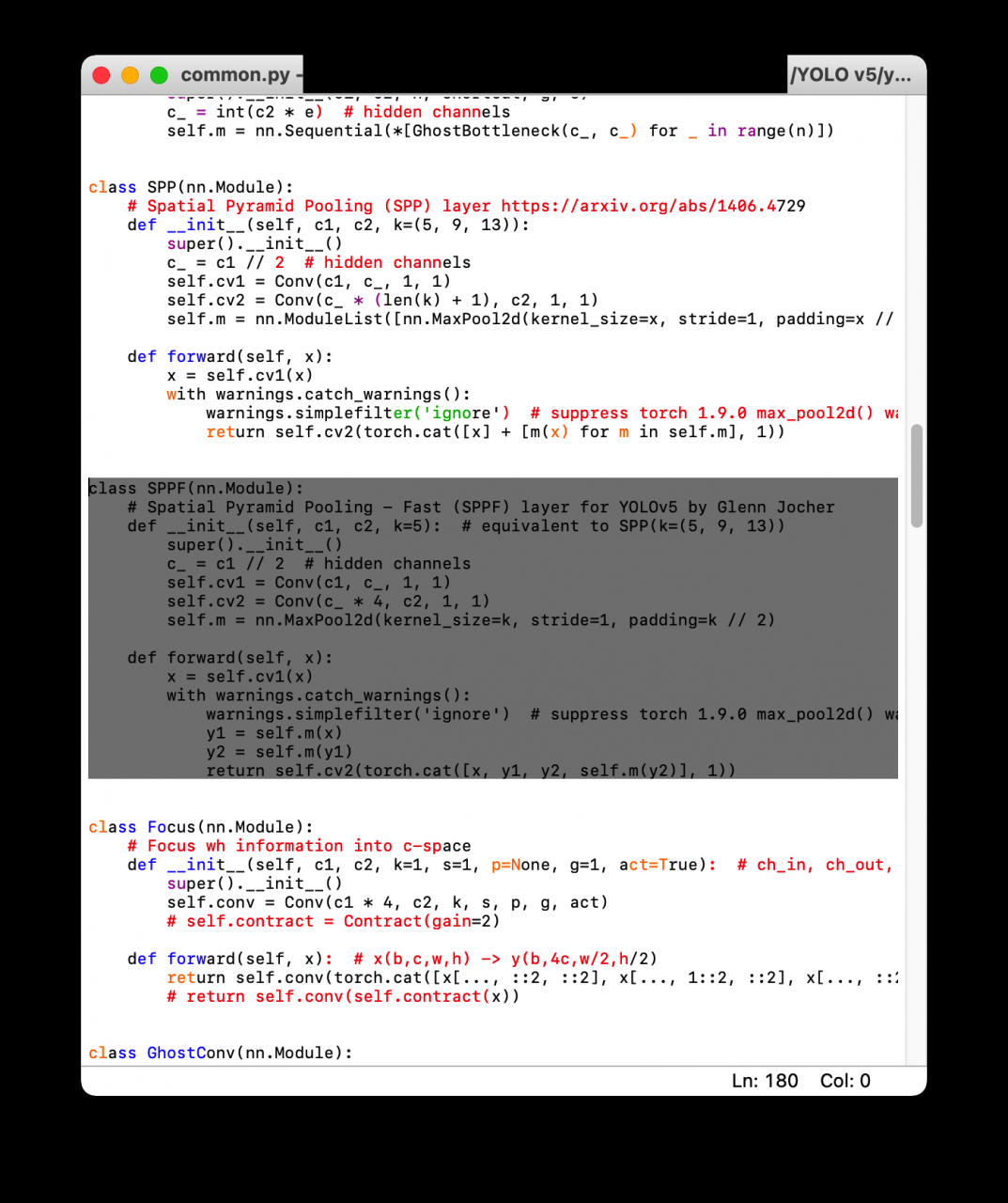
When running the detect.py program of yolov5, the following error prompt attributeerror appears: can’t get attribute sppf on module models. Common from D:// yolov\ yolov5-5.0\ odels\common.py**

2. Solution

    1. Download yolov6 in GitHub, open the file and find the models folder:

    1. find common.py in the models folder, open it and use the search sppf keyword to find the sppf class in the file, and replace the following code with it:
 class SPPF(nn.Module):  # export-friendly version of nn.SiLU()
    @staticmethod
    def forward(x):
        return x * torch.sigmoid(x)

Problem-solving:

UE4 Package Pico Project Error: error: ‘Resource‘ is a private member of ‘FOpenGLTextureBase‘

UE4 reports an error when packaging Pico items: error: ‘resource’ is a private member of ‘fopengltexturebase’

At present, the pico SDK only supports the version of UE up to 4.26, and the new version 4.27.1 does not support it temporarily. You can package successfully by reducing the version to 4.26.2;

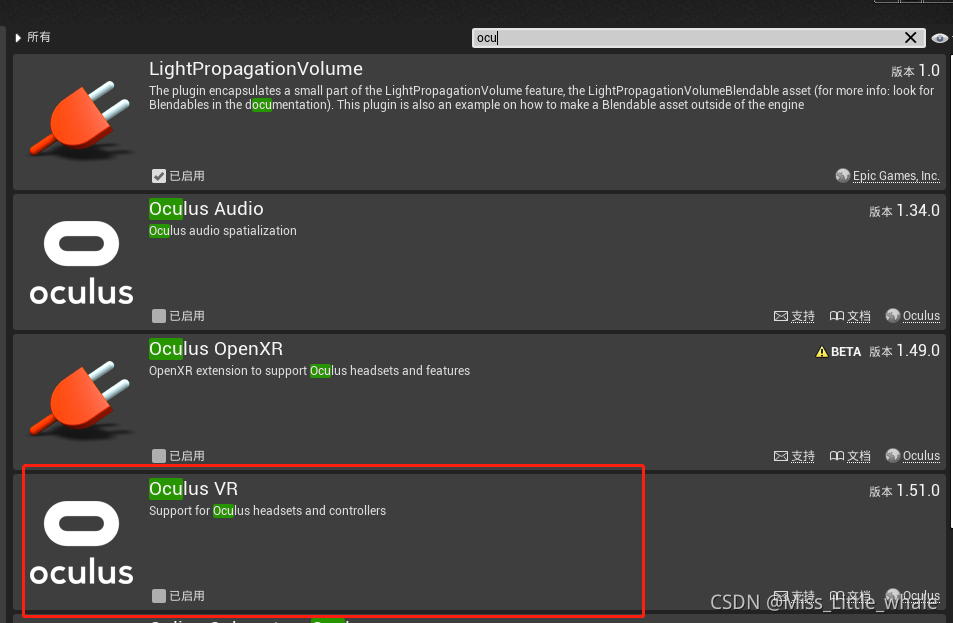
In addition, if it is opened after packaging, an error is reported: plugin “picomobiliecontroller” failed to load because module “picomobiliecontroller” could not be found, please ensure that the plugin is a properly installer, otherwise consider disabling the plugin for this project, Please uncheck

[Solved] Django configures MySQL Error: NameError: name ”_MySQL ‘is not defined

first install mysql, and then modify Django’s setting. Py
The original:

DATABASES = {
    'default': {
        'ENGINE': 'django.db.backends.sqlite3',
        'NAME': BASE_DIR/'db.sqlite3',
    }
}

Amend to read:

DATABASES = {
    'default': {
        'ENGINE': 'django.db.backends.mysql',  # Database engine
        'NAME': 'database name',
        'USER': 'User name',
        'PASSWORD': 'password',
        'HOST': '127.0.0.1', # ip of the host where mysql service is located
        'PORT': '3306', # mysql service port
    }
}

add environment variables (address NameError: name ‘_mysql’ is not defined)
Add to the environment variable:

export DYLD_LIBRARY_PATH=/usr/local/mysql/lib/

Then it’s done

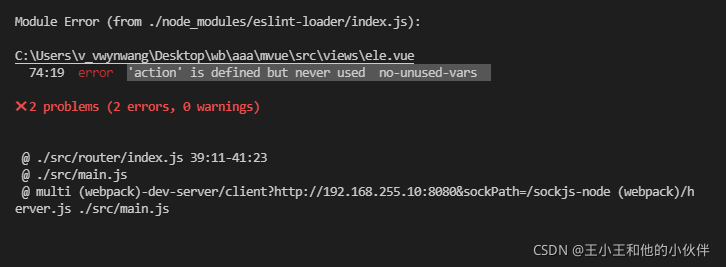
[Solved] Vue Error: error ‘xxx‘ is defined but never used no-unused-vars

If there is an error, solve it: ‘action’ is defined but never used no unused vars

* * error reason: * * because the built Vue project selects the eslint verification specification -> The eslint specification is that you either don’t define a variable or you must use it if you define it

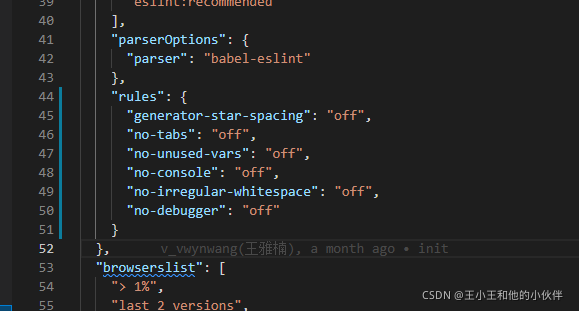
Solution:

Add the following code into the package.json file (restart the project after saving!!!)

"rules": {
    "generator-star-spacing": "off",
    "no-tabs":"off",
    "no-unused-vars":"off",
    "no-console":"off",
    "no-irregular-whitespace":"off",
    "no-debugger": "off"
}

There was an unexpected error (type=Method Not Allowed, status=405). Request

When using Ajax to submit a page, the above exception is thrown, and the final result is found

<form id="newsForm" method="post" enctype="multipart/form-data">
        News title:<input name="ntittle"><br>
        News summary:<input name="nsummary"><br>
        News content:<input name="ncontent"><br>
        News by:<input name="nauthor"><br>
        Post Time:<input name="ndate" ><br>
        Image:<input type="file" name="newpic"><br>
        News topics:<select name="newsType.ntypeId">
            <option value="-1">Please select news topic</option>
        </select><br>
       <input type="hidden" name="nid"><br>
        <input type="hidden" name="npic"><br>
        <input type="submit" value="ADD">
    </form>

AJAX is used, so the submission is not a direct submission, so you should use button and serialize the form.

<input type="button" value="ADD">