Run node app.js in PowerShell reports an error and displays: Error: Cannot find module ‘body-parser’
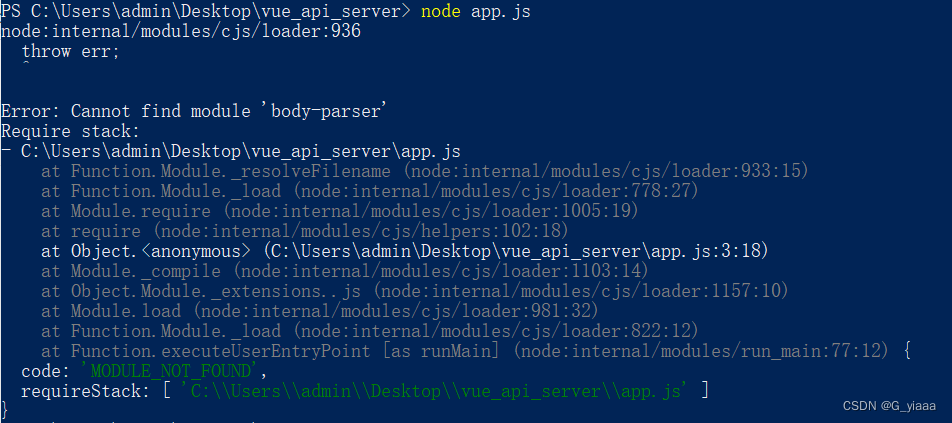
Solution: install the body-parser module, npm install –save body-parser

After the installation, execute the node app.js again, running successfully!
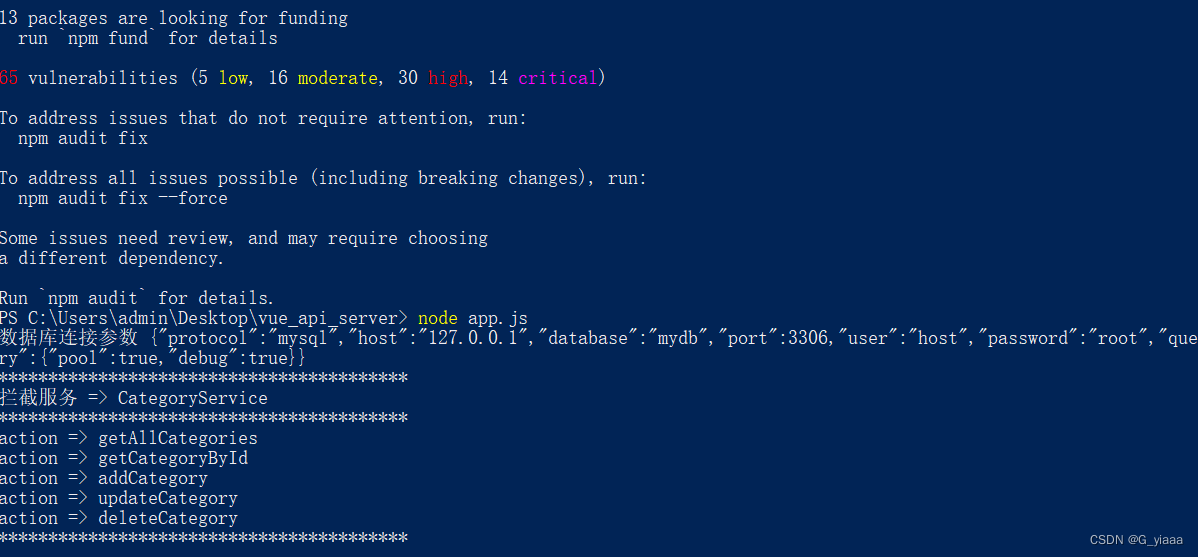
Run node app.js in PowerShell reports an error and displays: Error: Cannot find module ‘body-parser’
Solution: install the body-parser module, npm install –save body-parser
After the installation, execute the node app.js again, running successfully!
1. Scene
Perform ES6 modular default import and export
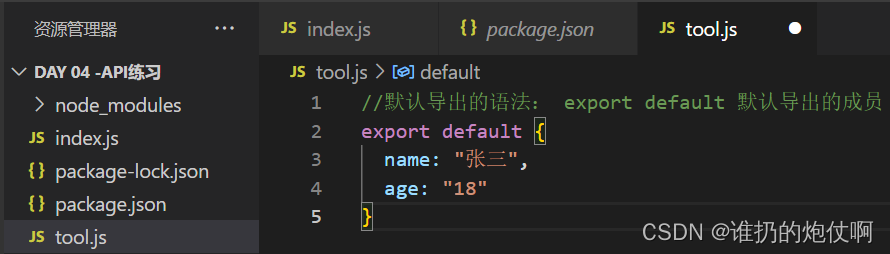
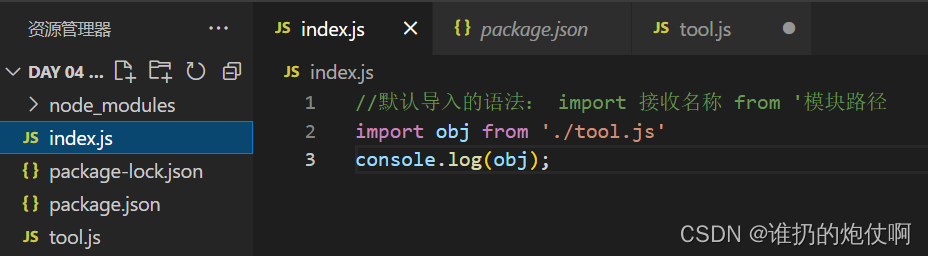
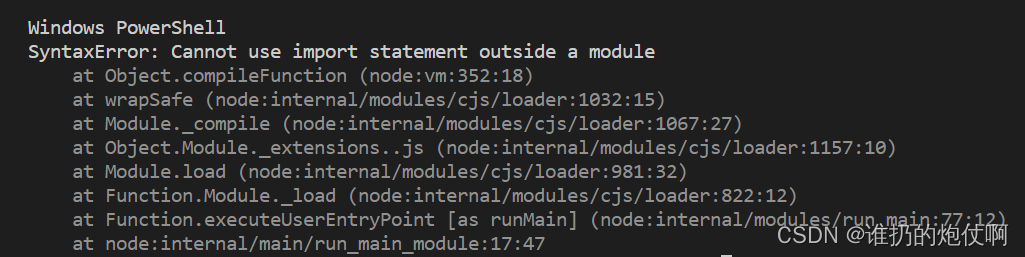 2. Solution
Set "type": "module" In package.json
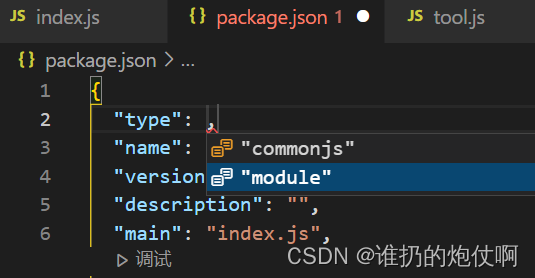
Import succeeded

In yarn global add babelthe process of installing the package , the following error was reported:
error An unexpected error occurred: "EPERM: operation not permitted, unlink 'C:\\Users\\xxx\\AppData\\Local\\Yarn\\Data\\global\\node_modules\\.bin\\serve'".
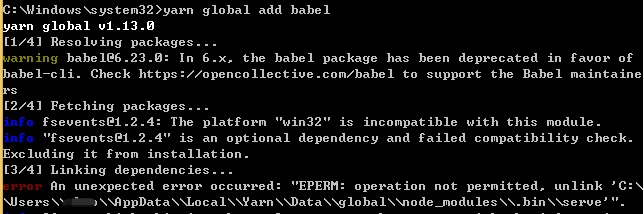 solve
solveC:\\Users\\xxx\\AppData\\Local\\Yarn\\Data\\global\\node_modules\\.bin\\The content in the directory serveis occupied. After
thinking about it carefully, it is currently being used servein another project. After closing it, re-run it yarn global add babeland it will be fine.

The reason for this problem is that when the package is installed, the previous .binfile will be deleted and then regenerated. Because the file is occupied, the file cannot be deleted, so an error will be reported. You only need to close the corresponding occupied program.
When the package is installed, the previous
.binfiles will be deleted and regenerated
. When the package is installed for the first time,babelthe creation time is as follows:
When the other package is installed for the second time,babelthe creation time is as follows: It
can be seen that the.binfolder is created when the package is installed for the second time. The following hasbabelbeen recreated.
In addition,
if you open the.binfolder while installing the package, you can see.binthat the folder will be deleted at the end of the package , and then regenerate
Error description
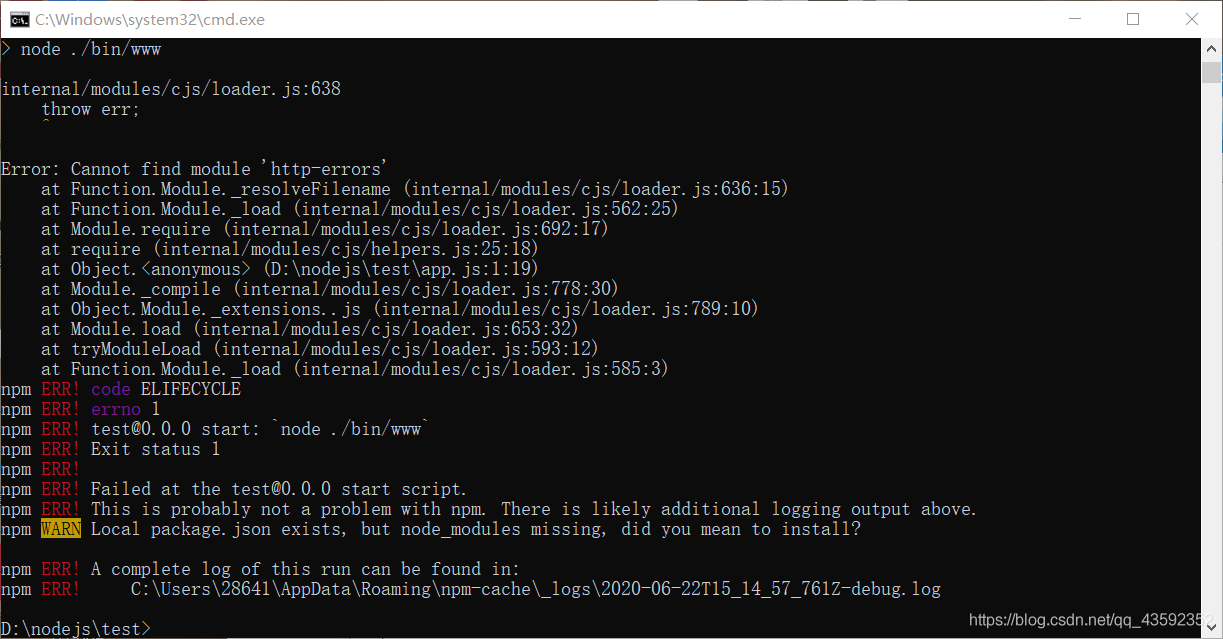
After creating a new project with express in node, enter
npm start
The system reports an error, as shown in the figure:
Solution
After creating a new project, you should enter the following command:
npm install
Load other dependent modules. And then enter it
npm start
You can start the project normally.
Error reason
When express creates a project, for some libraries, such as HTTP errors , these libraries are not the core modules of node, but they must be used by express framework. So we have to use orders
npm install
Initialize and load these express dependent libraries.

