report errors
Error:(3, 31) java: Programmer package jdk.nashorn.internal.ir do not exsit
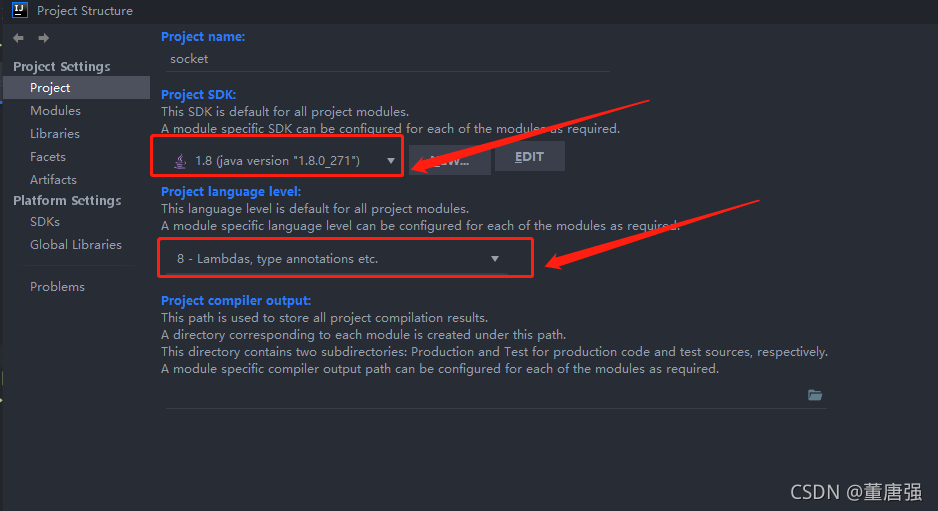
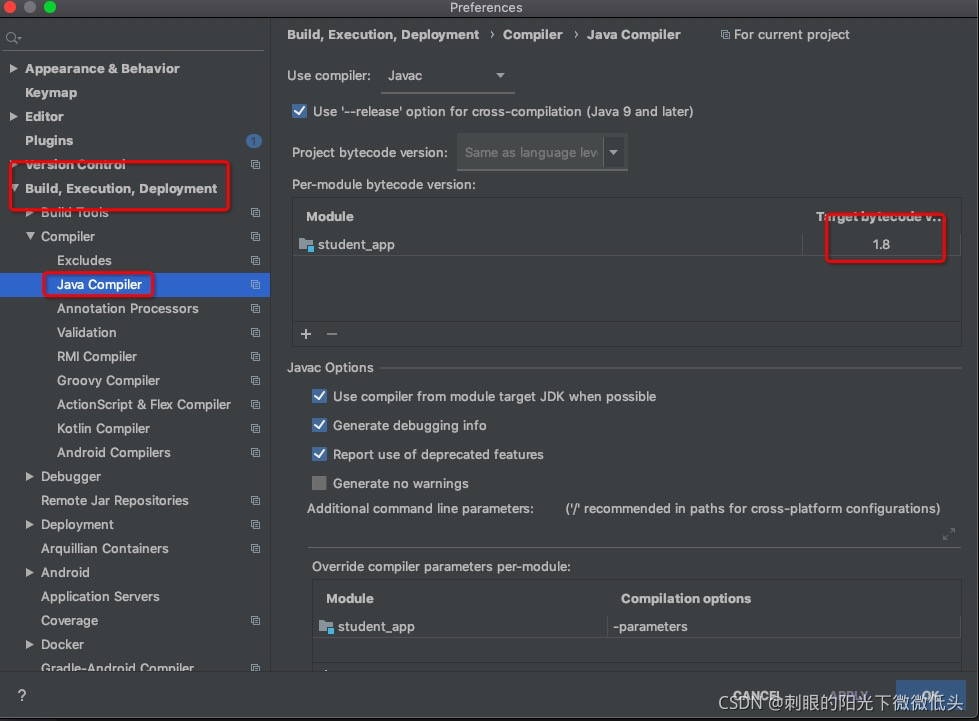
Solution: just replace Java 11 with Java 8
report errors
Error:(3, 31) java: Programmer package jdk.nashorn.internal.ir do not exsit
Solution: just replace Java 11 with Java 8
[problem phenomenon]
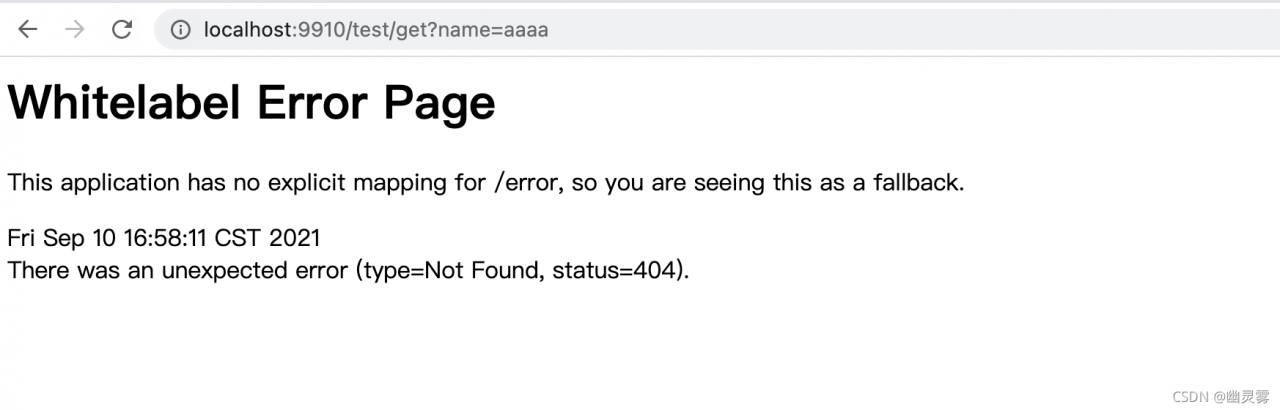
In springboot, when there is no error in the request link and the controller configuration, an error will be prompted when accessing a controller link interface:
This application has no explicit mapping for /error,so you are seeing this as a fallback
[reason]
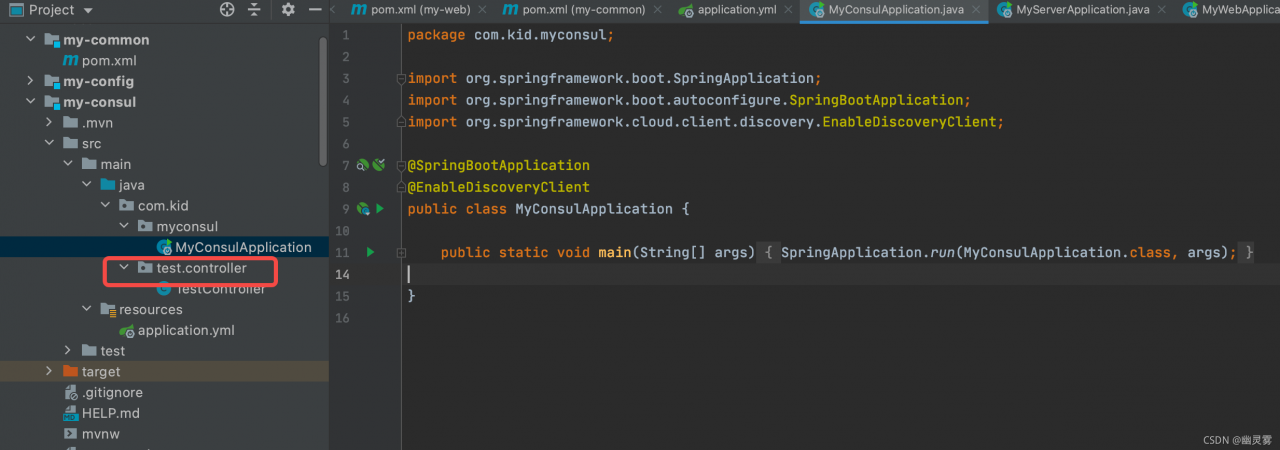
The request cannot find the corresponding bean for processing. If there is no error in the request link and the controller configuration, it may also be the problem of springbootapplication package scanning, as follows:
By default, the @springbootapplication annotation will only the beans of this package and its sub-packages, resulting in the corresponding controller beans not being loaded into the spring container
[solution]
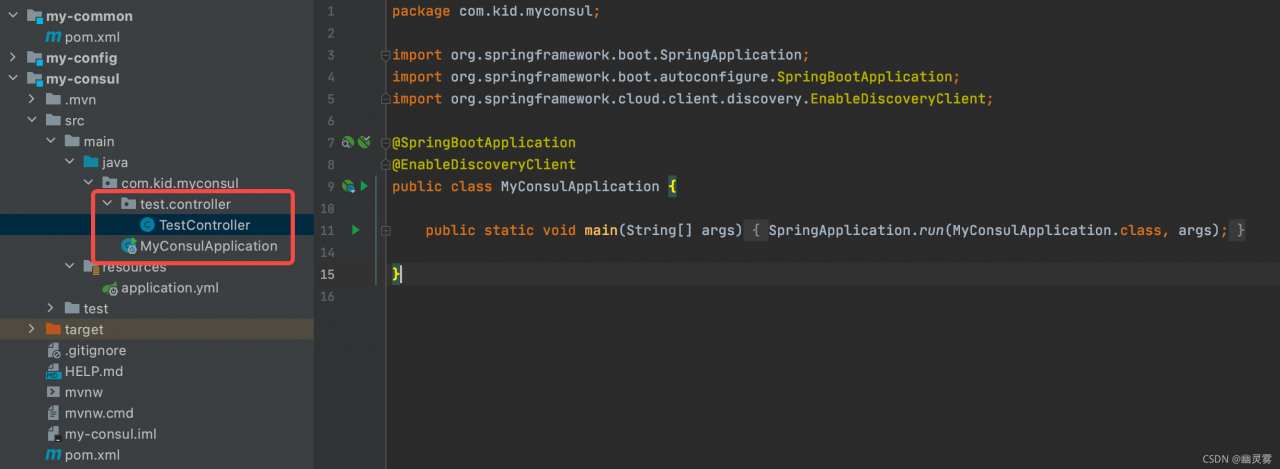
Scheme I:
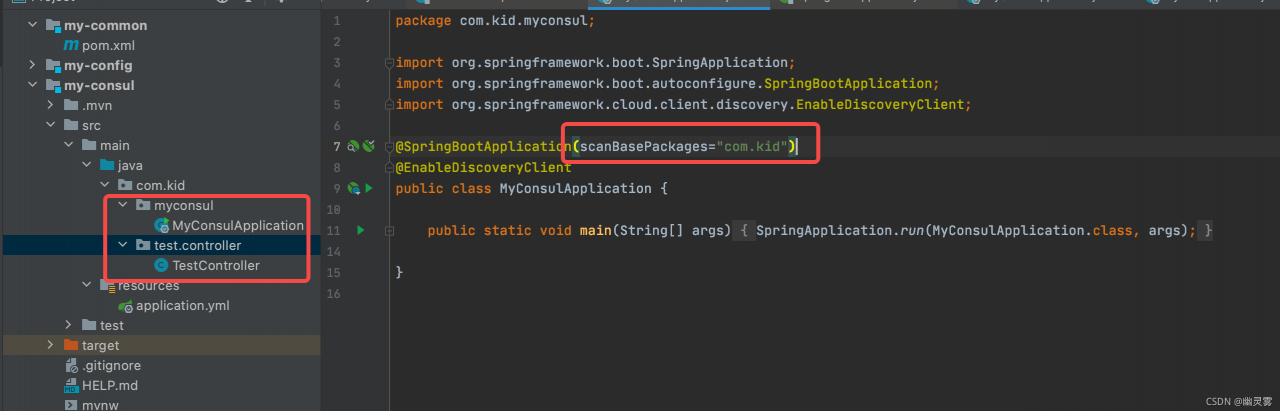
Move all controller classes to the same level package or sub package of application class, as shown in the figure:
Scheme II:
If you don’t want to change the file location, you can specify the scanned package with the @ springbootapplication annotation:
@SpringBootApplication(scanBasePackages="com.kid")
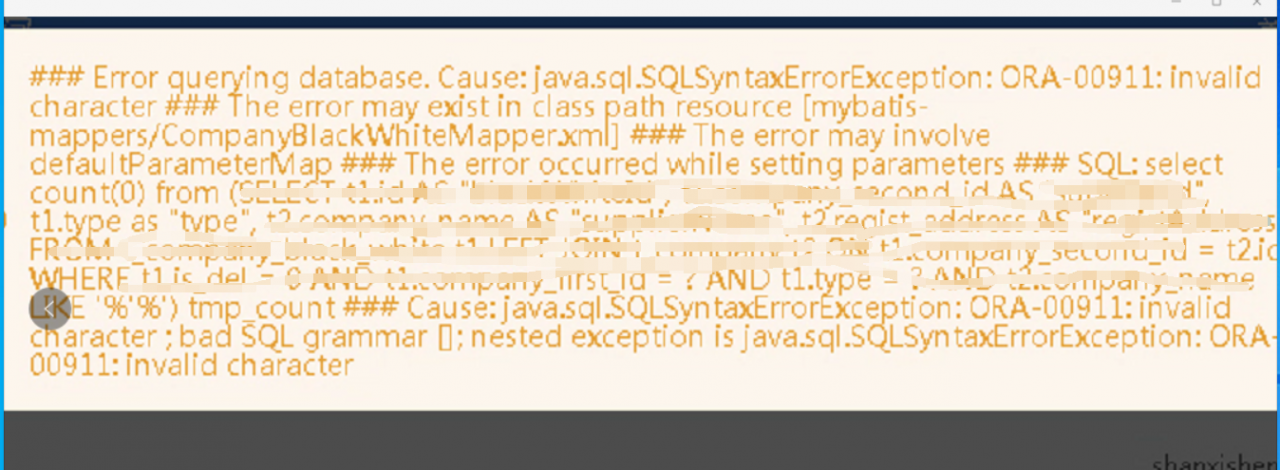
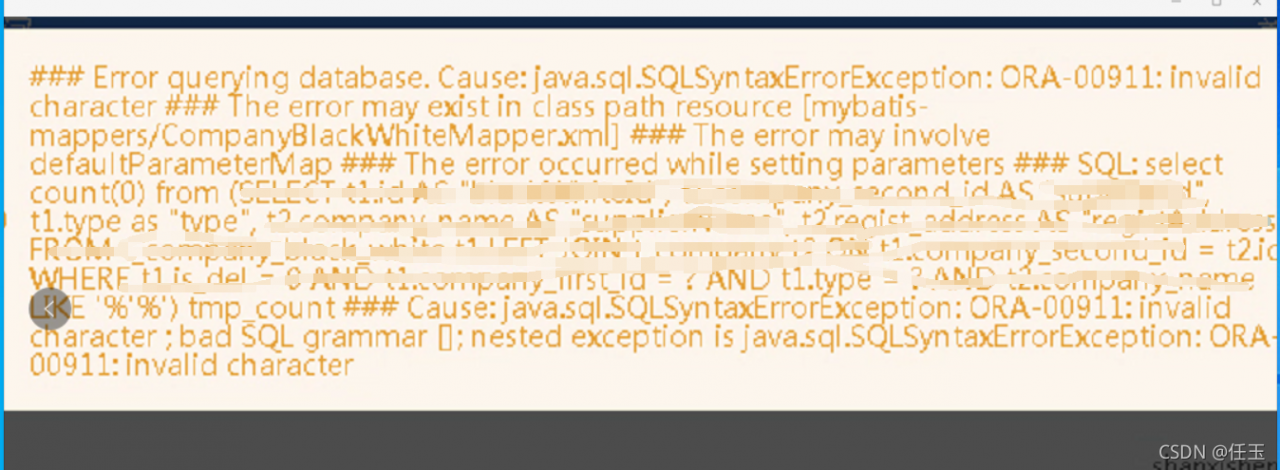
This problem is well positioned. At first glance, it is the problem of parameter transmission. Through this error report, the first thing to consider is the like part of the query condition.
The main idea of this problem is 1. Special characters are passed, such as’ ‘
2. See if the like query uses #{} or ${}
3. Is there a problem with where involving parameter statements
In case of this kind of problem, please check the annotation and the project jump path,


Whether these paths are configured correctly, and don’t forget to add /.
This occurs many times because of inconsistent path configuration errors. After checking and modifying, it can run as expected.
Problem description
Error running ' mvn install:install-file -DgroupId=xxx.xxx.xxx -DartifactId=myArtifactId -Dversion=0.7.0 -Dpackaging=jar -Dfile=E:\myProject.jar ': Cannot run program "mvn" (in directory "E:\javawarkspace\webhisprotal\ips-portal-admin\hsa-ips-admin-biz\src\main\java\cn\hsa\ips\admin"): CreateProcess error=2, The system cannot find the specified file . However, it can be executed normally in the command line window.
Problem solving
When using the idea command, the prefix cannot have extra spaces. Note the beginning of the command: 'MVN install: install file... , there is a space here. Cause program exception.
There is a problem when adding, deleting, modifying and querying the interface of a table, as shown in figure 
Error codes are as follows:
Cause: java.sql.SQLSyntaxErrorException: You have an error in your SQL syntax; check the manual that corresponds to your MySQL server version for the right syntax to use near 'DESCRIBE , CREATE_TIME,
    CREATED, UPDATE_TIME, UPDATED

    from renew_rul' at line 3
; bad SQL grammar []; nested exception is java.sql.SQLSyntaxErrorException: You have an error in your SQL syntax; check the manual that corresponds to your MySQL server version for the right syntax to use near 'DESCRIBE , CREATE_TIME,
    CREATED, UPDATE_TIME, UPDATED

    from renew_rul' at line 3
Prompt me that my SQL syntax is abnormal. I have searched the Internet for a long time, but I haven’t found a similar problem. I specially record it,
The database used is MySQL and the database graphical interface Navicat. 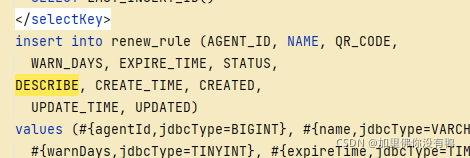
The reason for the problem is that description is a keyword, which needs further processing in mybatis, but it’s strange that status should also be a keyword. Why doesn’t it report an error?
Solution: change the description field to des so that it can be compiled.
When I was working on a company project today, I came across this error message: com.alibaba.fastjson.jsonexception: syntax error, POS 1, JSON

later, I located the key code line where the error was reported. The

location object is not empty, and data.getstring (key) is also valuable, but the value is null after two consecutive gets in the sheet, I can’t understand it.
Finally, it is found that this cell does not exist, so it is null after getting the row and column. After null, it continues to set and reports a null pointer error
ERROR: JAVA_ HOME is not set and could not be found.
Background
Solution
export JAVA_HOME=/opt/module/jdk1.8
1. First find the idea/workspace.xml file in the project, and then find the following line
& lt; component name=“PropertiesComponent”>& lt;/component >
3. Just restart the project. Personal verification, can be used.
Change this to the native java version
Project: springboot + Vue
Reason: after the online environment is released, it can’t get into the system. The above error has been reported all the time, and it’s useless to repackage and compile. The original reason is that the front end downloaded a new dependency and didn’t upload the updated version number, resulting in the above error
solution: import the dependencies downloaded from the front end into the local NPM install, submit the package.json file to the online server, and redistribute the version to solve the problem.
[problem phenomenon]
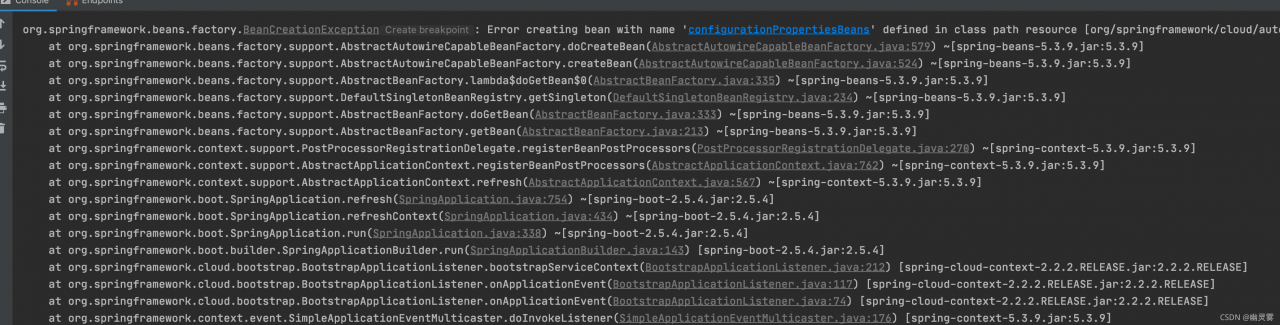
When the springcloud system is built in the idea, a red error is prompted at runtime:
org.springframework.beans.factory.BeanCreationException:
Error creating bean with name 'configurationPropertiesBeans' defined in class path resource
[org/springframework/cloud/autoconfigure/ConfigurationPropertiesRebinderAutoConfiguration.class]:
Post-processing of merged bean definition failed; nested exception is java.lang.IllegalStateException:
Failed to introspect Class
[org.springframework.cloud.context.properties.ConfigurationPropertiesBeans]
from ClassLoader [sun.misc.Launcher$AppClassLoader@18b4aac2]

......

Caused by: java.lang.IllegalStateException:
Failed to introspect Class
[org.springframework.cloud.context.properties.ConfigurationPropertiesBeans]
from ClassLoader [sun.misc.Launcher$AppClassLoader@18b4aac2]

......

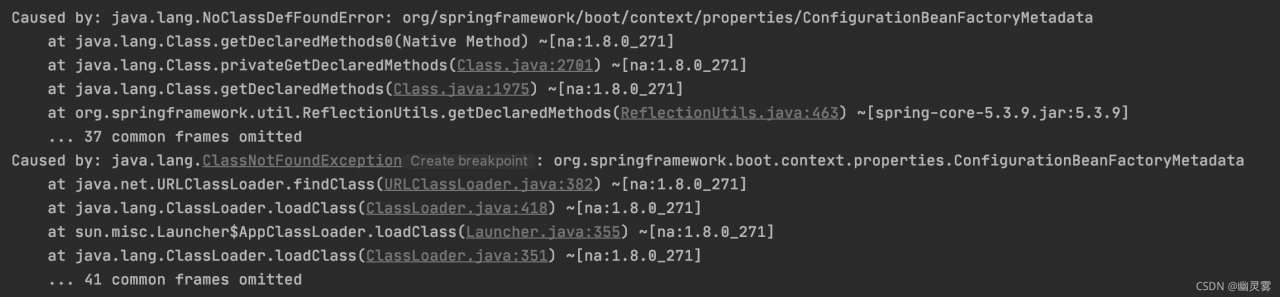
Caused by: java.lang.NoClassDefFoundError:
org/springframework/boot/context/properties/ConfigurationBeanFactoryMetadata

......

Caused by: java.lang.ClassNotFoundException:
org.springframework.boot.context.properties.ConfigurationBeanFactoryMetadata

[reason]
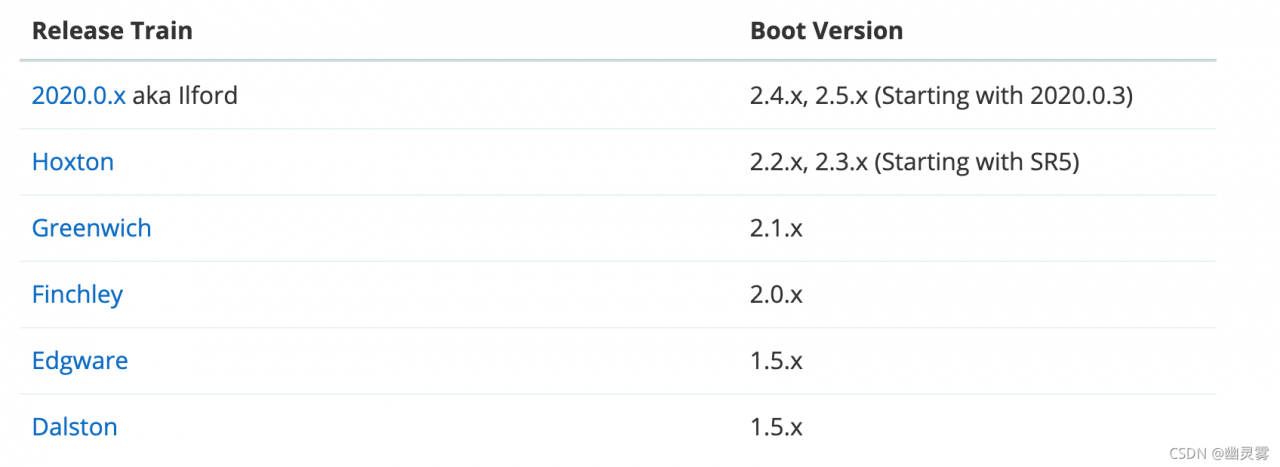
This is a very common problem in the spring cloud system because the spring boot version is incompatible with the spring cloud version.
[solution]
The spring boot version and spring cloud version should be matched in strict accordance with the official version. Link to the official website:
https://spring.io/projects/spring-cloud
Different clouds need different boot versions, as shown in the figure:
Example of version change:
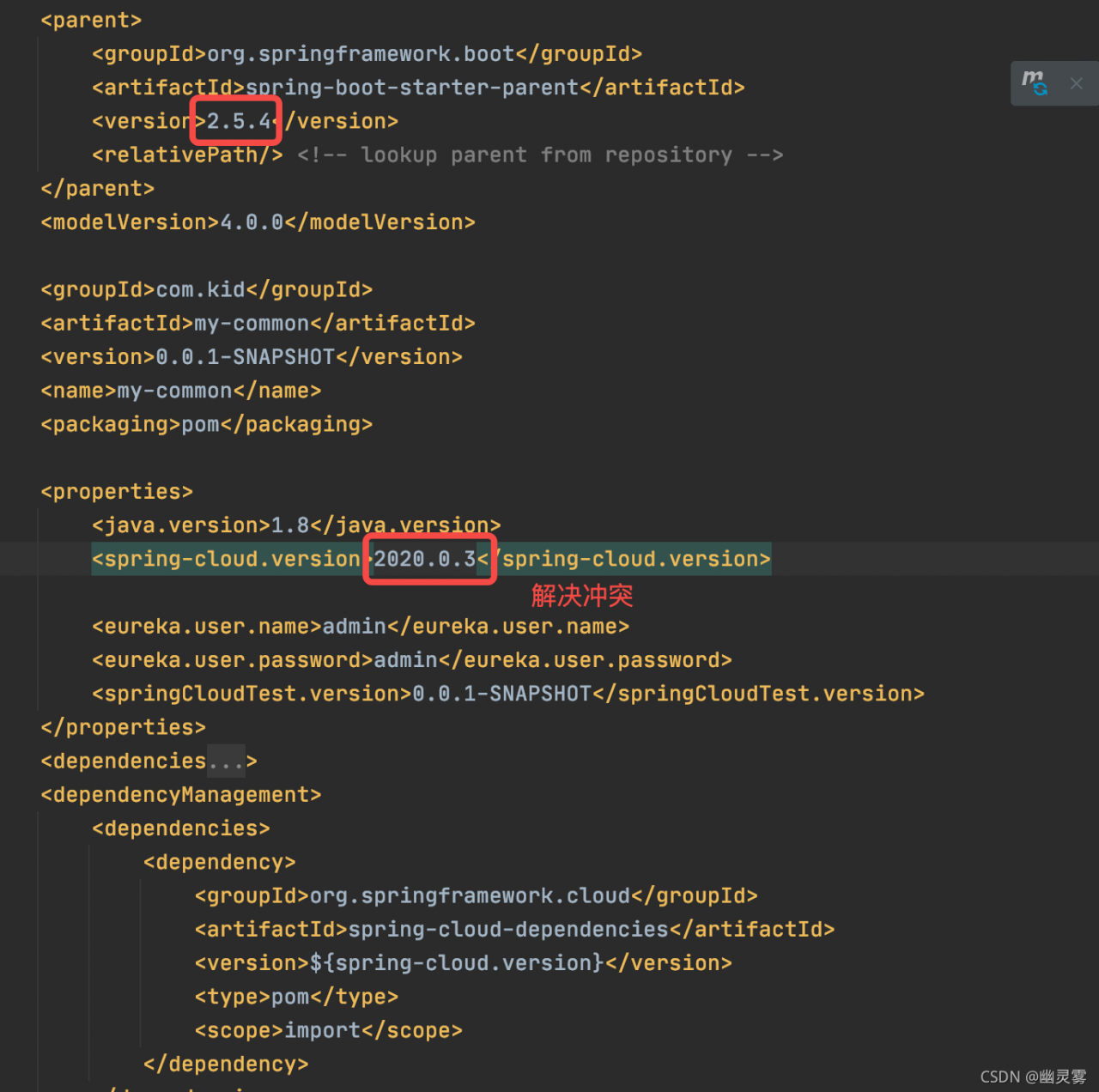
after version replacement, reload all Maven items, as shown in the figure:
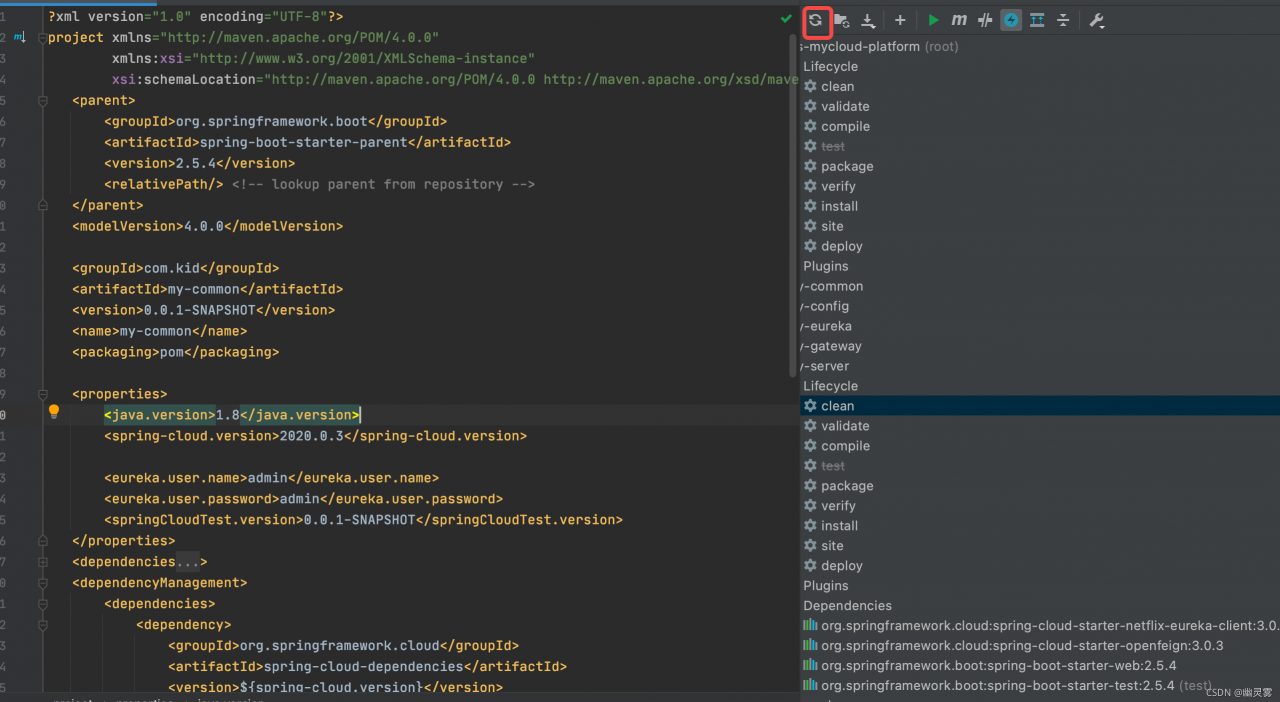
If an error is still reported, re-execute the MVN clean package