problem occurs
has a problem drawing using the built-in features of xgboost
ExecutableNotFound: failed to execute ['dot', '-Tsvg'], make sure the Graphviz executables are on your systems' PATH
looking for reasons
reason: graphviz itself was software, needed an extra download, and added its bin to the environment variable.
solution
download kit
Ubuntu can directly sudo apt install graphviz. If not, please go to graphviz’s official website to download or you can directly click this link to ubuntu to search graphviz package
environment dependencies refer to — several solutions for installing dependencies under Ubuntu
view file details (Windows, Linux common command)
after downloading, use dot-verison command to query the bin folder address,
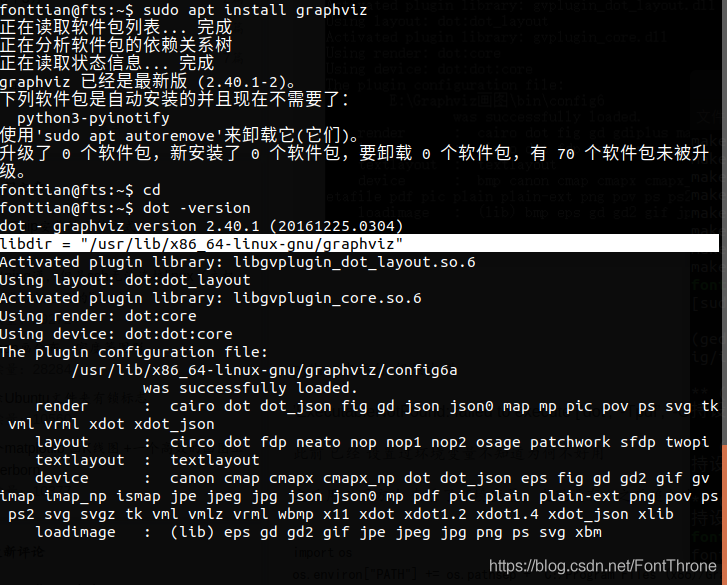
at the white bar in the figure
Add the environment variable in Ubuntu
then add the environment variable, source /etc/profile to make it take effect.
export PATH=$PATH:/usr/lib/x86_64-linux-gnu/graphviz
at this point the error is resolved and you can continue running the xgboost code.