- the version of zero is: 0.6.1 problem: after downloading zero, if HTML documents (CSS and other parts of documents) are installed, the following error will be reported when double clicking to open it
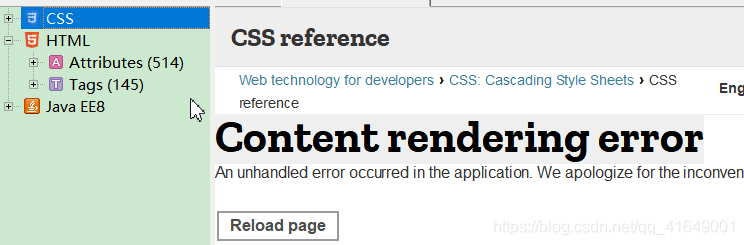 solution
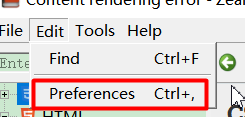 view your own document download location and enter the directory
 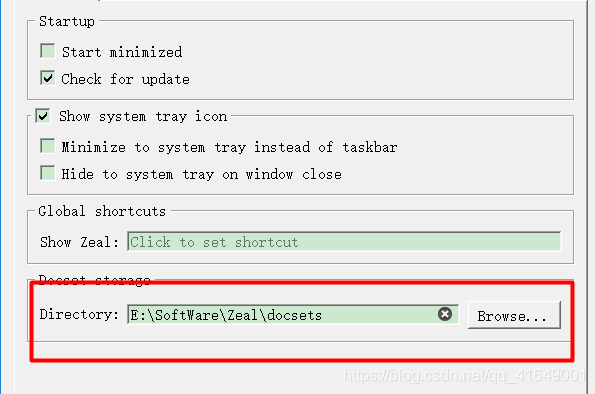 . You can see the directory with installed documents in my directory
 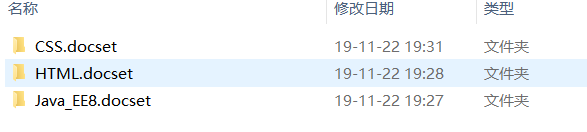 , Enter the path under the document directory: contents/resources/documents\ developer.mozilla.org \For example: e: software, zero, docsets\ HTML.docset \Contents\Resources\Documents\ developer.mozilla.org \Delete react in static/build/JS- main.ddbbd86b0685 . JS, and then reopen the file, and click the document to find that can be used
Read More:
- Problem solving: PDF cannot be opened, and acrobat failed to connect to a DDE server appears
- [Bug] Solve the problem that Acrobat cannot be opened: failed to connect to a DDE server
- Unable to read scheme document‘ http://www.springframework.org/schema/spring-context.xsd The solution to the problem
- Rendering Problems :Failed to load platform rendering library
- Solve the problem that the virtual machine can’t be opened? Tips on VMware Workstation cannot connect to the virtual machine
- Python modifies word document content and inserts pictures
- The problem that the content extra data in the notification cannot be updated
- [solution] coursera webpage can’t be posted, video can’t be opened -20.05.23-
- JS error: permission denied to access property ‘document’— document.domain -The same source strategy of JavaScript
- Solve the problem of failed to create the Java virtual machine when eclipse is opened
- The Spring problem Failed to read Schema Document
- “ XX.app ”It is damaged and cannot be opened. You should move it to the wastebasket.
- WCF-HTTP Error 404.17 – Not Found, The requested content appears to be script and will not be served…
- Vs2017 reported an error. Pthread. H header file cannot be opened and cannot be found
- XML file should have root tag (extra content at the end of the document in file error)
- Solution to the problem that the toolbar menu button cannot be clicked
- Solution to prompt run time error “438” when a VB program is opened
- Rendering Problems Exception raised during rendering:
- could not be opened to write the process output: fopen(/tmp\sf_proc_00.out.lock)
- Git prompts another git process sees to be running in this repository, e.g. an editor opened by