Question 1: [MySQL]cannot create Windows Service for MySQL. Error :0
Error :0 Error: Cannot create Windows Service Formysql.error :0 error.
Most of the errors were caused by reinstalling mysql or upgrading myDQL using the MySQLConfiguration Wizard.
Solutions:
You can use the Windows SC program to remove the mysql service.
C:> sc delete mysql
[SC] DeleteService SUCCESS
If you reuse the MySQL Configuration Wizard, you will not have this error.
If that still doesn’t work, just restart the computer
I did so, but a new mistake came up:
Question 2: [MySQL] Could not start the service MySQL
When installing mysql 5.1.33, there was an error in the third item of the Execute Configuration wizard in the Server Instance Configuration wizard to Start Service. The error was suggested to be “Could not Start the Service mysql” (this situation was usually caused by the dirty uninstall of mysql after installing mysql. Uninstall, restart, and reinstall. Take a look at the service. If it fails to uninstall, you can use mysqld-nt-remove).
The specific method is as follows :
check whether there is mysql in the service, if there is, stop the service;
run the add and remove program in the control panel and unload mysql;
after unloading, open the registry, view HKEY_LOCAL_MACHINE\SYSTEM\CurrentControlSet\Services under the key, if there are related mysql key values (mysql, mysqladmin) then delete it;
restart, remove the mysql installation residual directory (check the service, at this time there is no mysql in the service);
reinstall mysql. Do not run the Server Instance Configuration wizard after installation. Run the wizard from the start menu after restarting.
PS: A method worthy of reference
Question 3: What if the control panel does not add or remove programs?
Answer:
, click “Start → Run”, enter “Appwiz.cpl” enter, so that the corresponding module can be started.
. Find the file path “C :\ Windows \ System32 \ AppWiz. CPL” from the installation disk. And then copy and paste
. Re-register
Click “Start → Run” to enter:
regsvr32 mshtml.dll
regsvr32 shdocvw.dll -i
regsvr32 shell32.dll -i
Question 4: How do I use the registry to delete an uninstaller
First, click Start – run – type Regedit – enter the registry – then click HKEY_LOCAL_MACHINE\Software\Microsoft\Windows\CurrentVersion\Uninstall- where you can see which Software you’ve installed before!
then click on the software you want to uninstall — you can see the “UninstallString” subkey next to it — double click on the subkey and the edit string dialog will pop up — copy the key inside
and then go back to the desktop — click start — run — paste the key inside — enter ~!
so that you can delete in the add and delete not in the program ~! Of course, if there is no program in it that you want to uninstall ~! So those programs are not registered in the registry, which means you can delete them directly.
Error :0 Error: Cannot create Windows Service Formysql.error :0 error.
Most of the errors were caused by reinstalling mysql or upgrading myDQL using the MySQLConfiguration Wizard.
Solutions:
You can use the Windows SC program to remove the mysql service.
C:> sc delete mysql
[SC] DeleteService SUCCESS
If you reuse the MySQL Configuration Wizard, you will not have this error.
If that still doesn’t work, just restart the computer
I did so, but a new mistake came up:
Question 2: [MySQL] Could not start the service MySQL
When installing mysql 5.1.33, there was an error in the third item of the Execute Configuration wizard in the Server Instance Configuration wizard to Start Service. The error was suggested to be “Could not Start the Service mysql” (this situation was usually caused by the dirty uninstall of mysql after installing mysql. Uninstall, restart, and reinstall. Take a look at the service. If it fails to uninstall, you can use mysqld-nt-remove).
The specific method is as follows :
check whether there is mysql in the service, if there is, stop the service;
run the add and remove program in the control panel and unload mysql;
after unloading, open the registry, view HKEY_LOCAL_MACHINE\SYSTEM\CurrentControlSet\Services under the key, if there are related mysql key values (mysql, mysqladmin) then delete it;
restart, remove the mysql installation residual directory (check the service, at this time there is no mysql in the service);
reinstall mysql. Do not run the Server Instance Configuration wizard after installation. Run the wizard from the start menu after restarting.
PS: A method worthy of reference
Question 3: What if the control panel does not add or remove programs?
Answer:
, click “Start → Run”, enter “Appwiz.cpl” enter, so that the corresponding module can be started.
. Find the file path “C :\ Windows \ System32 \ AppWiz. CPL” from the installation disk. And then copy and paste
. Re-register
Click “Start → Run” to enter:
regsvr32 mshtml.dll
regsvr32 shdocvw.dll -i
regsvr32 shell32.dll -i
Question 4: How do I use the registry to delete an uninstaller
First, click Start – run – type Regedit – enter the registry – then click HKEY_LOCAL_MACHINE\Software\Microsoft\Windows\CurrentVersion\Uninstall- where you can see which Software you’ve installed before!
then click on the software you want to uninstall — you can see the “UninstallString” subkey next to it — double click on the subkey and the edit string dialog will pop up — copy the key inside
and then go back to the desktop — click start — run — paste the key inside — enter ~!
so that you can delete in the add and delete not in the program ~! Of course, if there is no program in it that you want to uninstall ~! So those programs are not registered in the registry, which means you can delete them directly.

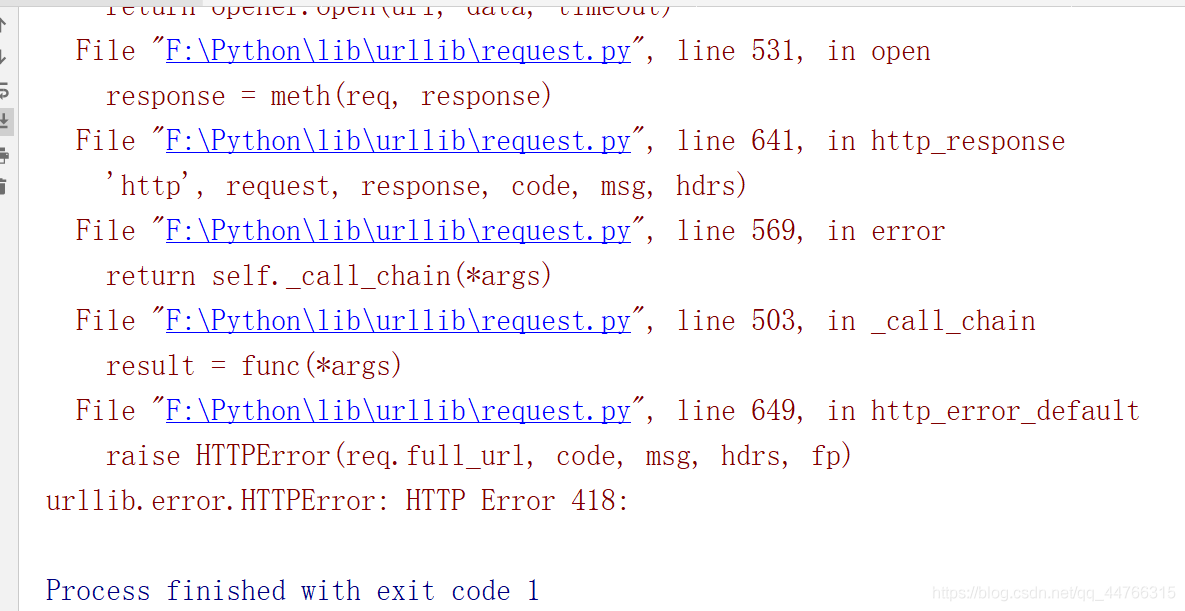 ‘s disguise code is as follows:
 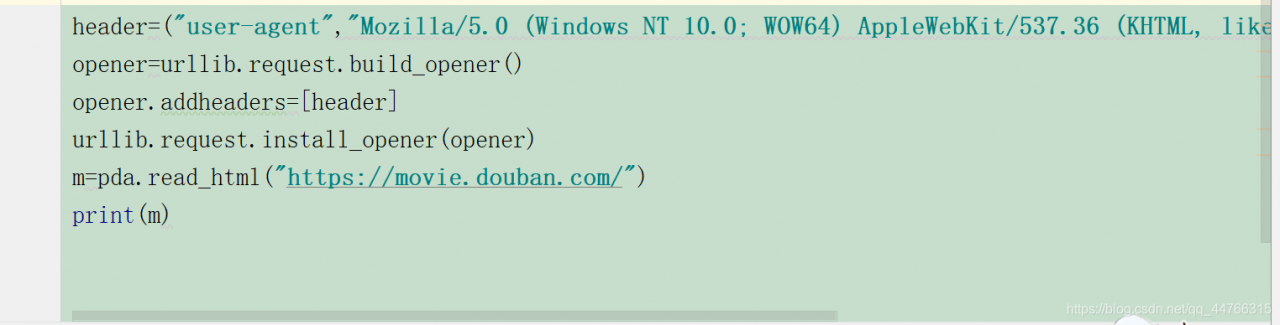 ‘s many partners go to user-agent every time they do a crawler project. In fact, it is not necessary, but it is ok to use the previous one. Try to change the last number when tested, and most of the time it works.
  , I hope it’s helpful to you.