Category Archives: How to Fix

Complex warning: casting complex values to real discards the imaginary part

Complex warning: casting complex values to real discards the imaginary part

Python error complex warning: casting complex values to real discards the imaginary part

Why numpy computes complex eigenvalues?

linalg.eig This function is calculated in the form of complex number. When the algorithm converges, the imaginary part may not be fully converged to 0, but it is very small. When calculating, the real part can be taken directly.

Syntax error, syntax expected name

It means grammatical error;

Carefully check the code you write. If you are creating entity class, see if it is missing; if you are creating method, check the position of () and {}.

They are all small problems, which can be found by careful examination.

ValueError: Object arrays cannot be loaded when allow_ Pickle = false solution

When numpy is used to load a large amount of binary data, such as. NPY file and. Pkl file, the default allow is set_ Pickle = false will cause the error and find the corresponding np.load (path)

np.load(path, allow_pickle=True)

Or reduce numpy to below 1.16:

pip install numpy==1.15.0 -i http://pypi.douban.com/simple/ --trusted-host pypi.douban.com

It can be solved.

Python error: resource u’tokenizers / Punkt/ english.pickle ‘ not found.

Error details
resource u’tokenizers / Punkt/ english.pickle ’ not found. Please
use the NLTK Downloader to obtain the resource: >>>
nltk.download ()


resolvent:

Terminal enter the following code:
Python
Import nltk
nltk.set_ proxy("**. com:8080 ","username","password")
nltk.download ()
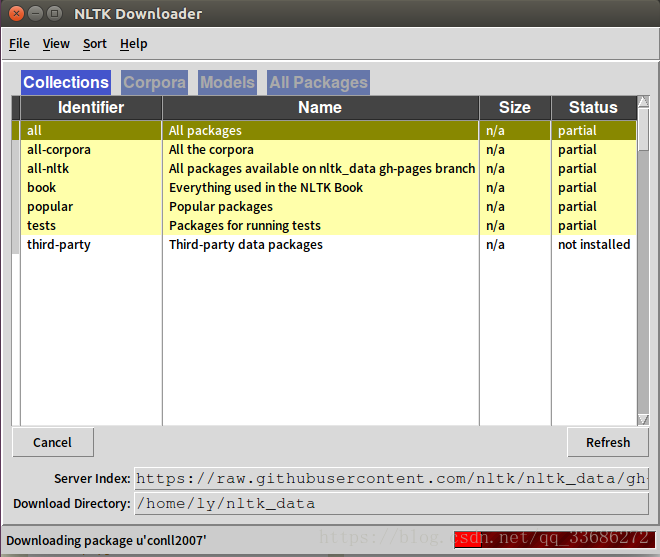
then the nltk downloader dialog box pops up, and select download. The result is shown in the figure below.

citation/ bibliography is wrongly placed in index area, please delete the placed citation/ bibliogra

I disobeyed not having any disorder highlighted, * * * * * * * * * * * * * * * * * * * * * *: Prism* * *graph* * * * * * * * * * * *: Prism* * “* * * * * * * * * * * * * * * * * * * * * * the field* * * * * * * for my* * * * * * * * * * * * graph* * * * * *: this bit* * * * *: the document ** * * * * * * * * * * * * * * * * * * * * * *the document ** * * * * * * * * * * * * * * * * * * * * * * * * * * * *the document ** * * * * * * * * * * * * * * * * * * *version of the file* * “ADDIN”,* * * *based on* *a* +f* * * * * * *one for *each*ofmy citations *Butthis* {*ADDIN}* *the only one**thatwas sitting alone, So here are awesome steps:

1)}Hitawesome+F9

2)}* Searchawesome Delete the strands search result that collapses into the strands

4)*

3)*

Delete the strands search result that collapses into the strands

4)**

4)** 4)**


Solving failure executing javac, but could not parse the error

The following problems occurred during Maven install:

Failure executing javac, but could not parse the error: 

This kind of problem is generally caused by the configuration problem of JDK or JRE path. Check whether MyEclipse — & gt; preferences — & gt; Java — & gt; installed jres uses the path of self installed JRE.

Or check the configuration of environment variables, refer to http://jingyan.baidu.com/article/f96699bb8b38e0894e3c1bef.html  

After reconfiguring the environment variable path, it is solved because the JDK path is not configured properly.

C + + common errors: “error: XXX in namespace ‘STD’ does not name a template type”

Error “error: XXX in namespace ‘STD’ does not name a template type”
is reported

Or “error: XXX does not name a type”

Cause of error

The corresponding header file was not imported

resolvent

Add the corresponding header file

string

#include <string>

list

#include <list>

vector

#include <vector>

function

#include <functional>

[solved] not found android.support .v7. internal.app.WindowDecorActionbar

Problem Description:

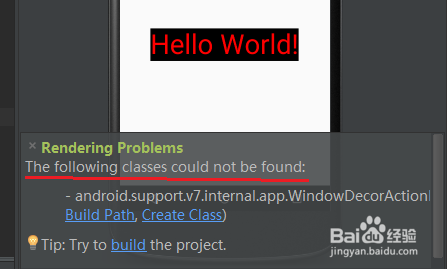
Rendering Problems 

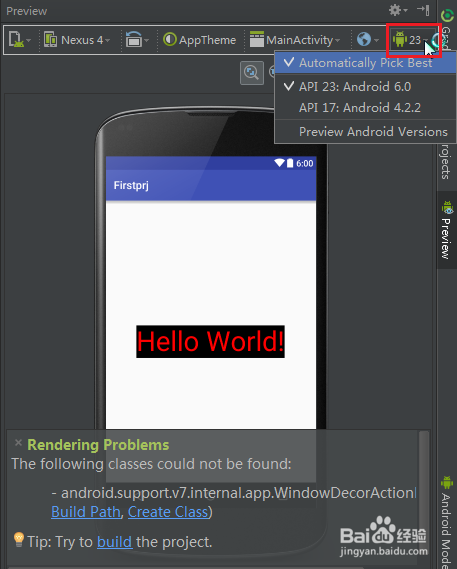
       The following classes could not be found: –  android.support .v7. internal.app.WindowDecorActionBar (Fix Build Path, Create Class)

       Tip: Try to build the project.

Attached:

When you encounter problems in your study, you should follow the warning of your predecessors that “if you don’t know, check yourself first, but if you really can’t, then look for your predecessors”. The quickest way to check is to go online. This article will be one of your network experiences.
Tools / raw materials

Android Studio

Cause of the problem

    one

    For Android version upgrade, actionbar is not recommended and will be replaced by toolbar.

    END

Solution 1: parent=“ Base.Theme.AppCompat . Light.DarkActionBar ”

    one

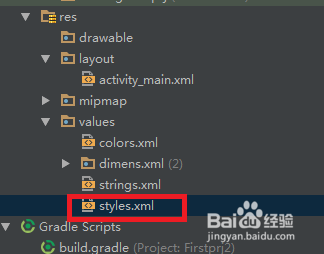
    Find the project directory RES / values/ sttyles.xml , ready to modify the apptheme settings.
    two

    Property parent found=“ Theme.AppCompat.Light .DarkActionBar”
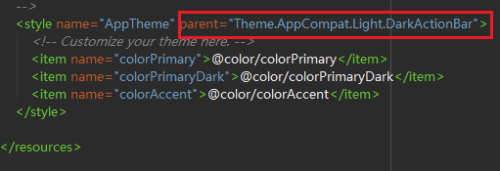
    three

    Change to parent=“ Base.Theme.AppCompat . Light.DarkActionBar “, that is, the prefix” base. “Is added to the original parent attribute value.
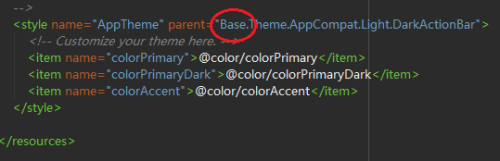
    four

    Save the changes and go back to the question prompt. Is it not available now?
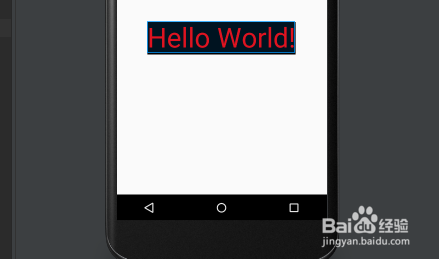
    END

Solution 2: parent=“ Theme.AppCompat.Light .NoActionBar”

    one

    Also in styles.xml File, modify the value of the parent property to“ Theme.AppCompat.Light .NoActionBar”
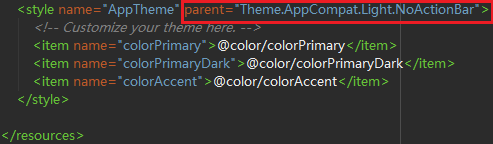
    END

Solution 3: change to a lower version of the API

    one

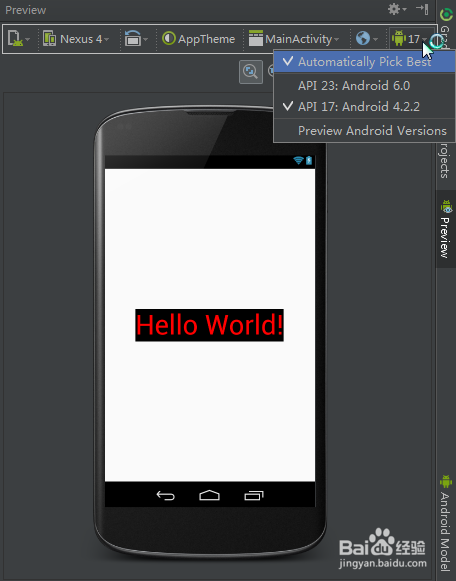
    On the question prompt page, find the API selection button in the upper right corner to see the list of optional APIs. Choose a lower version, such as 4.2.2
    two

    After the API switch is successful, you can see that the problem is no longer displayed.

    However, this method is not recommended.
    END

matters needing attention

It is recommended to use toolbar instead of actionbar