Category Archives: Error

[Solved] IO Error: The Network Adapter could not establish the connection

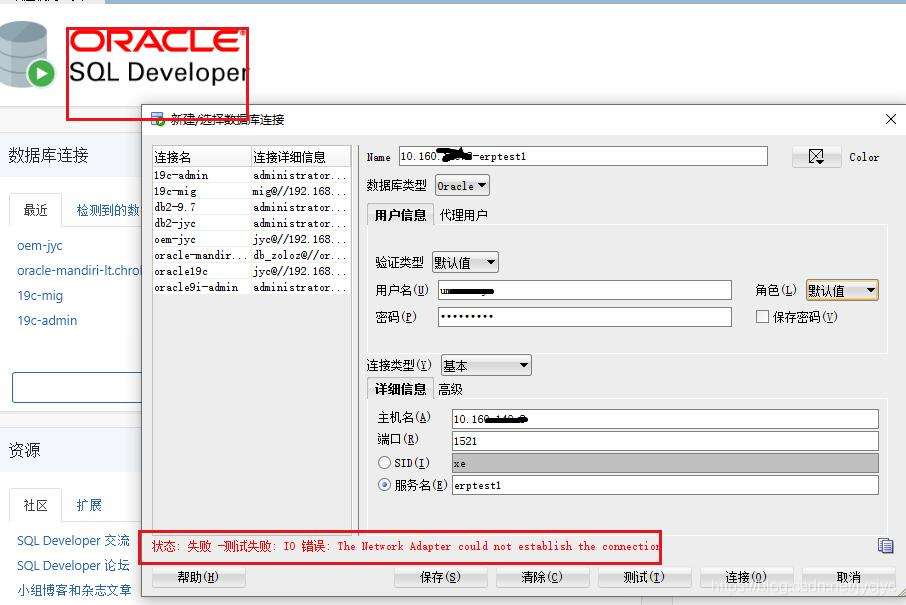
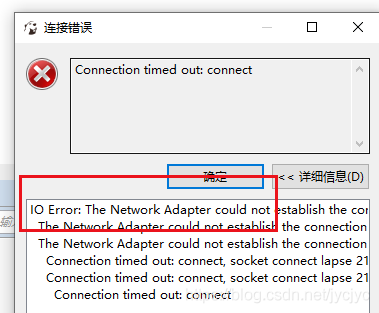
IO Error: The Network Adapter could not establish the connection
The Network Adapter could not establish the connection
Connection timed out: connect, socket connect lapse 21004 ms. /10.10.10.3 1521 0 1 true
Connection timed out: connect

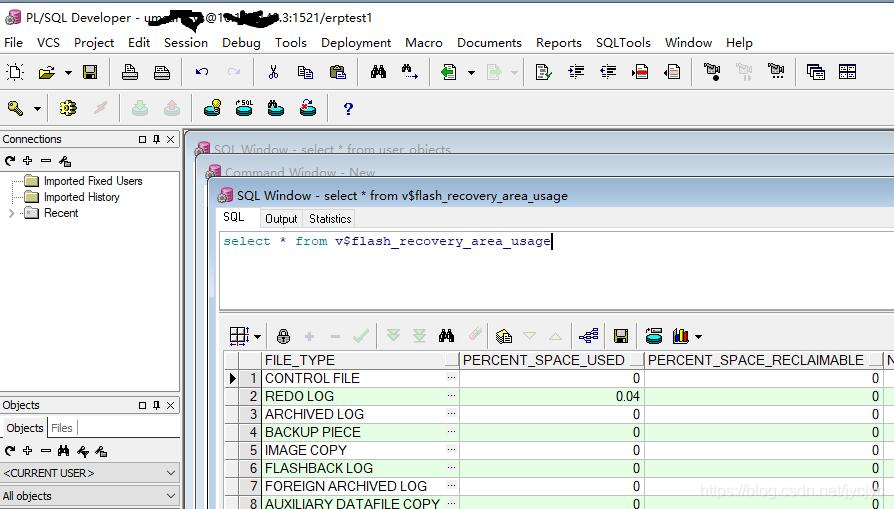
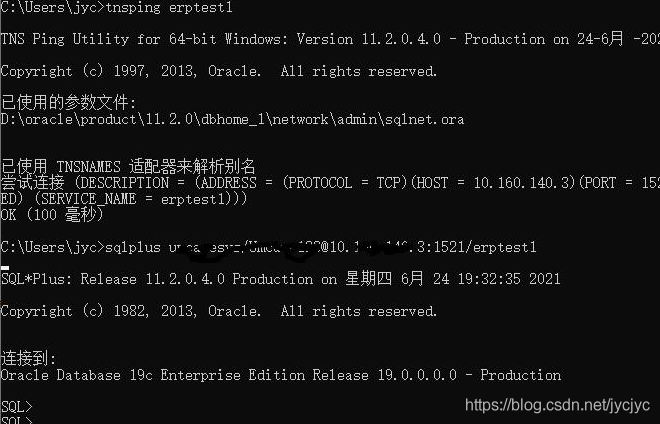
the database is 19C   rac   PDB environment, the current test even one of the VIP address, through the VPN, sqlplus and PL/SQL tools can connect to the database, but with Oracle   sql   The developer tool reported an error. Later, it tried dbeaver and dbvisualizer. It’s strange.
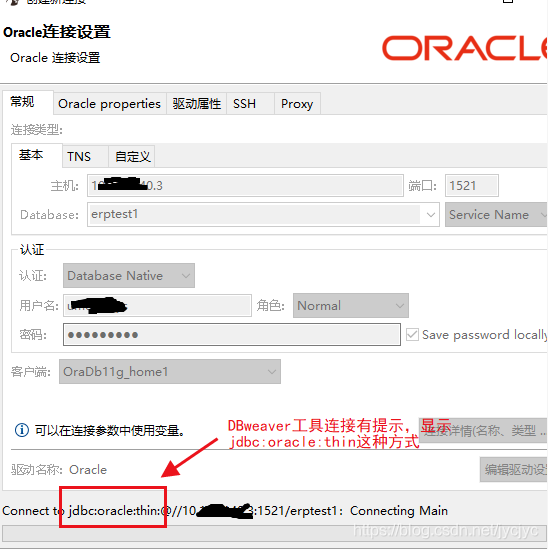
When using the dbeaver tool, we find that the connection is jdbc:oracle :thin
Think of these tools to go is it, so query

By searching jdbc:oracle : the network adapter could not establish the connection
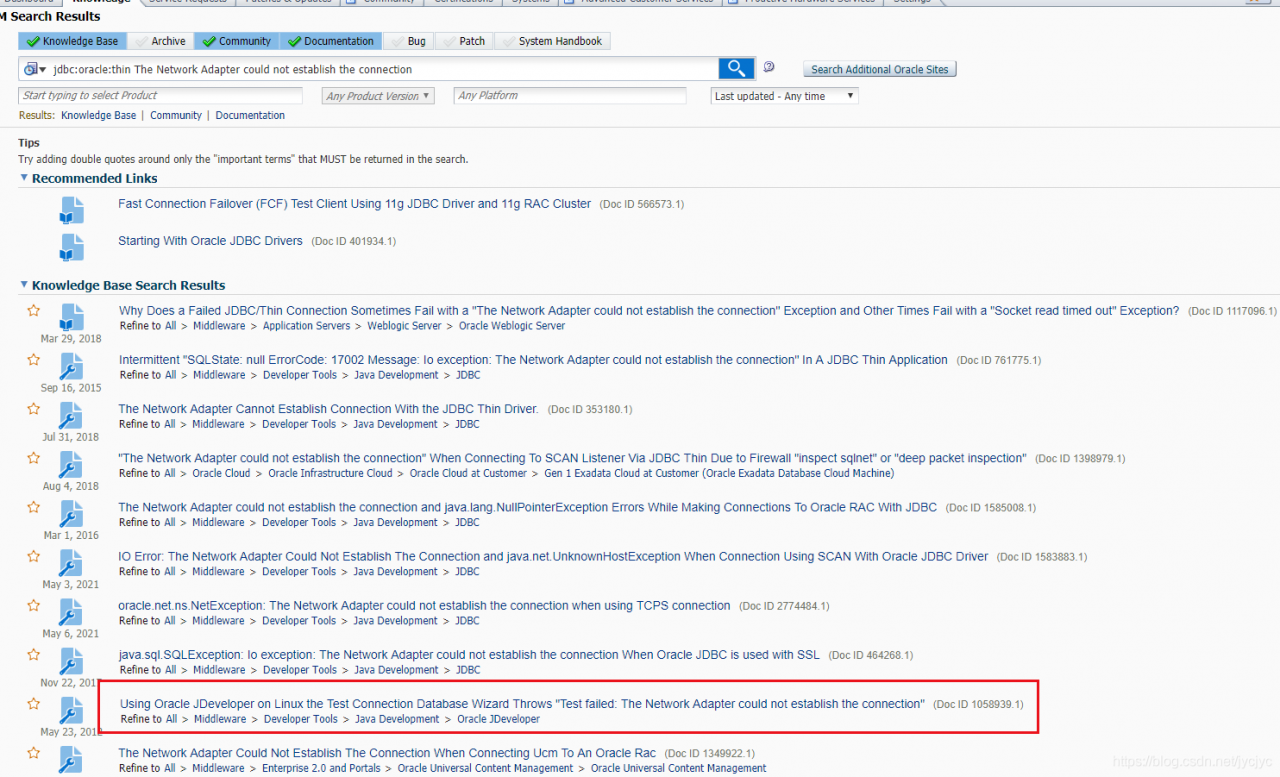
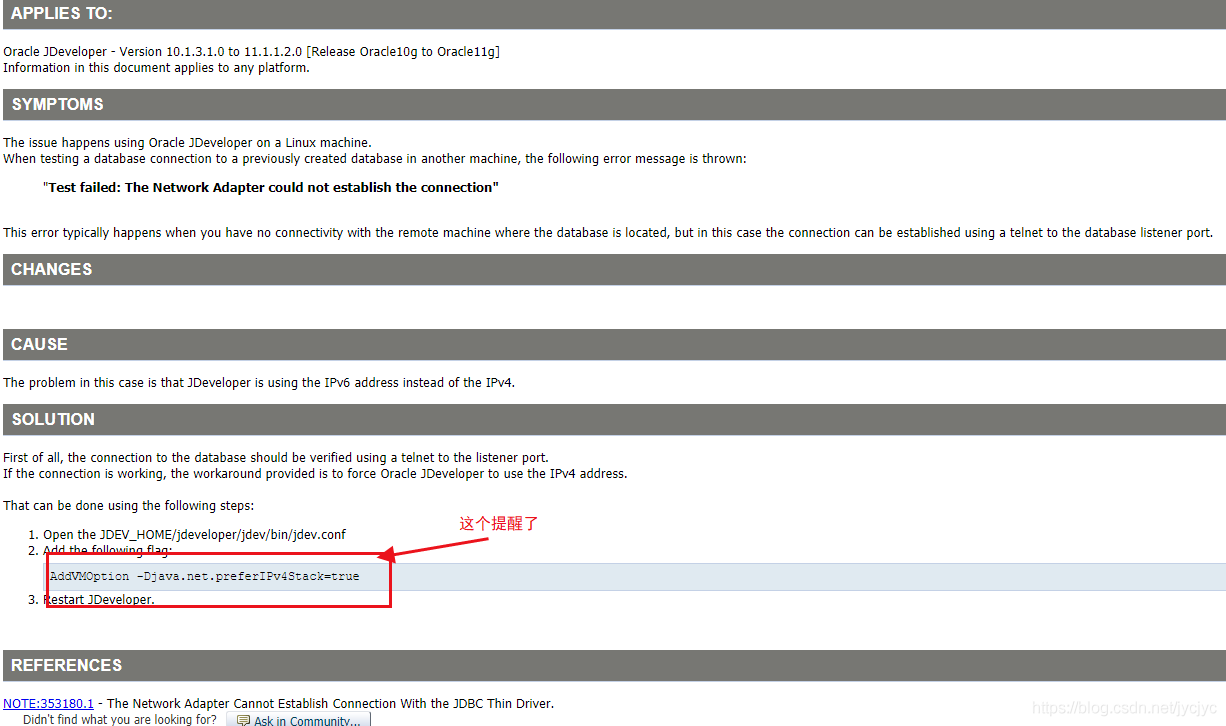
Find the configuration file below:
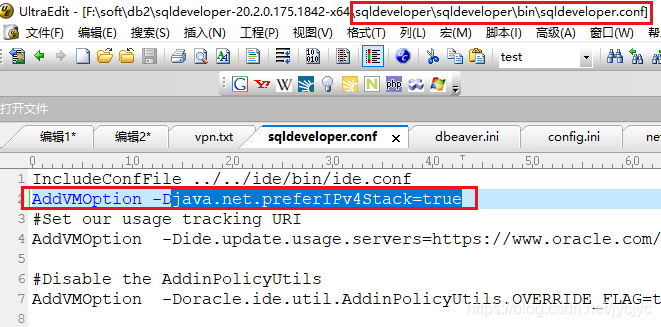
Add this   Addvmoption – DJava. Net. Preferipv4stack = true restart the client tool and connect again successfully.

relevant:
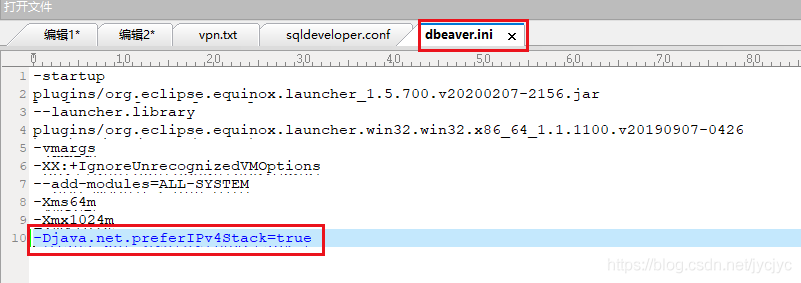
Dbeaver is modified as follows: dbeaver.ini

add to

-Djava.net.preferIPv4Stack=true
[Solved] C++ error: undefined reference to `xxx‘

        Error: undefined reference to ` xxx ‘in C + + means that an undefined method is referenced. There are many reasons for this problem. Here are two problems I encountered.

1. The corresponding header file is not referenced or the versions of library functions referenced in the header file are inconsistent. In different versions of libraries, the names of the same implementation method may be inconsistent, which causes this problem.

2. The method of using extern keyword is wrong. There are many uses of extern. The function of extern here is to refer to functions of other files.

a.h:

//a.h

#ifndef AH
#define AH

extern int test();//Here the return type and parameters must be the same as the implementation method

#endif

aaa.cpp

//aaa.cpp

#include <stdio.h>
#include <iostream>
#include "a.h"  //Both need to refer to the corresponding header file, otherwise an error will be reported

using namespace std;

int test()
{
cout << "abc" <<endl;
}

bbb.cpp

//bbb.cpp

#include <stdio.h>
#include <iostream>
#include "a.h" //Both need to refer to the corresponding header file, otherwise an error will be reported


int main()
{
    test();
}

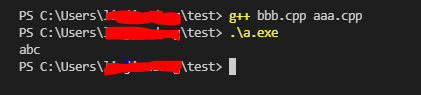
Results of operation:

If any cpp file does not refer to the corresponding header file, an error will be reported.

[Vue warn]: Error in render: TypeError: Cannot read property ‘xxxx’of undefined

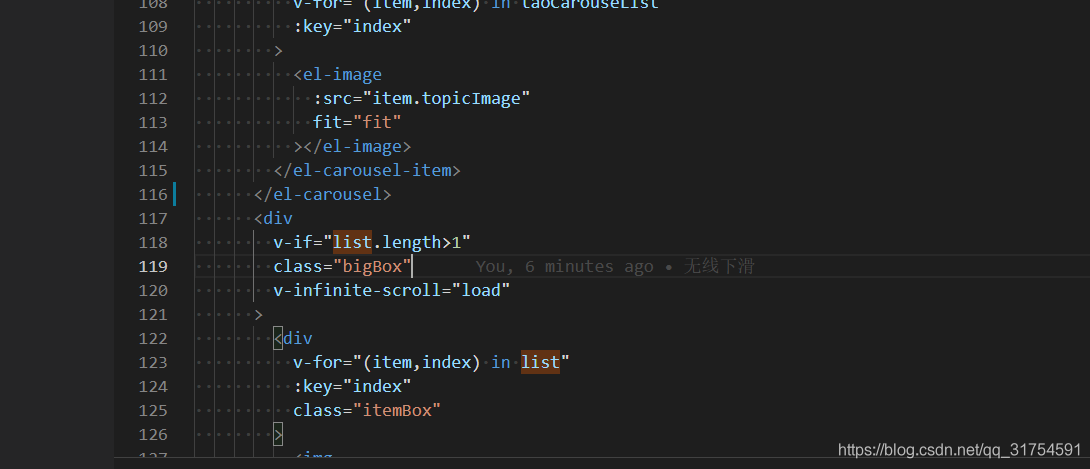
When using the infinite scroll of element UI, the error occurs. The data displayed asynchronously has no initial data, and then the requested data is displayed. The error is reported when the initial data is displayed
just set an initial value for the error value

or add a judgment to render the data when there is data, and not display it when there is no data.

[Solved] Interface automation test: JSON parse error

1.error:
{
“title” : “Bad Request”,
“status” : 400,
“detail” : “JSON parse error: Unrecognized token ‘username’: was expecting (‘true’, ‘false’ or ‘null’); nested exception is com.fasterxml.jackson.core.JsonParseException: Unrecognized token ‘username’: was expecting (‘true’, ‘false’ or ‘null’)\n at [Source: (PushbackInputStream); line: 1, column: 10]”,
“path” : “/getToken”,
“message” : “error.http.400”
}
2.codes

import requests


url = 'http://10.165.153.210/getToken'
headers = {
    'Content-Type': 'application/json'
}
payload = {
    'username': 'pad_view',
    'password': '6368da1213cd4c4538128a0e9acd0288'
}
res = requests.post(url=url,method='post', data=payload, headers=headers)
print(res.text)

3. Reasons

When you request to pass parameters, the JSON string and dictionary look the same, but the background serialization format is different. Therefore, a JSON parsing error will be reported when data is passed in

4. Solutions

Convert dictionary object to JSON string

4.1 import JSON

import json

4.2 convert dictionary object to JSON string

payload = json.dumps({
    'username': 'username',
    'password': 'password'
})

4.3 complete modification code, as follows

import requests
import json  # import json


url = 'http://10.165.153.210/getToken'
headers = {
    'Content-Type': 'application/json'
}
# Convert a dictionary object into a json string, using the json.dumps() method
payload = json.dumps({
    'username': 'pad_view',
    'password': '6368da1213cd4c4538128a0e9acd0288'
})
res = requests.post(url=url,method='post', data=payload, headers=headers)
# Print the response message
print(res.text)

[Solved] MAC Nginx Error: ginx.pid“ failed (2: No such file or directory)

(base) li@lideMacBook-Pro ~ % nginx -s reload
nginx: [error] open() "/usr/local/var/run/nginx.pid" failed (2: No such file or directory)

The problem is that nginx.pid can’t be found, so there is an error in reload. It’s certain that the nginx service hasn’t started at this time. Start nginx, and then there is PID. This problem is solved.

IdentityServer4 Error: well-known/openid-configuration: HTTPS required

When the client sends a connection request to identityserver4, an error is reported: HTTPS required

Error connecting to http://192.168.20.6:5601/.well-known/openid-configuration: HTTPS required

Since the identity server 4 project does not enable HTTPS, the client does not write it well

It was written like this at the beginning, using WinForm

string AuthorityAddress = ConfigurationManager.AppSettings["AuthorityAddress"];

var client = new HttpClient() ; 
var disco = await client.GetDiscoveryDocumentAsync(AuthorityAddress);

if (disco.IsError)
{
    LogHelper.LogError(disco.Error);
    return false;
}

report errors

Later, you can set the request policy through discoverydocument request

string AuthorityAddress = ConfigurationManager.AppSettings["AuthorityAddress"];

var client = new HttpClient() ; 
// var disco = await client.GetDiscoveryDocumentAsync(AuthorityAddress);

var config = new DiscoveryDocumentRequest() { Address = AuthorityAddress, Policy = new DiscoveryPolicy() { RequireHttps = false } };
var disco = await client.GetDiscoveryDocumentAsync(config);

if (disco.IsError)
{
    LogHelper.LogError(disco.Error);
    return false;
}

In our development environment, sometimes we don’t care whether it’s HTTP or HTTPS. When we deploy, we find that there are many problems.

You need to issue a certificate to deploy HTTPS. If you use intranet, just deploy HTTP directly

[Solved] “Field pet in XXX.HelloController required a bean of type ‘XXX.Pet‘ that could not be found.“

abnormal

2021-06-22 14:10:56.860 ERROR 17884 --- [           main] o.s.b.d.LoggingFailureAnalysisReporter   : 

***************************
APPLICATION FAILED TO START
***************************

Description:

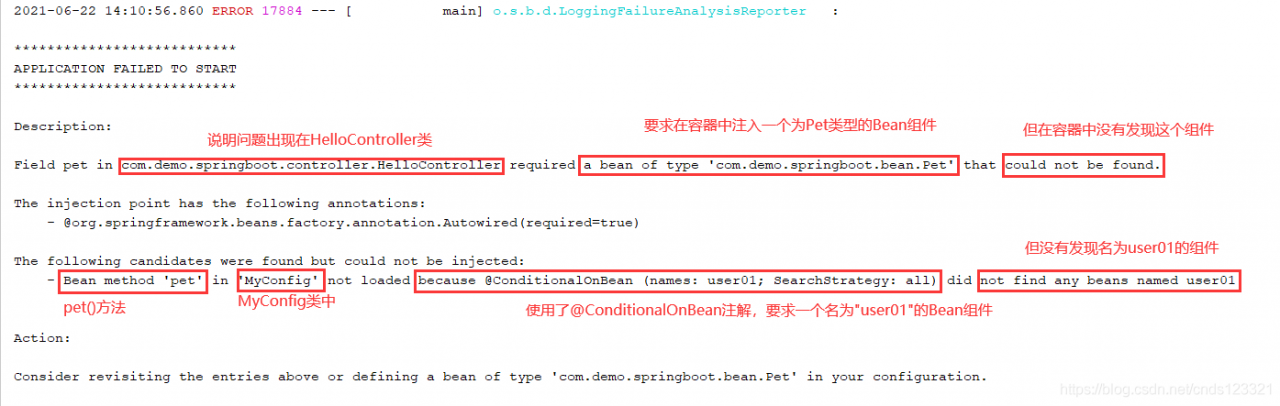
Field pet in com.demo.springboot.controller.HelloController required a bean of type 'com.demo.springboot.bean.Pet' that could not be found.

The injection point has the following annotations:
	- @org.springframework.beans.factory.annotation.Autowired(required=true)

The following candidates were found but could not be injected:
	- Bean method 'pet' in 'MyConfig' not loaded because @ConditionalOnBean (names: user01; SearchStrategy: all) did not find any beans named user01


Action:

Consider revisiting the entries above or defining a bean of type 'com.demo.springboot.bean.Pet' in your configuration.

reason

Let’s analyze the printed error log

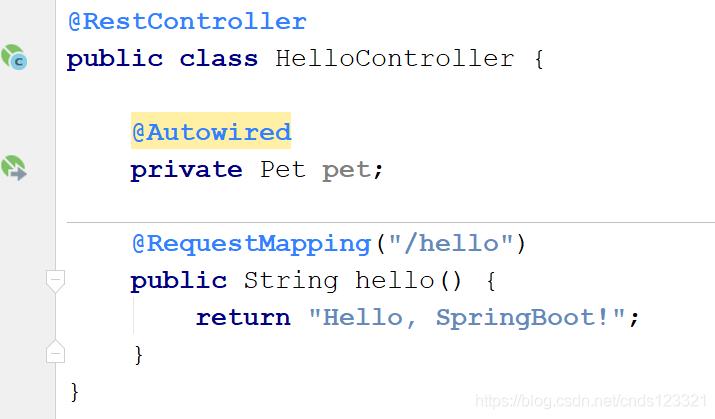
Let’s look at the hellocontroller class, in which the bean component of pet type is injected, but an error is reported that the injection is not successful

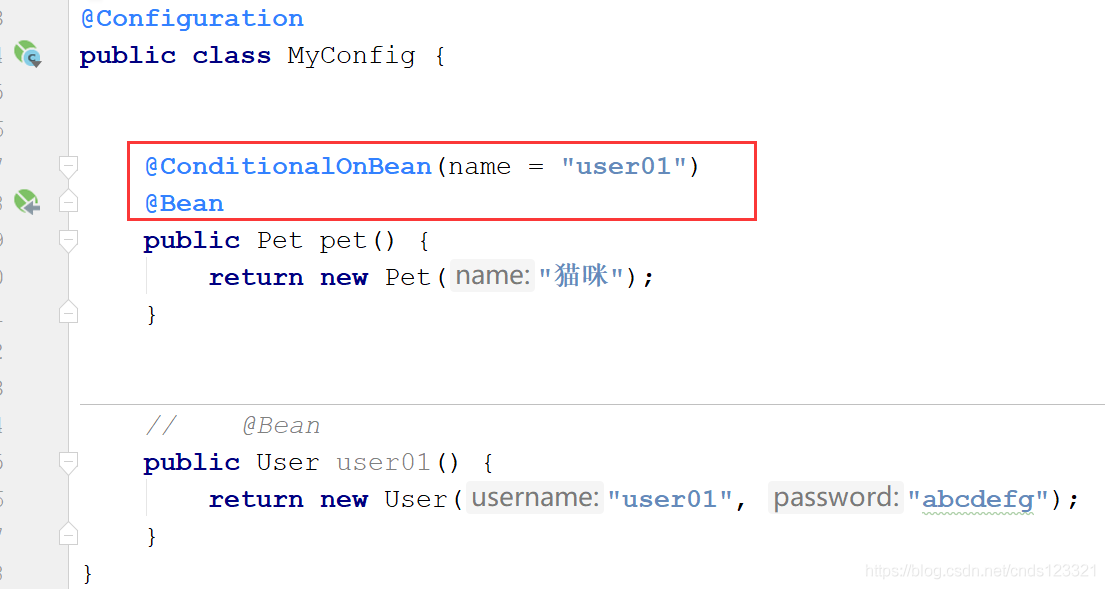
Then, we click the arrow icon on the left to go to the method of injecting this component. We find that it is the pet () method of the myconfig class, where the @ bean annotation is used to inject the pet component.

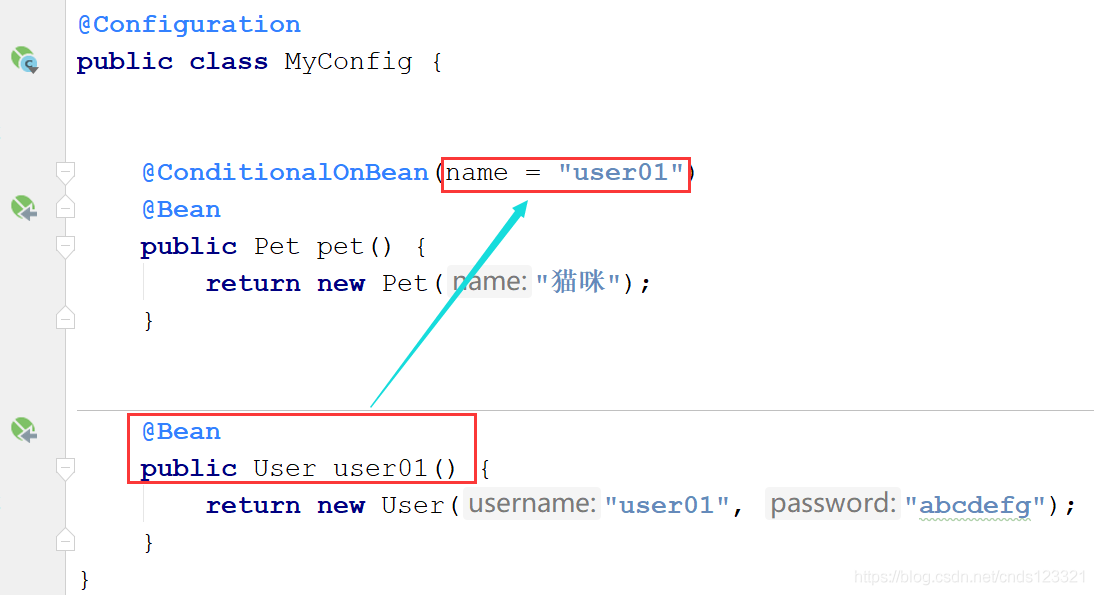
However, we use @ conditionalonbean (name = user01) annotation above the @ bean annotation, which means that a component named “user01” must exist in the container before the pet component can be injected, otherwise it will not be injected.

solve

Cancel the @ conditionalonbean (name = user01) annotation, or inject a component named “user01”.

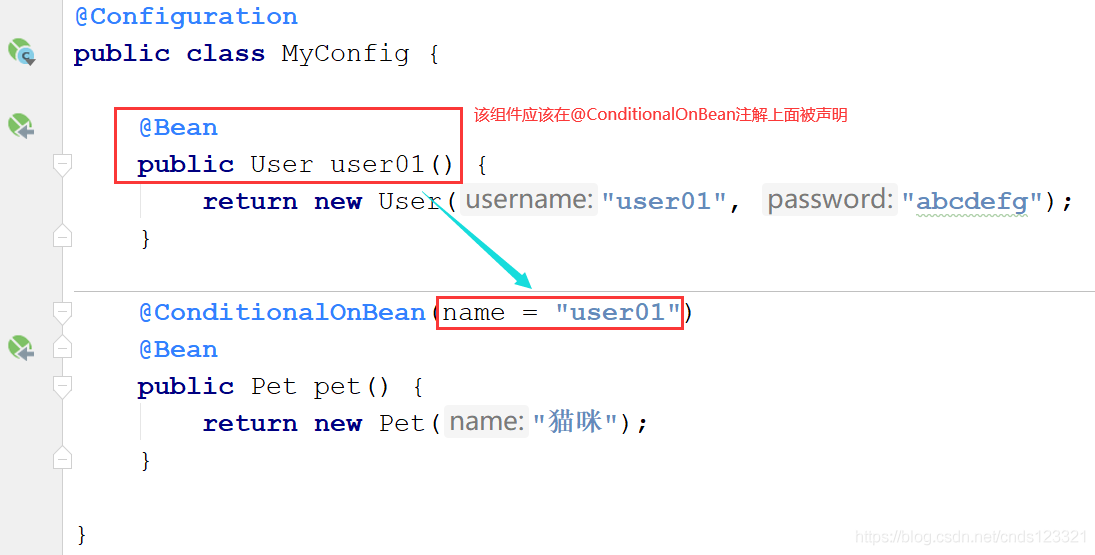
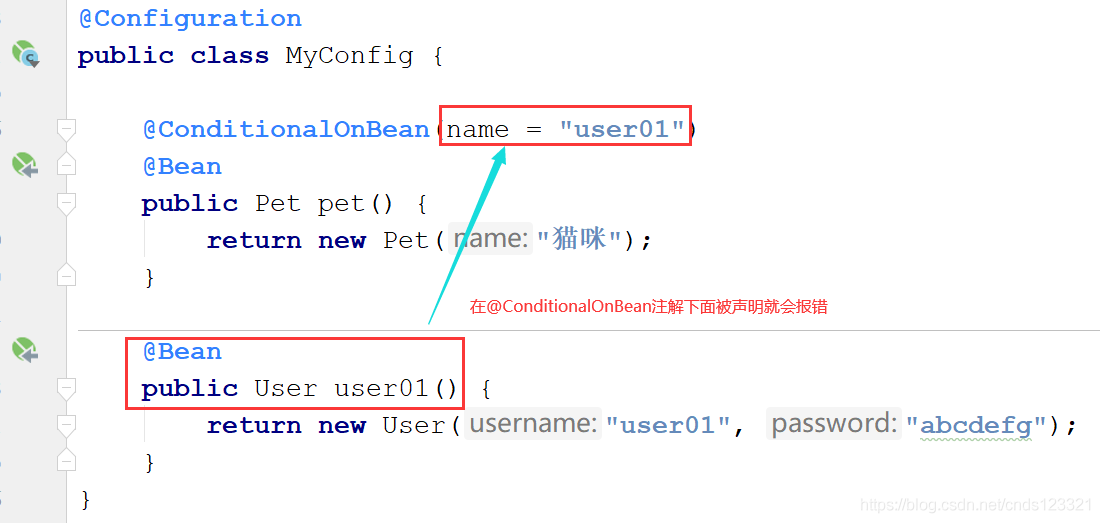
But what is the reason for this mistake?Note that the bean component to be used by the @ conditionalonbean annotation condition should be declared above the annotation, not below.

[Solved] Doris StreamLoad Error: load by MERGE or DELETE need to upgrade table to support batch delete

Streamload error

load by MERGE or DELETE need to upgrade table to support batch delete

Refer to Doris batch delete function

resolvent

I set the parameters and restart Fe
to find that the table still does not support this function
it needs to be re created or manually executed to dynamically change the configuration.

Batch the unique test table_ Delete feature on (add hidden columns)

show create table csv_upload_test_unique
desc csv_upload_test_unique

set show_hidden_columns=true

alter table csv_upload_test_unique enable feature "BATCH_DELETE";

Then execute streamload

[Solved] Intellij IDEA Error: Command line is too long

solve:

    1. find the workspace.xml configuration file in the. Idea folder of the project
    1. it may be hidden. You can set editor – > through idea; Remove. Idea from the ignore… Box at the bottom of file types. Locate the component name = “propertiescomponent” tag. Add a line at the bottom of the tag: property name = “dynamic. Classpath” value = “true”. Final effect
<component name="PropertiesComponent">
...other properties... 
 <property name="dynamic.classpath" value="true" />
</component>

Gateway Error: Cannot resolve org.springframework.cloud:spring-cloud-starter-gateway:unknown

Reason: there is no version with the same version as springboot, so you need to add your own version model
eg:

<?xml version="1.0" encoding="UTF-8"?>
<project xmlns="http://maven.apache.org/POM/4.0.0" xmlns:xsi="http://www.w3.org/2001/XMLSchema-instance"
         xsi:schemaLocation="http://maven.apache.org/POM/4.0.0 https://maven.apache.org/xsd/maven-4.0.0.xsd">
    <modelVersion>4.0.0</modelVersion>
    <parent>
        <groupId>org.springframework.boot</groupId>
        <artifactId>spring-boot-starter-parent</artifactId>
        <version>2.3.3.RELEASE</version>
        <relativePath/> <!-- lookup parent from repository -->
    </parent>
    <groupId>com.example</groupId>
    <artifactId>dtestgateway</artifactId>
    <version>0.0.1-SNAPSHOT</version>
    <name>dtestgateway</name>
    <description>Demo project for Spring Boot</description>
    <properties>
        <java.version>1.8</java.version>
    </properties>
    <dependencies>
<!--        <dependency>-->
<!--            <groupId>org.springframework.boot</groupId>-->
<!--            <artifactId>spring-boot-starter-web</artifactId>-->
<!--        </dependency>-->

        <dependency>
            <groupId>org.springframework.boot</groupId>
            <artifactId>spring-boot-starter-webflux</artifactId>
        </dependency>

        <dependency>
            <groupId>org.springframework.cloud</groupId>
            <artifactId>spring-cloud-starter-gateway</artifactId>
            <version>3.0.1</version>
        </dependency>


        <dependency>
            <groupId>org.springframework.boot</groupId>
            <artifactId>spring-boot-starter-test</artifactId>
            <scope>test</scope>
        </dependency>


    </dependencies>

    <build>
        <plugins>
            <plugin>
                <groupId>org.springframework.boot</groupId>
                <artifactId>spring-boot-maven-plugin</artifactId>
            </plugin>
        </plugins>
    </build>

</project>

RuntimeError: implement_array_function method already has a docstring(Pycharm install package error)

Recently, I’m writing the course of financial analysis and prediction in Python. Because I’m lazy, I didn’t match the required Library under CONDA in advance. Using pychar install package directly will lead to some version incompatibility and mismatching due to the installation sequence, which leads to
runtimeerror: implementation_ array_ Function method already has a docstring
error report
mark
I don’t know what I’m writing<
PIP universal pandas
PIP universal mattlotlib
PIP universal Skippy
PIP universal numpy
PIP universal scikit learn
then install
PIP install numpy
PIP install Skippy
PIP install panda
PIP install mattlotlib
pip install scikit learn
in the following order