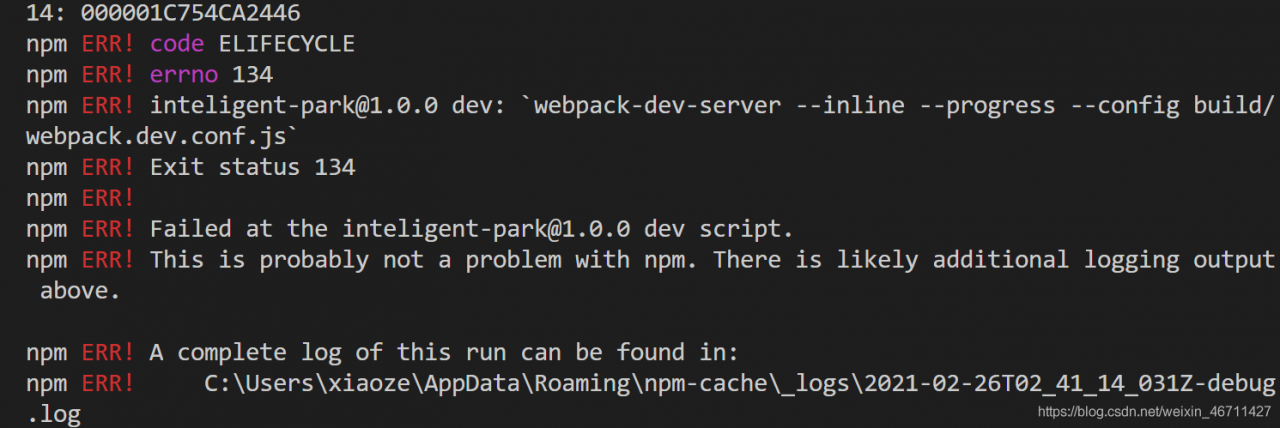
Solutions:
Solution 1:
Increase memory by
"build" package.jsonSolution 2:
Run the following two commands
npm install -g increase-memory-limit
increase-memory-limit
"build" package.jsonInnodb
Physically, InnoDB tables consist of shared tablespaces, log file groups (redo file groups), and table structure definition files.
innodb has a relatively different directory structure, divided into shared tablespaces, separate tablespaces.
The type is controlled by the parameter innodb_file_per_table. 0: Use shared tablespace;
show variables like “innodb_file_per_table”; See the file directories under
in the data_dir definition.
Tablespace independent
Separate tablespaces are enabled. Each database creates a file of the same name to store table structure files, index files, and data files. However, undo rollback logs to transactions and redo log buffers are still stored in the shared tablespace.
Table_name.frm defines the table structure.
table_name.ibd Stores table indexes and data.
Advantages:
Disadvantages:
SHARED TABLESPACE:
If no separate tablespaces are enabled, they are all stored in IBDATA1. You can set its size and automatically expand it when it exceeds the limit size.
Advantages:
The
Disadvantages:
MySQL has a “double write” mechanism for writing data pages.
MySQL has a “double write” mechanism for writing data pages.
MySQL has a “double write” mechanism for writing data pages. The redo log records page operations at the physical level, and now the page is only 4KB written, which is itself a “faulty” page, so the redo log records the page writes in error. Thus, there is a double write: the pages are copied to the double write buffer, then the pages are written to the shared tablespaces in order, and finally a copy is written to the corresponding tablespaces.
Tokudb
When TOKUDB is started, it reads TOKUDB.DIRECTORY, organizes the table related files according to the key information, and writes them to the INFORMATION_SCHEMA. TOKUDB_FILE_MAP table.
Tokudb. directory defines table/index file information.
tokudb. Environment tokudb version number information.
tokudb.rollback undo record .
log000000000009 tokulog27 redo records.
tokudb_lock_dont_delete_me_* file lock ensures that the same datadir can only be used by one TokuDB process.
_test_table_name_key_name_45ca56_3_1b_b_0. tokudb index file
myisam_table.MYD table data
isam_table. MYI table index
--Querying the 50 most CPU-intensive queries
SELECT TOP 50
DB_NAME(dbid) AS DBNAME,
OBJECT_NAME(objectid,dbid) as OBJECTNAME,
total_worker_time/execution_count/1000/1000 AS [CPU Average execution (sec)],
    SUBSTRING(st.text, (qs.statement_start_offset/2)+1,
        ((CASE qs.statement_end_offset
          WHEN -1 THEN DATALENGTH(st.text)
         ELSE qs.statement_end_offset
         END - qs.statement_start_offset)/2) + 1) N'Execution Statements'
         ,st.text N'Full Words'
         ,total_worker_time/1000/1000 AS [Total CPU time consumed (seconds)]
         ,execution_count [number of runs]
 ,qs.total_worker_time/qs.execution_count/1000/1000 AS [average_execution_time_of_CPU(sec)]
 ,last_execution_time AS [last execution time]
 ,max_worker_time /1000/1000 AS [max_execution_time(sec)]
 ,total_physical_reads N 'total_physical_reads'
 ,total_logical_reads/execution_count N'number of logical reads per execution'
 ,total_logical_reads N'total_logical_reads'
 ,total_logical_writes N'total_logical_writes'
 ,*
FROM sys.dm_exec_query_stats AS qs
CROSS APPLY sys.dm_exec_sql_text(qs.sql_handle) AS st
WHERE last_execution_time> dateadd(minute,-100,getdate())
ORDER BY total_worker_time/execution_count DESC;
GOBug:
RuntimeError: nice is not implemented for type Torch. CUDA. Longtensor
Anchor_target_layer_fpn.py “, line 136:
 			num_examples = torch.sum(labels[i] >= 0)
            num_examples = num_examples.float()
            positive_weights = 1.0/num_examples
            negative_weights = 1.0/num_examples
welcome to my blog
Problem description
Implements Torch. Log (tor.from_numpy (NP.array ([1,2,2]))))t implemented for ‘Long’
why
Long data does not support log operations. Why is a Tensor a Long?Since the numpy array is created without specifying a dtype, int64 is used by default, so when the numpy array is converted to torch.tensor, the data type becomes Long
The solution
Reset torch.log(torch.from_numpy(np.array([1,2,2],np.float)))
Implenished for ‘Half’
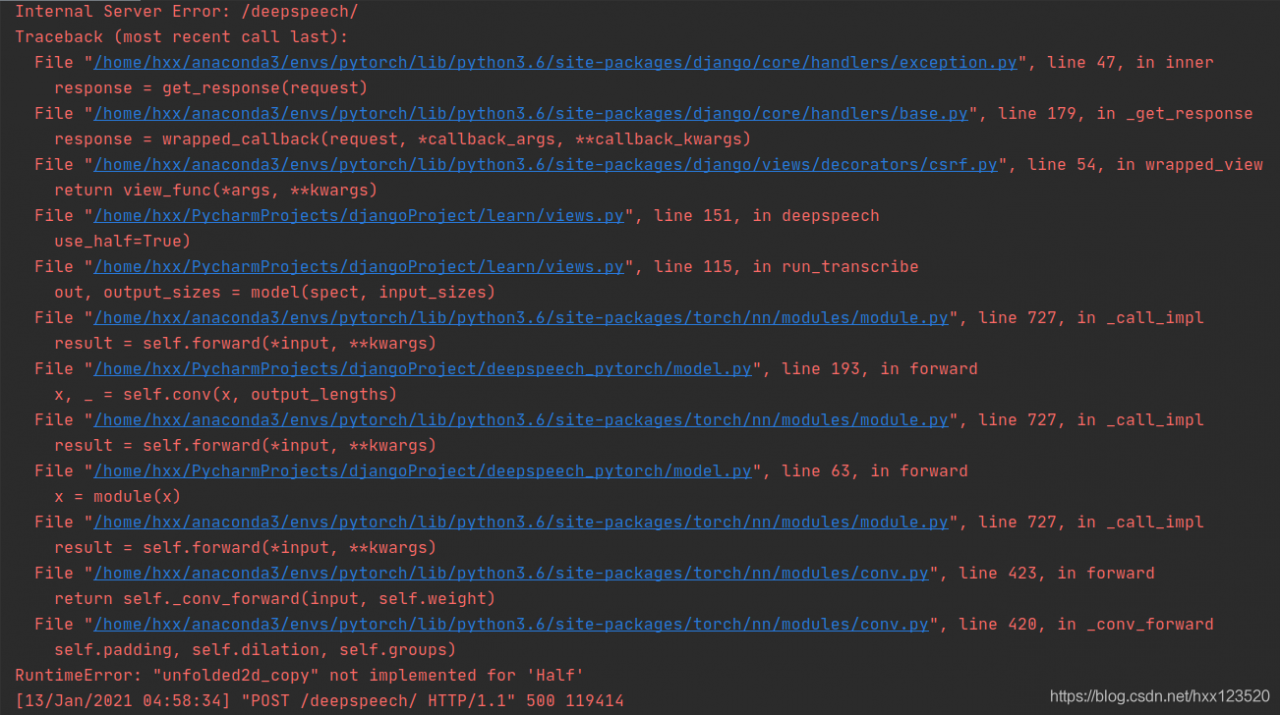 : Implenished for ‘Half’
PyTorch Conv CPU does not support FP16, so just set use_half=False and you will be able to perform the calculation.
You are given an m x n integer grid accounts where accounts[i][j] is the amount of money the ith customer has in the jth bank. Return the wealth that the richest customer has.
A customer’s wealth is the amount of money they have in all their bank accounts. The richest customer is the customer that has the maximum wealth.
Example 1:
Input: accounts = [[1,2,3],[3,2,1]]
Output: 6
Explanation:
1st customer has wealth = 1 + 2 + 3 = 6
2nd customer has wealth = 3 + 2 + 1 = 6
Both customers are considered the richest with a wealth of 6 each, so return 6.
Example 2:
Input: accounts = [[1,5],[7,3],[3,5]]
Output: 10
Explanation:
1st customer has wealth = 6
2nd customer has wealth = 10
3rd customer has wealth = 8
The 2nd customer is the richest with a wealth of 10.
Example 3:
Input: accounts = [[2,8,7],[7,1,3],[1,9,5]]
Output: 17
Note:
m == accounts.length
n == accounts[i].length
1 <= m, n <= 50
1 <= accounts[i][j] <= 100
parsing
The sum of the numbers in each row in the table Accounts is the total amount of the user’s deposits.
answer
class Solution(object):
    def maximumWealth(self, accounts):
        """
        :type accounts: List[List[int]]
        :rtype: int
        """
        mx = -1
        for account in accounts:
            mx = max(mx, sum(account))
        return mx

# be simple
class Solution(object):
	    def maximumWealth(self, accounts):
	        """
	        :type accounts: List[List[int]]
	        :rtype: int
	        """
	        return max(map(sum, accounts))
The results
Runtime: 32 ms, faster than 95.52% of Python online submissions for Richest Customer Wealth.
Memory Usage: 13.6 MB, less than 8.15% of Python online submissions for Richest Customer Wealth.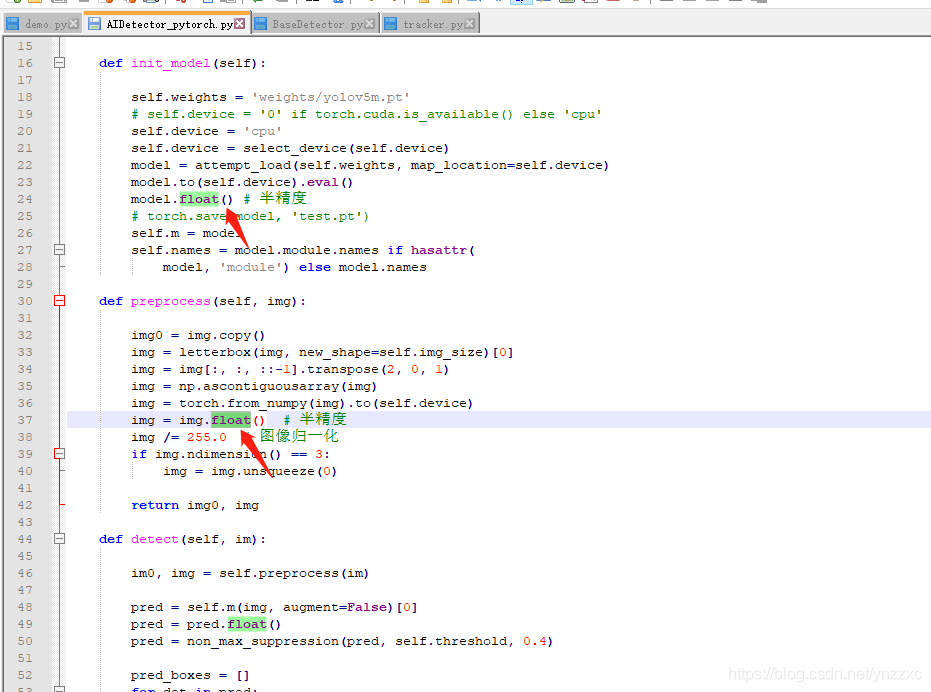
Failed to load applicationContext encountered while using mybatis-plus
Problem due to configure mybatis rules conflict with resources package mapper
resources/mapper can be deleted can run normally
(SQL connection pool in the properties can be)
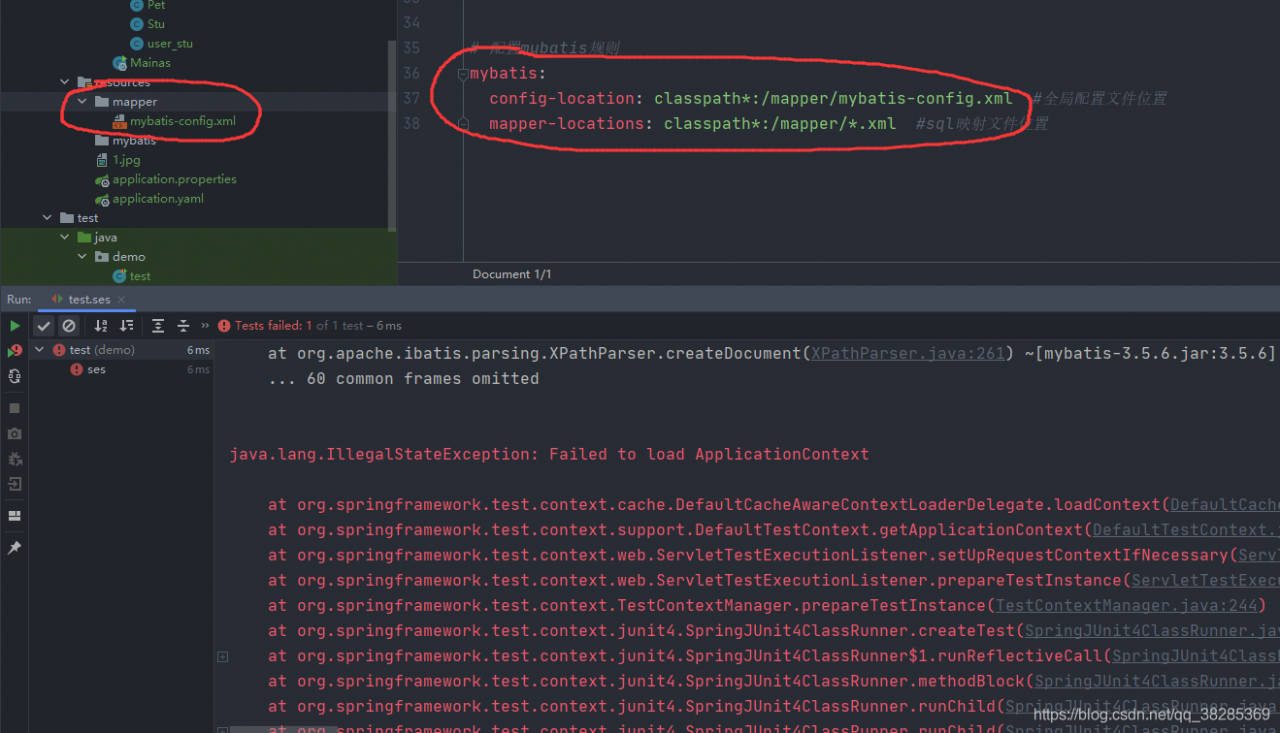
There is nothing wrong with the configuration
Press the
CTRL + Alt + shift + s open Project Structure (Project Structure)
click the module without struts 2, click on the plus sign
as shown 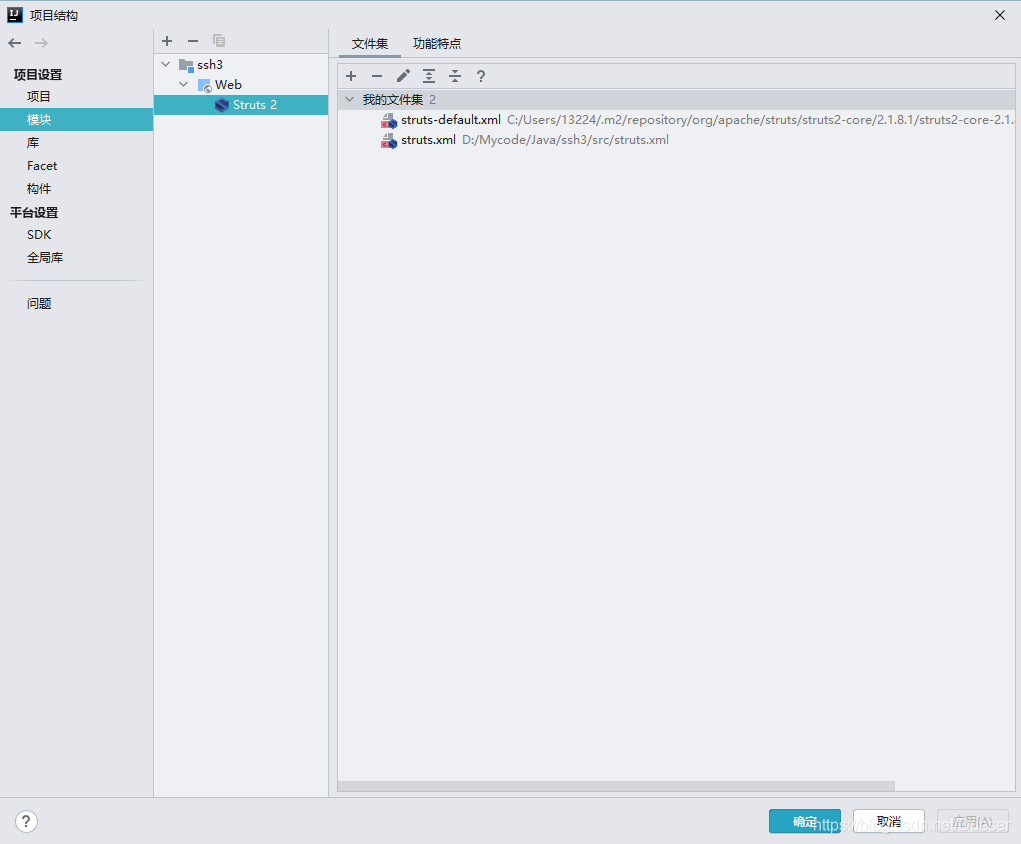
the user-defined structs. XML and user-defined structs - default. XML to join
Use SnappyHexMesh in OpenFoam to generate the minimum number of files needed for the mesh
1. Two folders, system and constant
2. Files needed in constant folder, “STL file under triSurface”
. System folder (1. BlockMeshDict 2. SurfaceFeatures 3. MeshQualityDict 4.