
Solution:
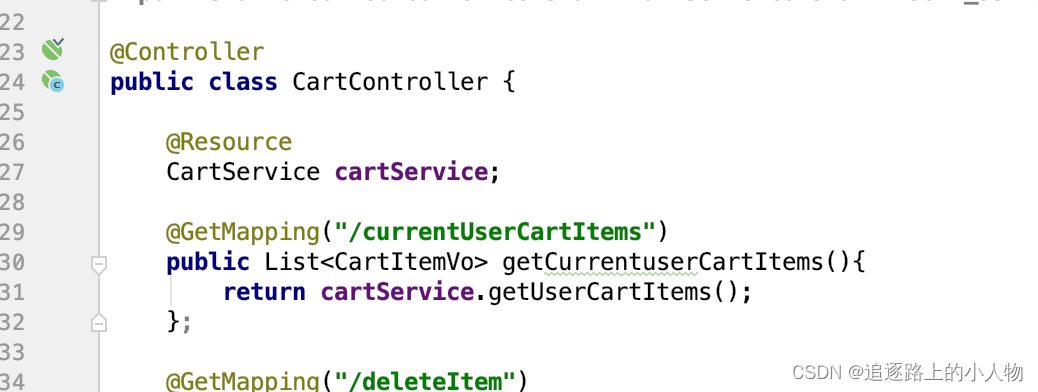
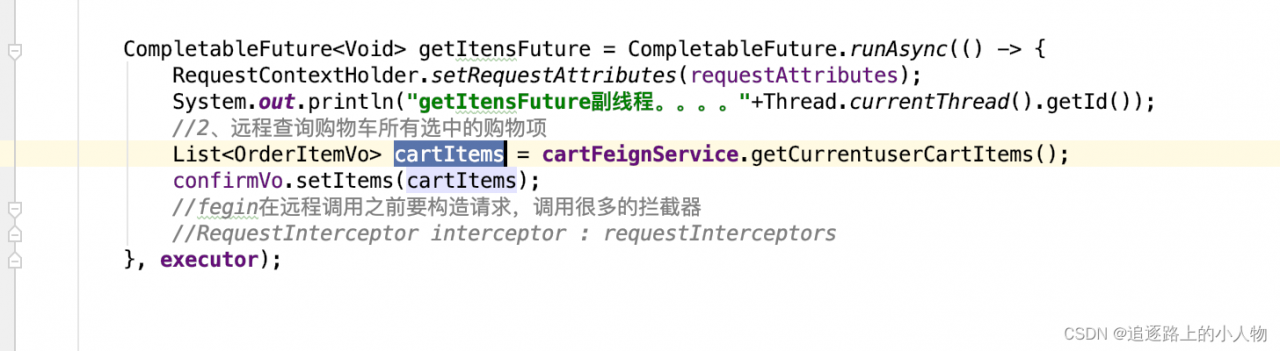
Reason: the data returned by the method called remotely is not added with @ResponseBody
Original:
After modification:
Solution:
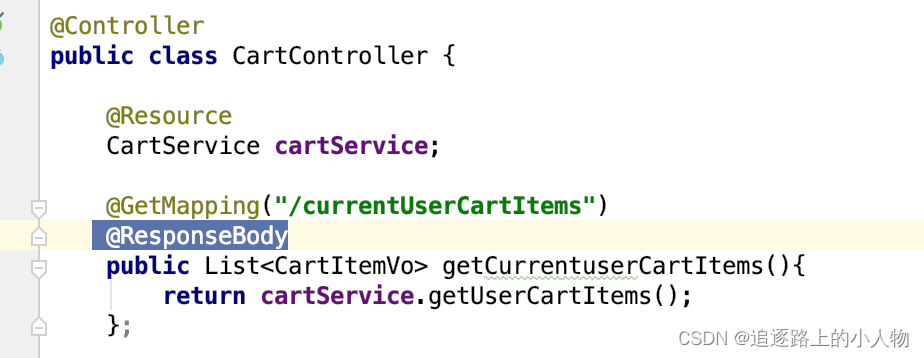
Reason: the data returned by the method called remotely is not added with @ResponseBody
Original:
After modification:
The reason is that grid_scores_ has been deleted in version 0.20 of sklearn and replaced by cv_results_.
Method 1 (version 0.20 deleted):
grid_search.grid_scores_
method 2 (applicable to version 0.20):
means = grid_search.cv_results_[‘mean_test_score’]
params = grid_search.cv_results_[‘params’]
The following error occurred in vs2012:
Error c2039: ‘bind2nd’: not a member of ‘STD’
Add in header file
#include <functional>
Environmental description
System: centos7 (3.10.0)
Driver version: 00014996-rtl8192eu_linux_v5.6.3.1_34030_COEX20171113-0047.20190613.zip
Network card: Realtek rtl8192eu
Error log
In file included from /home/w1206/RTL8192EU_linux_v5.6.3.1_34030_COEX20171113-0047.20190613/driver/rtl8192EU_WiFi_linux_v5.6.3.1_34030.20190613_COEX20171113-0047/include/osdep_service_linux.h:93:0,
                 from /home/w1206/RTL8192EU_linux_v5.6.3.1_34030_COEX20171113-0047.20190613/driver/rtl8192EU_WiFi_linux_v5.6.3.1_34030.20190613_COEX20171113-0047/include/osdep_service.h:50,
                 from /home/w1206/RTL8192EU_linux_v5.6.3.1_34030_COEX20171113-0047.20190613/driver/rtl8192EU_WiFi_linux_v5.6.3.1_34030.20190613_COEX20171113-0047/include/drv_types.h:27,
                 from /home/w1206/RTL8192EU_linux_v5.6.3.1_34030_COEX20171113-0047.20190613/driver/rtl8192EU_WiFi_linux_v5.6.3.1_34030.20190613_COEX20171113-0047/os_dep/linux/ioctl_cfg80211.c:17:
include/net/cfg80211.h:5502:6: note: expected ‘gfp_t’ but argument is of type ‘unsigned char *’
 void cfg80211_roamed(struct net_device *dev, struct cfg80211_roam_info *info,
      ^
/home/w1206/RTL8192EU_linux_v5.6.3.1_34030_COEX20171113-0047.20190613/driver/rtl8192EU_WiFi_linux_v5.6.3.1_34030.20190613_COEX20171113-0047/os_dep/linux/ioctl_cfg80211.c:1130:4: error: too many arguments to function ‘cfg80211_roamed’
    , GFP_ATOMIC);
    ^
Solution:
Modify IOCTL_cfg80211.C Documents
@@ -1036,7 +1046,7 @@
 #ifdef CONFIG_P2P
 	struct wifidirect_info *pwdinfo = &(padapter->wdinfo);
 #endif
-#if LINUX_VERSION_CODE >= KERNEL_VERSION(4, 12, 0)
+#if LINUX_VERSION_CODE >= KERNEL_VERSION(3, 10, 0) //change by wellnw 20211213
 	struct cfg80211_roam_info roam_info ={};
 #endif

@@ -1109,7 +1119,7 @@
 		notify_channel = ieee80211_get_channel(wiphy, freq);
 		#endif

-		#if LINUX_VERSION_CODE >= KERNEL_VERSION(4, 12, 0)
+		#if LINUX_VERSION_CODE >= KERNEL_VERSION(3, 10, 0) //change by wellnw 20211213
 		roam_info.bssid = cur_network->network.MacAddress;
 		roam_info.req_ie = pmlmepriv->assoc_req + sizeof(struct rtw_ieee80211_hdr_3addr) + 2;
roam_info.req_ie_len = pmlmepriv->assoc_req_len - sizeof(struct rtw_ieee80211_hdr_3addr) - 2;Problem 1, on-site feedback, file upload timeout. Ask a colleague and say it was HTTP, so it was changed to HTTPS:

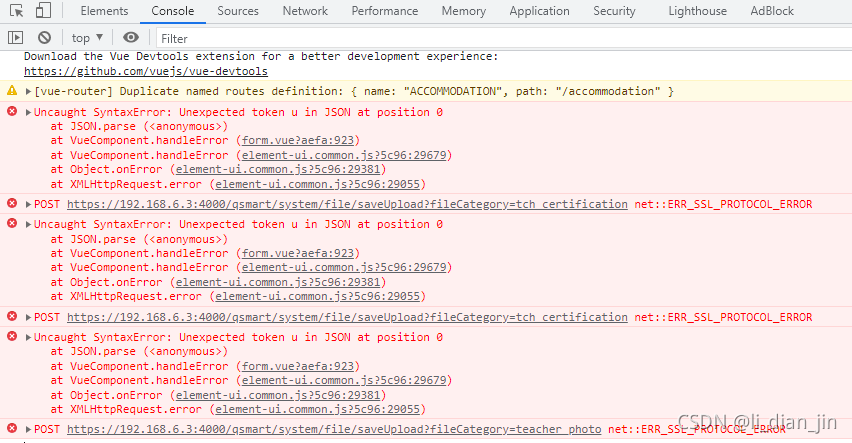
problem 2. The error is reported as follows:
Solution: Refer to other projects of the company, as follows:

Change to modelform, and the code in views is as follows:
form.instance.comment_man = request.user
form.instance.comment_course_id = couseid
form.instance.comment_comment = textcontent
form.instance.add_time = timezone.now()
form.save()
When installing docker, could not resolve host: yum.up2date dockerproject. org; Unknown error, causing Yum to be unavailable
Solution: delete/etc/yum repos. Relevant docker files under D
$ usec
Error opening terminal: xterm-256color.
1. If the user directory
$ cd ~2. Add Bash_Profile file
$ vim .bash_profile3. Add the following two lines to the Bash_profile, save and exit.
export TERMINFO=/usr/share/terminfo
export TERM=xterm-basic
4. Update to make it effective
$ source .bash_profileOne possibility is that the installation path of VS is not added to the environment variable
an error is reported:
nmake 👎 Error: u1077: “D:\program files (x86)\Microsoft Visual Studio 14.0\VC\bin\AMD64\link.Exe”: return code “0x486”
Solution:
Add to the environment variable:
D:\Program Files (x86)\Microsoft Visual Studio 14.0\VC\BIN
When running the program under CentOS 8, I found the error while loading shared libraries. I didn’t know the solution for a while. Now I have explored and solved it, as follows:
1. Find the path where the missing library is located {find/- name} XXX
2. Put the path in /etc/ld.so.conf
3. At the command line, enter ldconfig
4. No error will be reported after compiling again
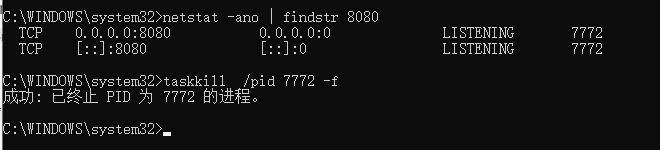
Error running ‘mytoncat’: address localhost: 8080 is already in use
solve the problem that port 8080 is occupied when starting Tomcat:
run the local command line terminal CMD as an administrator, and enter
netstat - ano | findstr 8080// find the process number occupying the 8080 port number
and then enter:
taskkill/PID 6148 - F// where 6148 is the process number occupied by your local machine
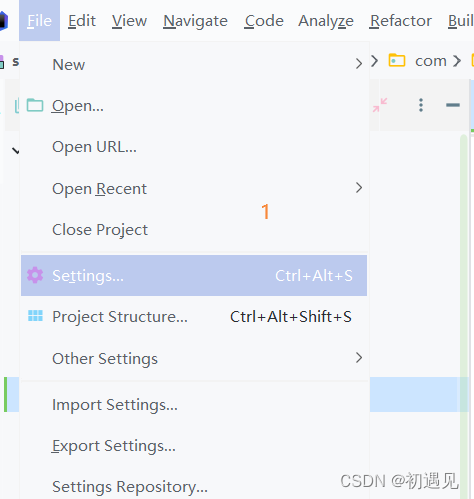
Error: read timed out
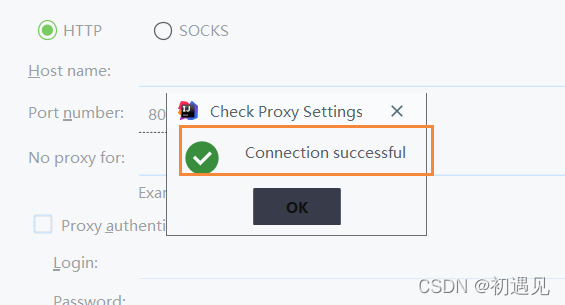
Solution: click file settings
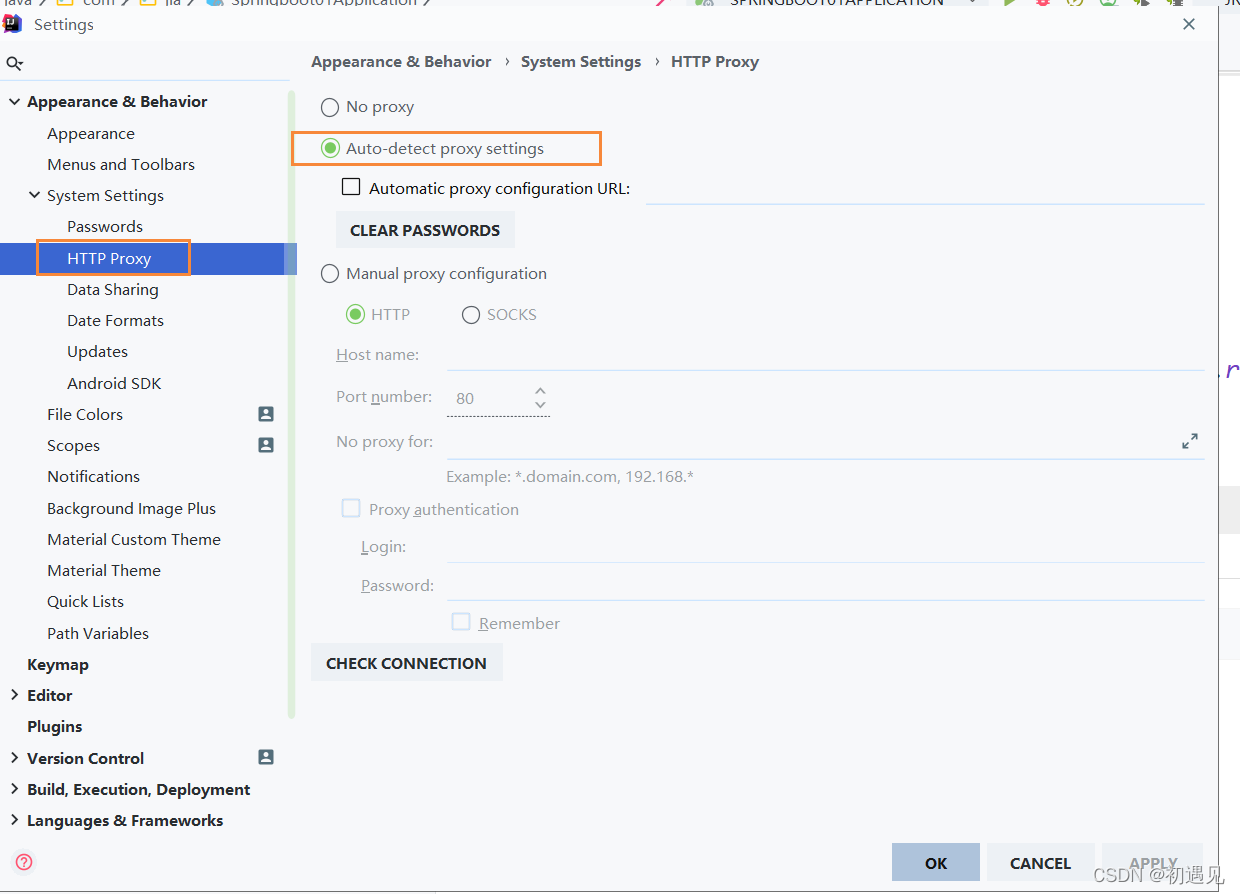
2) http proxy – > Click auto detext proxy settings
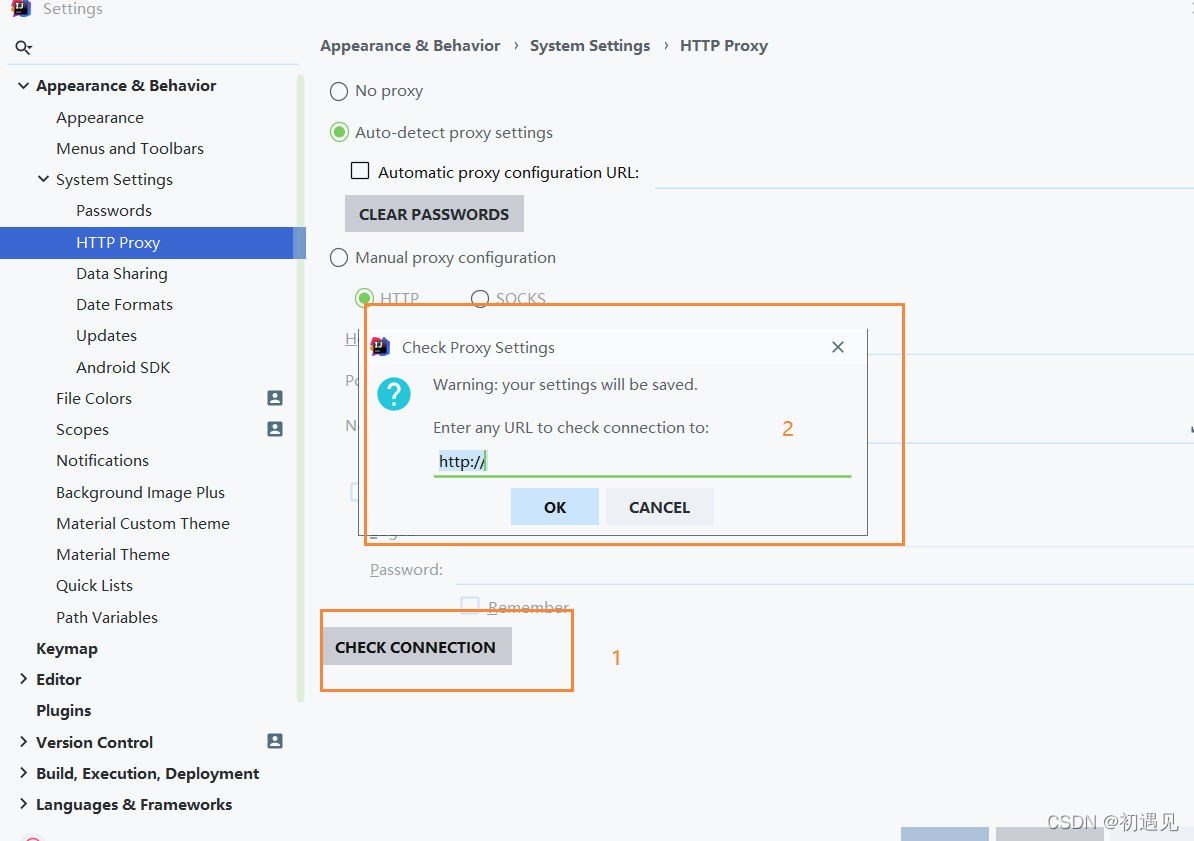
3) click Check connection to pop up the following box and enter https://start.spring.io Click OK
4) the following figure shows success
5) just create a new project.