Author Archives: Robins

[Solved] IOS ipa Pack Upload Error: ERROR ITMS-90165

Error itms-90165 is reported when the IPA package is uploaded recently; the full error message is as below:

ERROR ITMS-90165: "Invalid Provisioning Profile Signature. The provisioning profile included in the bundle xxx


The problem is that Apple officials updated the new signature verification mechanism on April 12, resulting in the signature error;

Solution:

Go to the official website of Apple Developer, find the profile certificate of the corresponding certificate, click Edit, and then click save directly (there is no need to modify anything). After downloading again, double-click to add it to the key chain, and then package and upload it again.

How to Solve webpack -v View Error in vsode

Note:
after installing webpack, check the version of webpack in vscode and report an error. The following is the solution

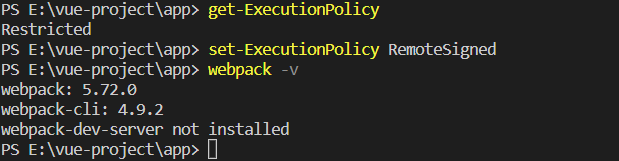
1. Phenomenon

2. Solution

The solution is:
1 Close vscode and restart vscode as administrator
2 Enter in the terminal: get-Executionpolicy displays restricted, indicating that the status is prohibited
3 Re-enter: set-executionpolicy remotesigned will not display content after execution
4. Finally, enter: get-Executionpolicy to display remotesigned

[Solved] ImageIO.read(inputStream) Read .webp Format Image Error

1. Problem description

A new bug was raised in the test today. The reason is that the test uploaded one Image in webp format
When running the code to javax.imageio.ImageIO.read(inputStream) . Null is returned.

2. Solutions

You only need to add the following dependencies without moving the code

<dependency>
    <groupId>org.sejda.imageio</groupId>
    <artifactId>webp-imageio</artifactId>
    <version>0.1.6</version>
</dependency>

Run again, solve the problem.

[Solved] Using Java to call jython Error: URI is not hierarchical

Due to the need to use Jython. However, a strange phenomenon is found. There is no problem with the use of IDE, but the error is reported when packaging the jar.

java.lang.IllegalArgumentException: URI is not hierarchical
        at java.io.File.<init>(File.java:418)
        at org.python.core.PrePy.getJarFileNameFromURL(PrePy.java:427)
        at org.python.core.PrePy._getJarFileName(PrePy.java:362)
        at org.python.core.PrePy.getJarFileName(PrePy.java:345)
        at org.python.core.PySystemState.doInitialize(PySystemState.java:1195)
        at org.python.core.PySystemState.initialize(PySystemState.java:1130)
        at org.python.core.PySystemState.initialize(PySystemState.java:1085)
        at org.python.core.PySystemState.initialize(PySystemState.java:1080)
        at org.python.util.PythonInterpreter.initialize(PythonInterpreter.java:63)
        at com.langtutu.ncs.api.robot.core.Test.<init>(Test.java:34)
        at com.langtutu.ncs.api.service.impl.HomestaySchedulingServiceImpl.DownOrderTest(HomestaySchedulingServiceImpl.java:90)
        at sun.reflect.NativeMethodAccessorImpl.invoke0(Native Method)
        at sun.reflect.NativeMethodAccessorImpl.invoke(NativeMethodAccessorImpl.java:62)
        at sun.reflect.DelegatingMethodAccessorImpl.invoke(DelegatingMethodAccessorImpl.java:43)
        at java.lang.reflect.Method.invoke(Method.java:498)
        at org.springframework.scheduling.support.ScheduledMethodRunnable.run(ScheduledMethodRunnable.java:84)
        at org.springframework.scheduling.support.DelegatingErrorHandlingRunnable.run(DelegatingErrorHandlingRunnable.java:54)
        at org.springframework.scheduling.concurrent.ReschedulingRunnable.run(ReschedulingRunnable.java:93)
        at java.util.concurrent.Executors$RunnableAdapter.call(Executors.java:511)
        at java.util.concurrent.FutureTask.run(FutureTask.java:266)
        at java.util.concurrent.ScheduledThreadPoolExecutor$ScheduledFutureTask.access$201(ScheduledThreadPoolExecutor.java:180)
        at java.util.concurrent.ScheduledThreadPoolExecutor$ScheduledFutureTask.run(ScheduledThreadPoolExecutor.java:293)
        at java.util.concurrent.ThreadPoolExecutor.runWorker(ThreadPoolExecutor.java:1142)

2. Problem finding

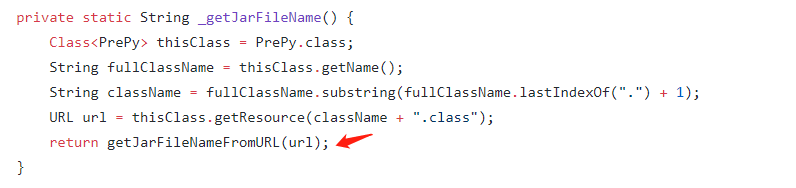
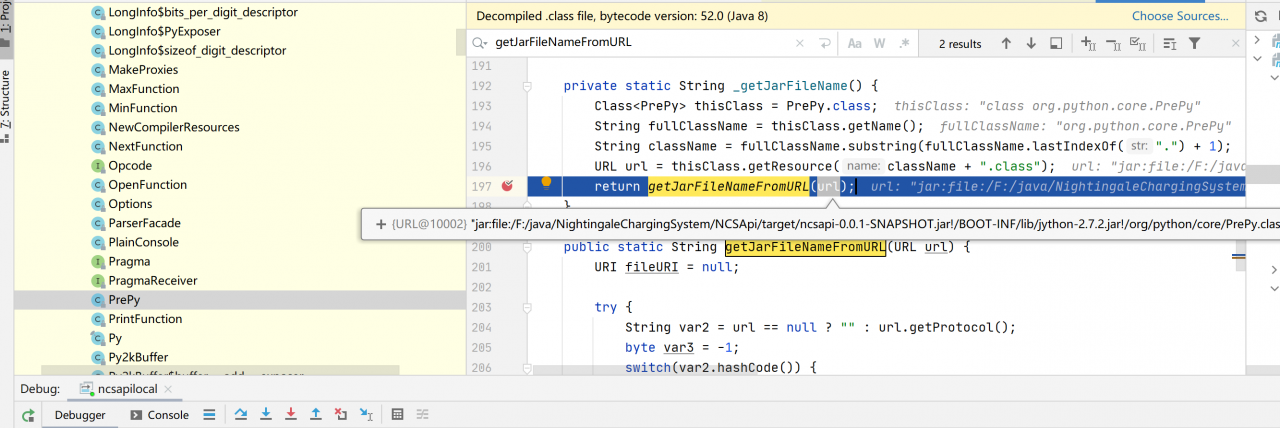
Debug and trace Jython using IDE and remote call respectively, and locate the error line of the code:

IDE debugging found that the URL is as follows: jar:file:/D:/maven/apache-maven-3.3.9/repository/org/python/jython/2.7.2/jython-2.7.2.jar!/org/python/core/PrePy.class

Remote debugging

Nesting cannot be used.

3. Solution:

Jython will be Deleted when Maven is packaged; Just load the external jar package at runtime.

eliminate:

<build>
		<plugins>
			<plugin>
				<groupId>org.springframework.boot</groupId>
				<artifactId>spring-boot-maven-plugin</artifactId>
				<version>2.2.10.RELEASE</version>
				<configuration>
					<layout>ZIP</layout>
					<!--Removing dependencies that do not change in the production environment are separated by commas,-->
					<excludeGroupIds>
						org.python
					</excludeGroupIds>
				</configuration>
			</plugin>
		</plugins>
	</build>

function:

java -Dloader.path="lib/" -jar .\ncsapi-0.0.1-SNAPSHOT.jar

Inside lib is the jar package. At this time, the operation is completely normal

[Solved] laravel Project Deploy Error: No input file specified.

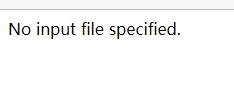
This article mainly explains the error report of deploying laravel project: no input file

Error reporting

Error message: no input file specified

Cause of problem

1. Caused by directory permission problems.

Solution: give permission 777

2. Open_basedir is enabled, but reasonable permission is not given

Solution: close

3. Pseudo static is not enabled

Solution:

location/{  
	try_files $uri $uri/ /index.php$is_args$query_string;  
}  

Enable pseudo static configuration.

Note: after modifying the configuration, you need to restart the website to take effect.

[Solved] Python requests ConnectionError Error: connection aborted BadStatusLine

Error Messages:

raise ConnectionError(err, request=request) requests.exceptions.ConnectionError: (‘Connection aborted.’, BadStatusLine(“””, ))
Codes

data = {"host":host,"key":key,"value":value,"dns":ip} 

res = requests.post(url=url,json = data)

Method 1: add retry

requests.adapters.DEFAULT_RETRIES = 5

Method 2: add header

headers = {'User-Agent': 'Mozilla/5.0 (Windows NT 6.0; WOW64; rv:24.0) Gecko/20100101 Firefox/24.0'} 

res = requests.post(url=url,json = data,headers=headers)

Method 3: curl
If method 1,2 does not work, use curl command to find the following error messages:
Empty reply from server

Solution: https://stackoverflow.com/questions/48814200/connection-aborted-badstatusline-on-server

[Solved] Vite Project jenkins Auto Package Error: failed to load config from ../vite.config.js You installed esbuild on

The vite project reported an error in Jenkins automatic packaging and could not find esbuild-linux-64

If esbuild-windows-64 is not found for development in window environment, it needs to use esbuild-linux-64 for construction in Linux environment. If esbuild-linux-64 is not found, an error will be reported

Actual error reporting:

error during build:
11:21:11 Error: 
11:21:11 You installed esbuild on another platform than the one you're currently using.
11:21:11 This won't work because esbuild is written with native code and needs to
11:21:11 install a platform-specific binary executable.
11:21:11 
11:21:11 Specifically the "esbuild-windows-64" package is present but this platform
11:21:11 needs the "esbuild-linux-64" package instead. People often get into this
11:21:11 situation by installing esbuild on Windows or macOS and copying "node_modules"
11:21:11 into a Docker image that runs Linux, or by copying "node_modules" between
11:21:11 Windows and WSL environments.

Error reason: vite cannot find esbuild-linux-64 in Linux environment

Two solutions:
1. In the Linux environment, npm i esbuild-linux-64

2. You can view the esbuild-linux-64 version number in package-lock.json and modify and download it yourself, after downloading, unzip the package folder, rename it esbuild-linux-64 and copy it to the current project node_modules directory

[Solved] Android Develop Error: xxx does not have a NavController set on xxx

Execute the following code in the oncreate life cycle of activity, causing XXX does not have a navcontroller set on XXX to report an error

I/art: Do partial code cache collection, code=57KB, data=58KB
I/art: After code cache collection, code=53KB, data=56KB
I/art: Increasing code cache capacity to 256KB
D/AndroidRuntime: Shutting down VM
E/AndroidRuntime: FATAL EXCEPTION: main
    Process: com.zjm.myapplication, PID: 6291
    java.lang.RuntimeException: Unable to start activity ComponentInfo{com.zjm.myapplication/com.zjm.myapplication.footNavigation.FootNavActivity}: java.lang.IllegalStateException: Activity com.zjm.myapplication.footNavigation.FootNavActivity@23141b0 does not have a NavController set on 2131230967
        at android.app.ActivityThread.performLaunchActivity(ActivityThread.java:2668)
        at android.app.ActivityThread.handleLaunchActivity(ActivityThread.java:2729)
        at android.app.ActivityThread.-wrap12(ActivityThread.java)
        at android.app.ActivityThread$H.handleMessage(ActivityThread.java:1480)
        at android.os.Handler.dispatchMessage(Handler.java:102)
        at android.os.Looper.loop(Looper.java:154)
        at android.app.ActivityThread.main(ActivityThread.java:6176)
        at java.lang.reflect.Method.invoke(Native Method)
        at com.android.internal.os.ZygoteInit$MethodAndArgsCaller.run(ZygoteInit.java:893)
        at com.android.internal.os.ZygoteInit.main(ZygoteInit.java:783)
     Caused by: java.lang.IllegalStateException: Activity com.zjm.myapplication.footNavigation.FootNavActivity@23141b0 does not have a NavController set on 2131230967
        at androidx.navigation.Navigation.findNavController(Navigation.java:61)
        at com.zjm.myapplication.footNavigation.FootNavActivity.onCreate(FootNavActivity.java:28)
        at android.app.Activity.performCreate(Activity.java:6692)
        at android.app.Instrumentation.callActivityOnCreate(Instrumentation.java:1118)
        at android.app.ActivityThread.performLaunchActivity(ActivityThread.java:2621)
        at android.app.ActivityThread.handleLaunchActivity(ActivityThread.java:2729) 
        at android.app.ActivityThread.-wrap12(ActivityThread.java) 
        at android.app.ActivityThread$H.handleMessage(ActivityThread.java:1480) 
        at android.os.Handler.dispatchMessage(Handler.java:102) 
        at android.os.Looper.loop(Looper.java:154) 
        at android.app.ActivityThread.main(ActivityThread.java:6176) 
        at java.lang.reflect.Method.invoke(Native Method) 
        at com.android.internal.os.ZygoteInit$MethodAndArgsCaller.run(ZygoteInit.java:893) 
        at com.android.internal.os.ZygoteInit.main(ZygoteInit.java:783) 

Layout:

<?xml version="1.0" encoding="utf-8"?>
<androidx.constraintlayout.widget.ConstraintLayout xmlns:android="http://schemas.android.com/apk/res/android"
    xmlns:app="http://schemas.android.com/apk/res-auto"
    xmlns:tools="http://schemas.android.com/tools"
    android:id="@+id/activity_foot_main"
    android:layout_width="match_parent"
    android:layout_height="match_parent"
    tools:context=".footNavigation.FootNavActivity">

    <com.google.android.material.bottomnavigation.BottomNavigationView
        android:id="@+id/bottomNavigationView"
        android:layout_width="match_parent"
        android:layout_height="wrap_content"
        app:layout_constraintBottom_toBottomOf="parent"
        app:layout_constraintEnd_toEndOf="parent"
        app:layout_constraintStart_toStartOf="parent"
        app:menu="@menu/menu_foot_nav" />

    <androidx.fragment.app.FragmentContainerView
        android:id="@+id/fragmentContainerView2"
        android:name="androidx.navigation.fragment.NavHostFragment"
        android:layout_width="match_parent"
        android:layout_height="0dp"
        app:defaultNavHost="true"
        app:layout_constraintBottom_toTopOf="@+id/bottomNavigationView"
        app:layout_constraintEnd_toEndOf="parent"
        app:layout_constraintStart_toStartOf="parent"
        app:layout_constraintTop_toTopOf="parent"
        app:navGraph="@navigation/nav_graph_foot" />

</androidx.constraintlayout.widget.ConstraintLayout>

code:

    @Override
    protected void onCreate(Bundle savedInstanceState) {
        super.onCreate(savedInstanceState);
        binding = ActivityFootNavBinding.inflate(getLayoutInflater());
        setContentView(binding.getRoot());
        BottomNavigationView bottomNavigationView = findViewById(R.id.bottomNavigationView);

        NavController navController = Navigation.findNavController(this,R.id.fragmentContainerView2);
        AppBarConfiguration appBarConfiguration = new AppBarConfiguration.Builder(navController.getGraph()).build();
        NavigationUI.setupActionBarWithNavController(this,navController,appBarConfiguration);
        NavigationUI.setupWithNavController(bottomNavigationView,navController);
    }
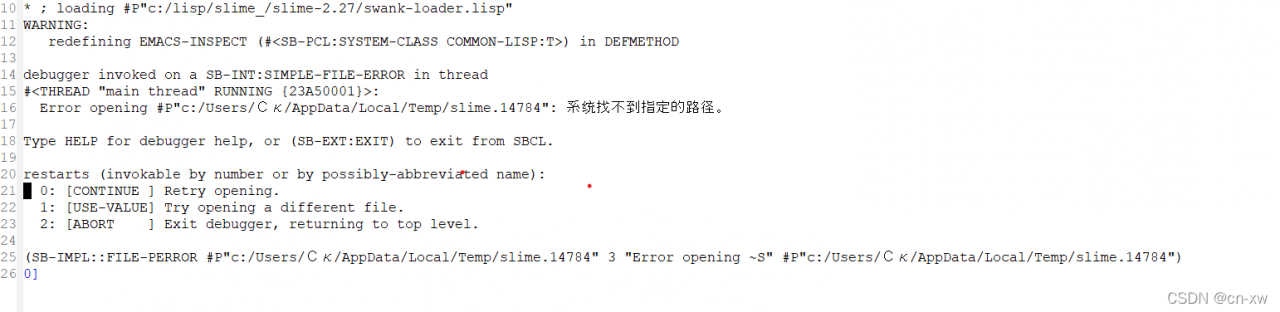
Cause of problem

The reason for the problem is that the NavController corresponding to the FragmentContainerView is not built successfully in the onCreate life cycle


Solution:

Method 1:

It is very simple to directly obtain navcontroller in OnStart life cycle, as shown in the following code:

    @Override
    protected void onStart() {
        super.onStart();
        navController = Navigation.findNavController(this,R.id.fragmentContainerView2);
    }

Or, put the task of obtaining NavController into view and execute it after the mapping is completed

        mBinding.fragment.post(new Runnable() {
            @Override
            public void run() {
                        navController = Navigation.findNavController(this,R.id.fragmentContainerView2);

            }
        });

Method 2:

Using getSupportFragmentManager to Get

    @Override
    protected void onCreate(Bundle savedInstanceState) {
        super.onCreate(savedInstanceState);
        binding = ActivityFootNavBinding.inflate(getLayoutInflater());
        setContentView(binding.getRoot());
        BottomNavigationView bottomNavigationView = findViewById(R.id.bottomNavigationView);

        NavHostFragment navHostFragment = (NavHostFragment)getSupportFragmentManager().findFragmentById(R.id.fragmentContainerView2);
        NavController navController = navHostFragment.getNavController();
        AppBarConfiguration appBarConfiguration = new AppBarConfiguration.Builder(navController.getGraph()).build();
        NavigationUI.setupActionBarWithNavController(this,navController,appBarConfiguration);
        NavigationUI.setupWithNavController(bottomNavigationView,navController);
    }
[Solved] canal-adpter Startup Error: Could not resolve placeholder

Failed to synchronize mysql8 with ES7. The clientadapter failed to start

java.lang.IllegalArgumentException: Could not resolve placeholder 'HOSTNAME%%.’ in value "history -a; history -a; printf “\033]0;%s@%s:%s\007” "U S E R " " {USER}" "USER""{HOSTNAME%%.}" “KaTeX parse error: Expected '}', got '#' at position 6: {PWD/#̲HOME/~}”"


Solution

Add to the end of the initiator configuration file application.yml

Cause analysis

The spring boot failed to resolve the environment variable, which is incompatible with the ECS environment variable value.

HOSTNAME%%.*:
PWD/#$HOME/~:

[Solved] npm Error: Class extends value undefined is not a constructor or null

NPM – V error reporting at the terminal:

TypeError: Class extends value undefined is not a constructor or null
    at Object.<anonymous> (D:\Program Files\nodejs\node_modules\npm\node_modules\socks-proxy-agent\dist\agent.js:114:44)
    at Module._compile (node:internal/modules/cjs/loader:1103:14)
    at Object.Module._extensions..js (node:internal/modules/cjs/loader:1157:10)
    at Module.load (node:internal/modules/cjs/loader:981:32)
    at Function.Module._load (node:internal/modules/cjs/loader:822:12)
    at Module.require (node:internal/modules/cjs/loader:1005:19)
    at require (node:internal/modules/cjs/helpers:102:18)
    at Object.<anonymous> (D:\Program Files\nodejs\node_modules\npm\node_modules\socks-proxy-agent\dist\index.js:5:33)
    at Module._compile (node:internal/modules/cjs/loader:1103:14)
    at Object.Module._extensions..js (node:internal/modules/cjs/loader:1157:10)
    at Module.load (node:internal/modules/cjs/loader:981:32)
    at Function.Module._load (node:internal/modules/cjs/loader:822:12)
    at Module.require (node:internal/modules/cjs/loader:1005:19)
    at require (node:internal/modules/cjs/helpers:102:18)
    at Object.<anonymous> (D:\Program Files\nodejs\node_modules\npm\node_modules\make-fetch-happen\lib\agent.js:169:25)
    at Module._compile (node:internal/modules/cjs/loader:1103:14)
TypeError: Class extends value undefined is not a constructor or null
    at Object.<anonymous> (D:\Program Files\nodejs\node_modules\npm\node_modules\socks-proxy-agent\dist\agent.js:114:44)
    at Module._compile (node:internal/modules/cjs/loader:1103:14)
    at Object.Module._extensions..js (node:internal/modules/cjs/loader:1157:10)
    at Module.load (node:internal/modules/cjs/loader:981:32)
    at Function.Module._load (node:internal/modules/cjs/loader:822:12)
    at Module.require (node:internal/modules/cjs/loader:1005:19)
    at require (node:internal/modules/cjs/helpers:102:18)
    at Object.<anonymous> (D:\Program Files\nodejs\node_modules\npm\node_modules\socks-proxy-agent\dist\index.js:5:33)
    at Module._compile (node:internal/modules/cjs/loader:1103:14)
    at Object.Module._extensions..js (node:internal/modules/cjs/loader:1157:10)
    at Module.load (node:internal/modules/cjs/loader:981:32)
    at Function.Module._load (node:internal/modules/cjs/loader:822:12)
    at Module.require (node:internal/modules/cjs/loader:1005:19)
    at require (node:internal/modules/cjs/helpers:102:18)
    at Object.<anonymous> (D:\Program Files\nodejs\node_modules\npm\node_modules\make-fetch-happen\lib\agent.js:169:25)
    at Module._compile (node:internal/modules/cjs/loader:1103:14)

Solution:

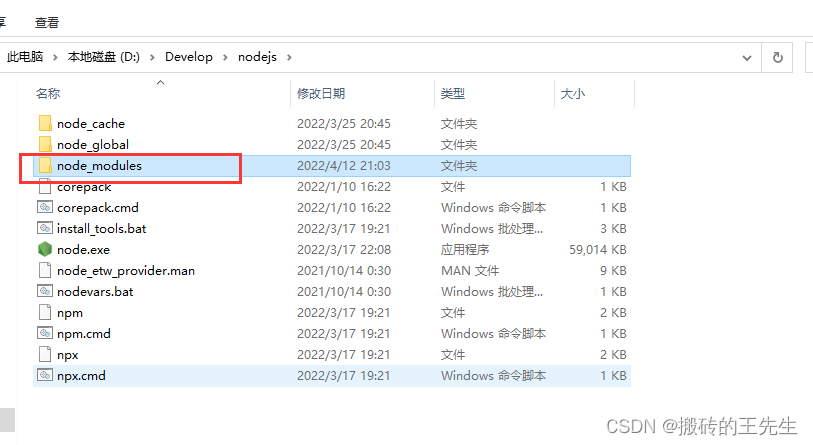
Uninstall node, find the node installation path, and delete the node_modules under the path folder

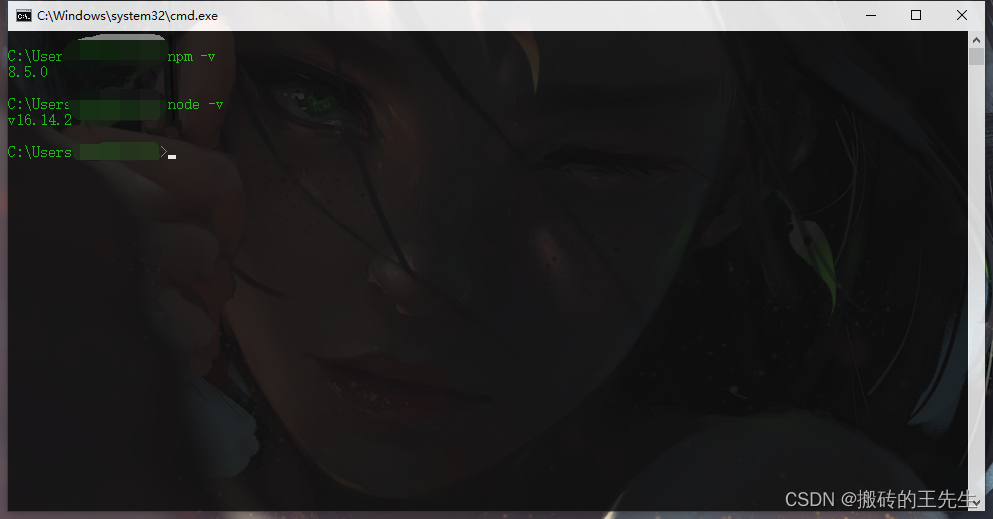
Reinstall node