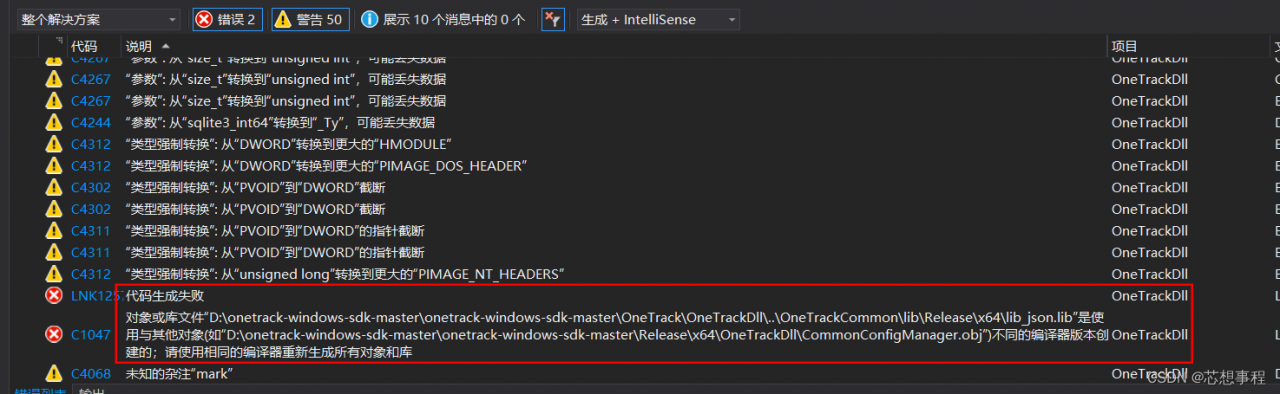
Solution: in release mode -> Attribute -> Advanced -> Advanced properties > Full program optimization} change the default item “generate using link time code” here to “no full program optimization”, and then you can run it
Solution: in release mode -> Attribute -> Advanced -> Advanced properties > Full program optimization} change the default item “generate using link time code” here to “no full program optimization”, and then you can run it
For Oracle database in remote multi instance linux environment, an error is reported when executing conn/as SYSDBA: ora-01031: insufficient privileges. The solution process is as follows:
Step 1: find the sqlnet.ora file. Add the following two
SQLNET.AUTHENTICATION_SERVICES=(ALL)
NAMES.DIRECTORY_PATH= (TNSNAMES, EZCONNECT, HOSTNAME)
Step 2: after saving, exit and execute lsnrctl reload
Step 3: the following errors occur after I finish executing:
TNS-12555: TNS:permission denied
 TNS-12560: TNS:protocol adapter error
  TNS-00525: Insufficient privilege for operation
   Linux Error: 1: Operation not permitted```
To solve this problem, execute: Chmod 777/var/TMP/.Oracle
Step 4: specify the connection instance. The orcl here should fill in your own instance name.
export ORACLE_SID=orcl
Step 5: when reconnecting, an error is reported connected to an idle instance.
. Note that this only means that the instance is not started, which is not a big problem. First query the status select status from V $instance
Step 6: start
startup
Since then.