Project startup error: Java: compilation failed: internal java compiler error
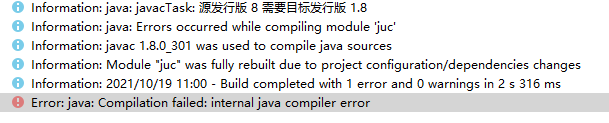
Solution:
Review these configurations to ensure that the versions are the same

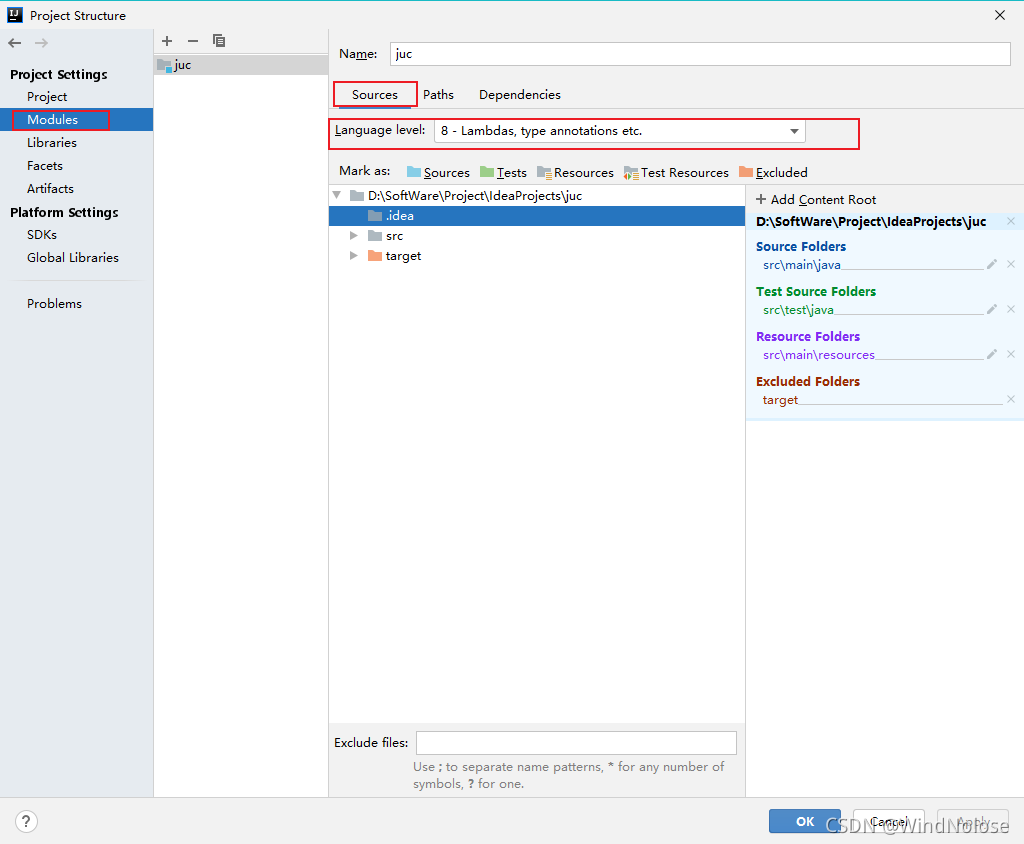
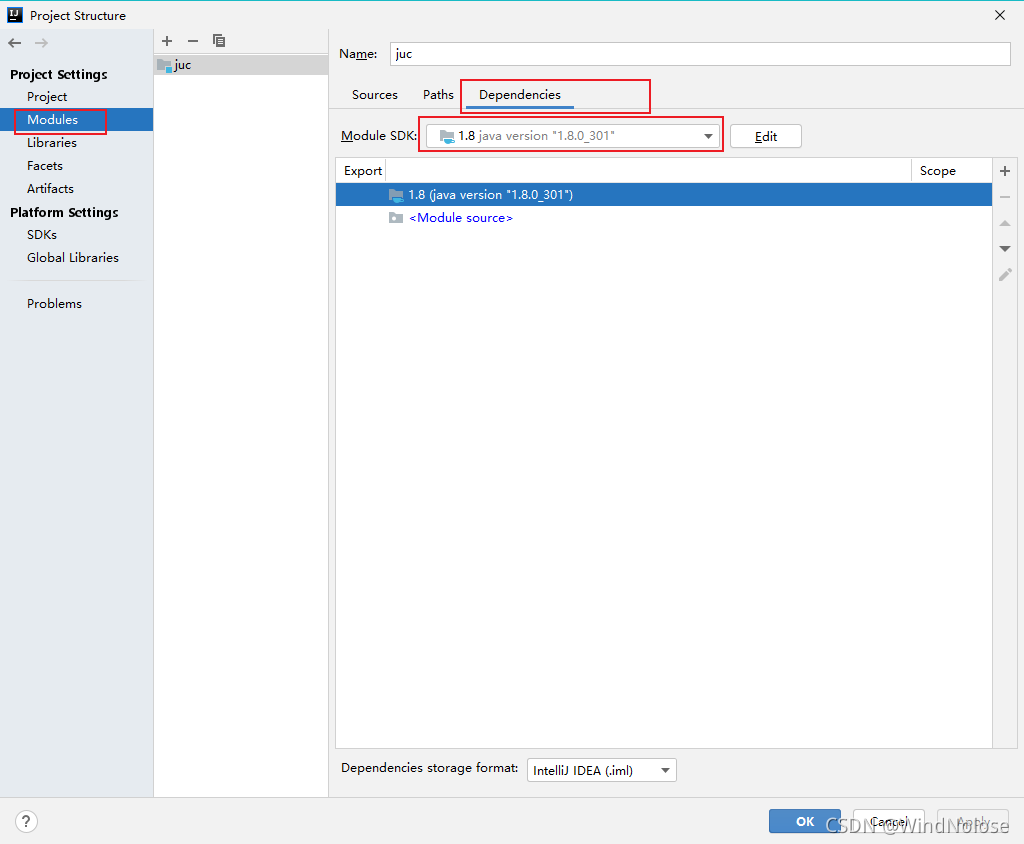
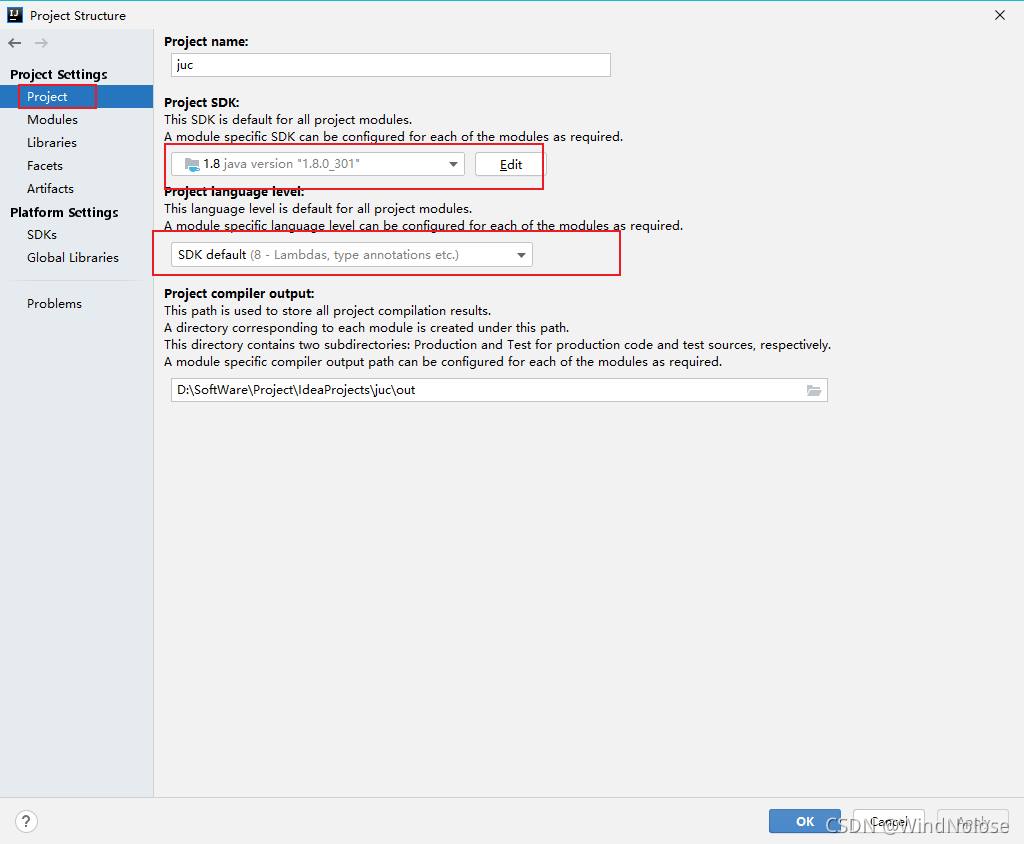
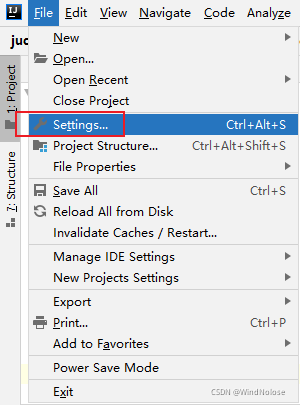
If it has not been solved, go to settings to find
Project startup error: Java: compilation failed: internal java compiler error
Solution:
Review these configurations to ensure that the versions are the same
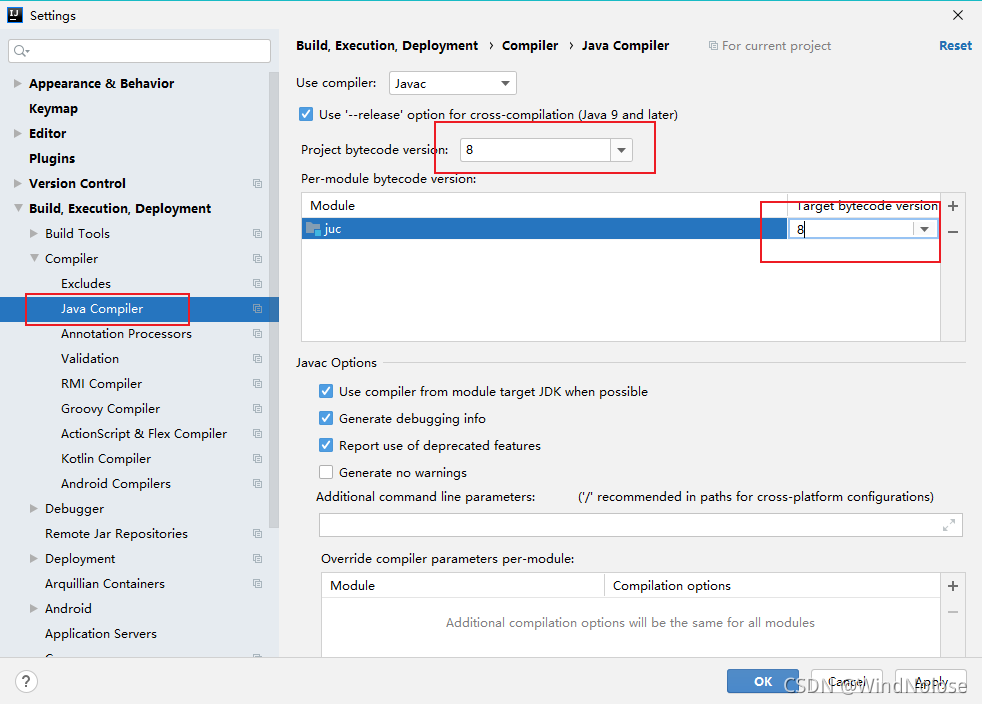
If it has not been solved, go to settings to find
This error occurred when compiling in Idea: Error: java: Compilation failed: internal java compiler error.
|
1
2
3
4
5
6
|
Information:Using javac 1.7.0_79 to compile java sourcesInformation:java: javacTask: Source distribution 1.6 requires target distribution 1.6Information:java: Errors occurred while compiling module 'MyThrift'Information:Module "MyThrift" was fully rebuilt due to project configuration/dependencies changesInformation:2015/8/27 10:43 - Compilation completed with 1 error and 0 warnings in 4s 240msError:java: Compilation failed: internal java compiler error |
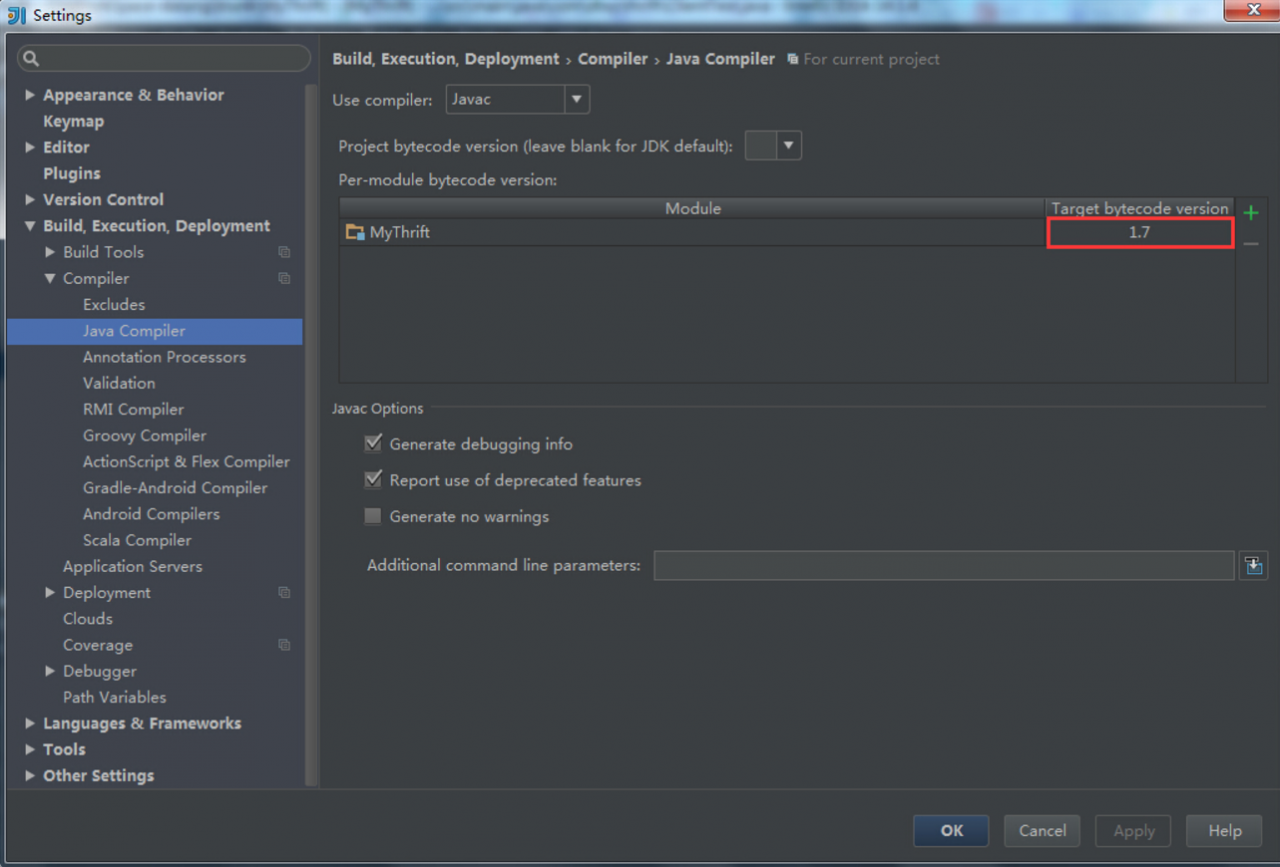
The solution is very simple: File–>Setting…–>Build,Execution,Deployment–>Compiler–>Java Compiler
Set the appropriate version of the target bytecode version of the corresponding Module (consistent with your jkd version), here I changed it to version 1.7.