Author Archives: Robins

Mac boot boot the most detailed explanation, so that the automatic start of the program can not escape

##Login items
the program started by the current user of Mac OSX after successful login. The configuration file of the startup items of this category is stored in ~ / library / preferences/ com.apple.loginitems . plist, so only for the current user, you can set it in the following ways:

1. Set under “users and groups” in system preferences, which can be deleted, added, opened and closed;

2. You can modify ~ / library / preferences directly/ com.apple.loginitems . plist configuration file, in which each startup item corresponds to a dictionary, with three values of alias, icon and name, in which name is nsstring type and others are data type. We don’t know how to generate it serially, so we can delete it at present;

3. Add and delete through lssharedfilelistinsertitemurl and lssharedfilelistitemremove method, and related introduction (the registration program starts up)

##Launchdemon
this type of startup items are all started by launchd. Launchd is the key process used to initialize the system environment in Mac OS. It is the first process started in OS environment after the kernel is loaded successfully. In this way, it is very easy to configure the self booting item. Only one plist file is needed. The directory where the plist file exists is

~/Library/LaunchAgents

/Library/LaunchAgents

/System/Library/LaunchAgents

The above three directories are the recommended paths for the system. They are the processes started after login

~/Library/LaunchDaemons

/Library/LaunchDaemons

/System/Library/LaunchDaemons

If it is placed in the above three directories, it will be started as the daemons and the processes started immediately after the system starts

Different directory processes have different permissions and priorities. You can set them in the following ways:

1. Through launchctl load xxx.plist Or launchctl unload xxx.plist Command to add and delete the specified startup items;

2. Directly create, modify and delete plist files under related directories.

The main fields in plist and their meanings

Label is used as a unique identifier in launchd, similar to that every program has an identifier.

User name specifies the user to run the startup item. This item is applicable only when launchd is running as root.

Groupname specifies the group to run the startup item. This item applies only when launchd is running as root.

The key value of keepalive is used to control whether the executable file runs continuously or starts after meeting specific conditions. The default value is false, that is to say, it will not start until the specific conditions are met. When the setting value is true, the executable file will be opened unconditionally and kept in the whole system running cycle.

Runatload identifies that launchd starts the executable file specified by the path immediately after loading the service. The default value is false.

The value program is used to specify the path of the executable file of the process.

Programarguments if program is not specified, it must be specified, including executable files and running parameters.

##3. Startupitems
startupitems, as the name suggests, are programs that run during the system startup. They can be programs that terminate immediately after running (for example, start to empty the wastebasket), or they can be background processes that continue in the system running cycle.

Startupitems are generally stored in the following two paths:

1)/System/Library/StartupItems

2)/Library/StartupItems

Most of the system related startupitems are placed in the path of / system / library / startupitems, and they will be executed prior to the path of / library / startupitems, because the startupitems in the path of the former provide system level basic services, such as crash reporting, core graphics services, system The latter path does not exist by default and needs to be created manually.

Here we take iceberg control tower in / library / startupitems directory as an example.

In short, on Mac OS X, a startupitems includes the following two aspects:

1) Executable program;

2) Plist file containing dependent process relationships( StartupParameters.plist )。

StartupParameters.plist Is a property list that contains the necessary conditions for running an executable program, the main fields in plist, and its meaning

The plist needs to obtain root permission, which includes several aspects:

1)Description;

A simple description of the service is only a description, not the actual process name.

2)Provides;

Specify the services provided by startupitems. As shown in the plist file provides, the background process started by startupitems is named iceberg control tower.

Provides can specify multiple services, which are reflected in the figure as item0, Item1 And so on. There is only item0.

3)Uses;

Specifies the services that need to be opened before startupitems is loaded. The Mac OS X system first attempts to load the service specified in uses, and then loads startupitems. In other words, even if the service specified in uses is not loaded successfully, the system will still load startupitems.

4)OrderPreference;

Specifies the chronological order in which startupitems are executed. The importance of this order comes after uses, which is the order after the specified uses are executed. Possible values include: first, early, none (default), late, last.

5)Messages。

The Executable File

Note: 1) the name of the executable file is the same as that of the folder where it is located, which is the default rule of the system.

2) Root permission is required to operate the executable.

3) The executable is a shell script.

Open the executable file with the same name in the icebergcontroltower file directory to see the specific content of the script

The general executable file includes the following aspects:

1)./etc/ rc.common

A script library provided by apple, which contains the interface of importing parameters for executable files. Here, the library mainly calls runservice.

2)StartService(), StopService(), RestartService()

When the parameters received by the executable file are start, stop or restart, the corresponding functions are executed.

Parameter meaning:

Start: start the service during startup;

Stop: stop the service during shutdown;

Restart: restart the service under specific conditions.

3)RunService “$1”

Executes the service specified by the first parameter passed to the script.

“$1” represents the first parameter passed to the script. For example, if the passed in parameter is start, startservice() is executed.

(some of the contents are quoted in http://blog.csdn.net/abby_ sheen/article/details/7817198
How to wrap a long string in MATLAB

Too long to read

Examples are as follows:

% Port definition
fprintf(fID,[...
    '\n'...
    'input clk;'                    '\n'...
    'input rst_n;'                  '\n'...
    'input [%d:0] msg;'             '\n'...%row-1
    'input in_valid;'               '\n'...
    'output reg [%d:0] codeword;'   '\n'...%col-1
    'output reg out_valid;'         '\n'...
    ],row-1,col-1);

Add brackets; divide a long string into multiple substrings; at least one space between substrings; use ... for line breaks

text

I’ve been working on the design recently, and one of them needs to write a very troublesome Verilog file. It is troublesome but not complicated. The encoder of LDPC is an input signal with a width of more than 200 bits and an output signal with a width of more than 500 bits. Each output bit is obtained by the same operation of some input bits, and the corresponding relationship is represented by a matrix with a width of more than 200 * 500. If you want to write Verilog, it will be dead. If you write generation logic in Verilog, it will take up a lot of memory to store the generation matrix, and the logic is difficult to write. So I thought of using matlab code to generate Verilog code.

There is fprintf function in MATLAB to output data to file.
Take a chestnut, fprintf (FID, 'hello world! "); can put” Hello world! ” Output to the file corresponding to FID.
The function to open a file is FID = fopen ('filepath ')/ filename.postfix ','w'); where w means write, and if it is read, it will be changed to R. for more usage, please help fopen

So the problem is, if I output every line of Verilog code with one fprintf, then my. M file will be full of a lot of fprintf, and I can’t bear this kind of highly repetitive code. But if I write each function block in an fprintf, the readability is really much higher, but the fprintf line will be very long, also can’t bear, and the modification will be very painful!
So I went to see if there was a newline character like ‘\’ in a Linux script, and let the interpreter execute multiple lines of code as one line.

There is this newline character,
... ← three points are the newline character in MATLAB. You can connect the end of the row with the head of the next row.
But another problem comes out. This newline character can’t be used in the middle of a string. I regard a whole block of code as a string. If a newline character is added in the middle, the interpreter will output the newline character as the content to be output.

The parameters of fprintf are file handler, output array and output data (if any).
Take chestnuts as an example: fprintf (FID, 'data1% D, n', data1);
the string in the middle will be regarded as an array with only one element.
So the solution is to add a few more elements to the middle array to split the long string and add line breaks between the substrings.

Take chestnuts:

% Port definition
fprintf(fID,[...
    '\n'...
    'input clk;'                    '\n'...
    'input rst_n;'                  '\n'...
    'input [%d:0] msg;'             '\n'...%row-1
    'input in_valid;'               '\n'...
    'output reg [%d:0] codeword;'   '\n'...%col-1
    'output reg out_valid;'         '\n'...
    ],row-1,col-1);

Each small string enclosed in single quotation marks will be interpreted as an element of the output array. The substrings are separated by spaces (multiple, at least one) or commas, that is, a single line matrix (array).
Bracket is indispensable, which is the identification of combining each substring into an array.

In addition, Verilog often needs to output things like 3b'101 , and single quotation marks are used as the start / stop characters of elements. If you want to output single quotation marks, you need to type two single quotation marks in succession. For example: fprintf (FID, 'outdata & lt; = 3' 'B101') . This is also why there should be at least one space between two substrings. If there is no space, it will be connected and there will be a single quotation mark in the middle.

Python TypeError: return arrays must be of ArrayType

from numpy import *
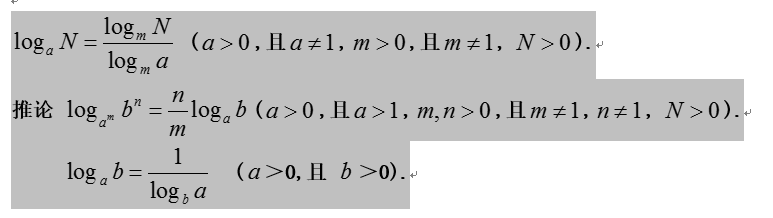
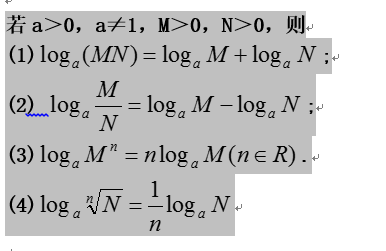
np.log(1.1, 2)

The above code will appear at run time

Typeerror: return arrays must be of arraytype, because the second parameter of log is not base but out array. If you just want to perform normal log operations, you can choose to use numpy.math.log (1.1, 2) or use the log function of Python’s math module

When vivado2017 is started, the “error when launching” dialog box will pop up vivado.bat : Launcher time out”

If oxc000007b error occurs at this time, it is because 32bit DLL is used in 64 bit OS. It is generally caused by the wrong use of vcomp140.dll.

Slove problem:

    Enter https://cn.dll-files.com Search and download the required DLL (mainly its own system bit 32 / 64) and copy the DLL to the directory according to the instructions
    on 64 bit windows,
    the default path of 32-bit DLL file is C: (Windows) syswow64
    the default path of 64 bit DLL file is C: (Windows) system32 \
on 64 bit windows

The proof of Chebyshev inequality

Details are as follows: http://makercradle.com/2017/%E5%88%87%E6%AF%94%E9%9B%AA%E5%A4%AB%E4%B8%8D%E7%AD%89%E5%BC%8F%E8%AF%81%E6%98%8E/

It is known that x is a continuous random variable,

E(X)=μ,D(X)=δ2

real number

ε>0

Verification:

P(∥X−μ∥≥ε)≤δ2ε2

prove:

  because:

δ2=V(X)

=∫+∞−∞(t−μ)2fX(t)dt

≥∫μ−ε−∞(t−μ)2fX(t)dt+∫+∞μ−ε(t−μ)2fX(t)dt

≥∫μ−ε−∞ε2fX(t)dt+∫+∞μ−εε2fX(t)dt

  due to:

t≤μ−ε⇒ε≤∥t−μ∥⇒ε2≤(t−μ)2

So there is

=ε2∫μ−ε−∞fX(t)dt+∫+∞μ−εfX(t)dt

=ε2P(X≤μ−εorX≥μ+ε)

=ε2P(∥X−μ∥≥ε)

Therefore, there are:

δ2≥ε2P(∥X−μ∥≥ε)

It’s true!

Access restriction in Eclipse: the type ‘xxx’ is not API solution

To report this error, you only need to change the JRE under the JDK path to an external JRE

Project – & gt; properties – & gt; Java build path – & gt; libraries, select JRE system library, and then remove. Then click Add Library – & gt; JRE system library – & gt; next, select alternate JRE, click installed jres, select JRE under the same level directory of JDK, and then click Apply – & gt; OK.

Learn about the role of two jres in Java: (the following is from http://blog.sina.com.cn/s/blog_ 7ffb8dd501011 sgc.html )

1. In the bin directory of JDK java.exe With external JRE java.exe The secret of
JDK java.exe And in JRE java.exe In fact, it’s the same, but we use external JRE in priority when running java.exe (even if we install JDK and configure environment variables).
first of all, let’s see what happened during the installation of JDK:
when installing JDK, you will install a JRE under its subdirectory. At the same time, you will be asked whether you want to install an external JRE during the installation process. If we choose to install, we have two jres at the same time. In fact, there is no difference between the two jres. The main difference is that the JRE in the JDK directory is mainly designed to run the tools that come with JDK (under the bin directory). The external JRE will automatically register to the path of the operating system when it is installed (but the path value of the command is not included in the path in my computer, properties, advanced system settings, environment variables and system variables). In general, it is in the system32 folder (the folder contains: java.exe javaw.exe javaws.exe Three files). Therefore, as long as we install external JRE (even if JDK is not installed and environment variables are not configured), we will use external JRE when running Java programs java.exe Program (even if JDK is installed and environment variables are configured) (the default path of the system has priority).  

2.
in short, JDK is an SDK for developers. SDK is a software development kit, which generally refers to software development kit, including function library, compiler, etc.
JDK (java development kit) provides java development environment and running environment, which is mainly used to develop java programs for Java program developers;
JRE (Java runtime environment) provides Java running environment, which is mainly used to execute Java programs for Java program users.
generally, each JDK contains two sets of jres. With JDK jdk1.6.0_ 22 (the default installation path is e: / / program files / Java), for example, in E: / / program files / Java / jdk1.6.0_ There is a JRE in the directory of 22, and there is also a JRE in the directory of C: program files. Why are there two jres? Because the tools in JDK are also written in Java, they also need a set of JRE when they are running, that is, e: \ “program files \” Java \ “jdk1.6.0_ 22 \ \ JRE under the directory. The JRE in the directory e: program files: Java is used to execute our own Java program. Of course, any one of the two sets of jres can be used to execute our own Java programs, but the tools in JDK can only be used by E: / / program files / Java / jdk1.6.0_ 22 \ \ directory.
since there are at least two sets of jres in our computers (if Borland JBuilder and other advanced development tools are installed, there will be more sets of jres in our computers), who will decide which set of jres to use? The burden falls on us java.exe On my body. (of course, when JDK is installed in 1, the external JRE is executed by default!)
when we enter:
java XXX
on the command line, java.exe Our task is to find the right JRE to execute XXX among the many jres on our computer. java.exe Search for jres in the following order:
(1) whether there is a JRE directory in your own directory;
(2) whether there is a JRE directory in your parent directory;
(3) query the registry HKEY_ LOCAL_ Machine / software / javasoft / Java runtime environment java.exe What is the difference between the results of the implementation and those in our computer java.exe (a search will reveal that there is more than one in our computer java.exe )It has a lot to do with the execution and which JRE will execute the JVA program.
in addition, java.exe After finding the right JRE, there is a verification version of the program, that is java.exe It can only be executed if it is consistent with the JRE version. If there is a version inconsistency problem, we must remember two things:
(1) which one java.exe Executed;
(2) java.exe Find out which JRE.
as long as these two things are determined, we will grasp the whole process of the problem and solve it easily.
3,
JVM (Java virtual machine) is a part of JRE, and JRE is the supplement of JVM. So where is the JVM? We can open C: / / program files / Java / JDK1.5. X / JRE / bin to see two directories: client and server. You can see them in these two directories jvm.dll This is what we call the JVM.

Statistical learning: ANOVA (analysis of variance) (1)

Statistical learning

Recently, in the process of processing data, I found that my theoretical knowledge was weak. Therefore, I started this series of posts to record my theoretical supplement process, which is convenient for later people to understand.

ANOVA (analysis of variance)

Analysis of variance (ANOVA), also known as “analysis of variance”, is invented by r.a.fisher, which is used to test the significance of mean difference between two or more samples. Due to the influence of various factors, the data obtained from the study showed volatility. The reasons for the fluctuation can be divided into two categories, one is the uncontrollable random factors, the other is the controllable factors applied in the study.

definition

Analysis of variance (ANOVA), also known as “analysis of variance” or “F-test”, is invented by r.a.fister. It is used to test the statistical characteristics of two or more sample sets: the significance of mean difference.
The basic assumption of ANOVA is the difference between the means of different sample groups. There are two basic sources:
(1) experimental variables, that is, the differences caused by the main differences of samples (for example, male and female), are called inter group differences. It is expressed by the sum of the square deviations of the mean values of all variables in each group and the total mean values of all variables mixed together. It is denoted as SSB, and its degree of freedom is DFB.
(2) random error, such as the difference caused by measurement error or the difference between individuals, is called intra group difference. It is expressed by the sum of the square sum of the deviations between the mean value of variables in each group and the value of variables in the group. It is recorded as SSW, and the intra group degree of freedom is DFW.
The sum of squares of total deviation SST = SSB + SSW.
Divide the intra group SSW and inter group SSB by their respective degrees of freedom (intra group DFW = N-M, inter group DFB = M-1, where n is the total number of samples and M is the number of groups), and get their mean square MSW and MSB. One case is that the experimental conditions have no effect, that is, the samples of each group are from the same population with the same distribution, MSB / MSW ≈ 1. The other is that the processing does work. The mean square between groups is the result of the error and different processing, that is, each sample comes from different populations. So, MSB & gt; & gt; MSW (much larger than 1).
The ratio of MSB / MSW constitutes F distribution. The F value is compared with its critical value as the basis for inferring whether each sample comes from the same population at a given significance.

The basic idea of ANOVA is to study the contribution of variation from different sources to the total variation, so as to determine the significance of controllable variables to the research results.

For example:

Here we use a simple example to illustrate the basic idea of ANOVA:
for example, the blood phosphorus values (mmolgl) of 11 patients with Keshan disease and 13 healthy people in a Keshan disease area are as follows:
patients: 0.84 1.05 1.20 1.39 1.53 1.67 1.80 1.87 2.07 2.11
healthy people: 0.54 0.64 0.64 0.75 0.76 0.81 1.16 1.20 1.34 1.35 1.48 1.56 1.87
healthy people: 0.54 0.64 0.64 0.75 0.76 0.81 1.16 1.20 1.34 1.35 1.48 1.56 1.87 Is the blood phosphorus value of Keshan disease patients different from that of healthy people?
It can be seen from the above data that the blood phosphorus values of 24 patients and healthy people are different. If the variation around the total mean value is described by the sum of squares of deviation (SS), the total variation has the following two sources:
intra group variation, that is, the blood phosphorus values in each group are not equal due to random error;
the total variation has the following two sources:
intra group variation The variation between groups, that is, due to the influence of Keshan disease, the mean value of blood phosphorus values of patients and healthy people are different.
And: SS total = SS between groups + SS within groups, V total = V between groups + V within groups
0 If the unit mean square (sum of squares of deviations divided by degrees of freedom) is used to replace the sum of squares of deviations to eliminate the influence of different sample numbers in each group, then the analysis of variance is to use the unit mean square between groups to remove the quotient of unit mean square within groups (i.e. F value) and compare it with 1. If f value is close to 1, it means that there is no significant difference between the mean values of each group. If f value is far greater than 1, it means that there is difference between the mean values of each group There was statistical significance. In practical application, the probability of F value greater than the given significance distribution can be obtained by consulting the f-cut-off table (for analysis of variance).

The difference between ANOVA, ttest and ttest2

1. Ttest test is generally used to test the mean value of the data from the same distribution, that is, to test whether the mean value of the distribution of the group of data is 0 (statistics can be constructed to verify that the mean value of the distribution is other values). It focuses on the significance of the difference between the mean value of this group of data distribution and the mean value you give him, such as testing whether the height of a group of people is the previous value, etc.

2. The ttest2 test is generally aimed at the test of the distribution mean value from two different samples. The original zero hypothesis is that the mean value is equal. He does not care what distribution these two groups of data come from, for example, the height and weight data of a group of people. The test assumes that the mean values of these two groups of distribution are equal, that is, whether the mean values of height and weight are equal.

3. One way ANOVA
one way ANOVA is used to study whether the different levels of a control variable have a significant impact on the observed variables. Generally speaking, it is to analyze the significance of the influence of the change of variable x on variable y, so if there is some influence relationship between the general variables, it is a test to verify the significance of the influence of the change of one variable on another variable.
In general, ANOVA is paired.
If from the calculation point of view, there is no need to calculate between independent samples, only calculate the mean value and standard deviation in this group, while in ANOVA, we need to calculate the difference between groups and within groups.

4 multivariate analysis of variance
multivariate analysis of variance is the statistical analysis of how many factors affect a variable. The analysis of covariance is a variety of factors, without considering a certain factor, the impact of other factors on the variable. For example, the sales volume of corn, the price of corn, and the price of popcorn (the example is not very good, but it probably means that a has a corresponding effect on B, and B has an impact on C, but a does not necessarily have an impact on C). That is, the higher the price of popcorn, the more the sales volume of corn, so they are in direct proportion. But this is obviously irrelevant. Because the price of popcorn and the sales volume of corn are related to the temperature of corn, covariance analysis should be used to analyze such problems.


Reference:
the difference between t test and ANOVA in SPSS,
one way ANOVA
ANOVA table