Category Archives: JAVA

[Solved] org.springframework.beans.factory.BeanCreationException: Error creating bean with name ‘xxx‘

1. Problem description

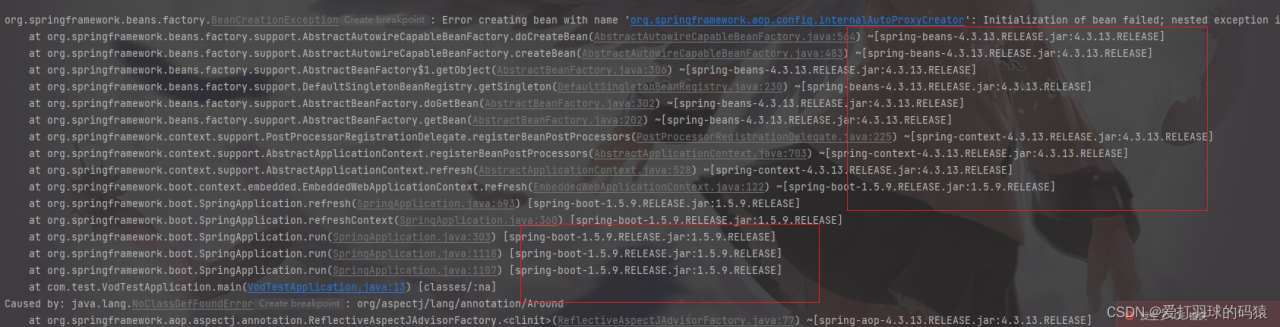
org.springframework.beans.factory.BeanCreationException: Error creating bean with name 'org.springframework.aop.config.internalAutoProxyCreator': Initialization of bean failed; nested exception is java.lang.NoClassDefFoundError: org/aspectj/lang/annotation/Around

2. Anomaly analysis

org. springframework. beans. factory. BeanCreationException: Error creating bean with name ‘XXX’

This exception is: bean injection failure exception. If this exception occurs, the corresponding bean cannot be found! The reasons for bean injection failure include but are not limited to the following:

The corresponding bean is not annotated; There is an error adding annotation to the corresponding bean, for example, the @service of spring is incorrectly selected as Dubbo; Select the wrong automatic injection method, etc.

Caused by: java.lang.ClassNotFoundException: org.aspectj.lang.annotation. Around
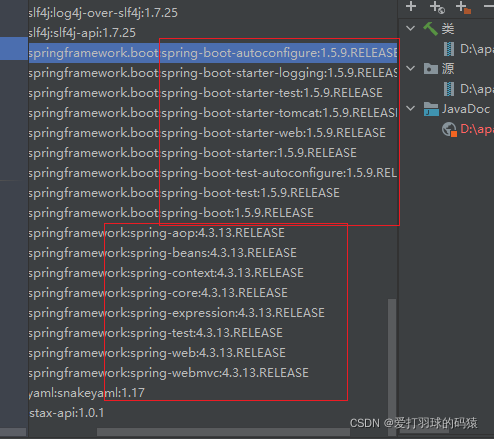
Missing aspect, Maven coordinate of AOP

   <dependency>
            <groupId>org.springframework</groupId>
            <artifactId>spring-aop</artifactId>
            <version>4.3.12.RELEASE</version>
        </dependency>

        <dependency>
            <groupId>org.springframework</groupId>
            <artifactId>spring-aspects</artifactId>
            <version>4.3.12.RELEASE</version>
        </dependency>

After adding dependency, the problem is solved
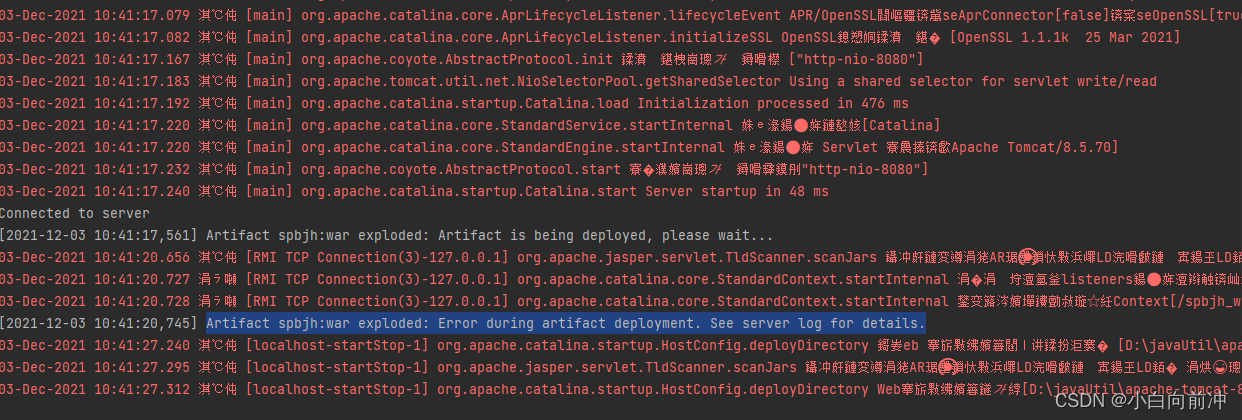
[Solved] Artifact spbjh:war exploded: Error during artifact deployment. See server log for details.

Resolve artifact spbjh: War expanded: error during artifact deployment See server log for details.

Sometimes, if the project cannot be started, the following error will be reported

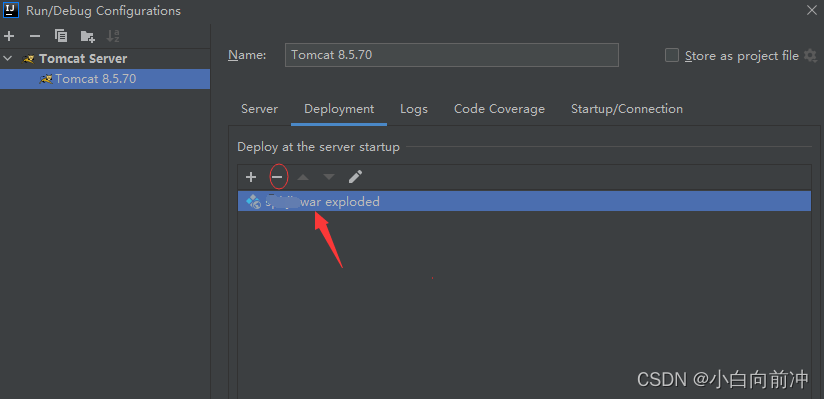
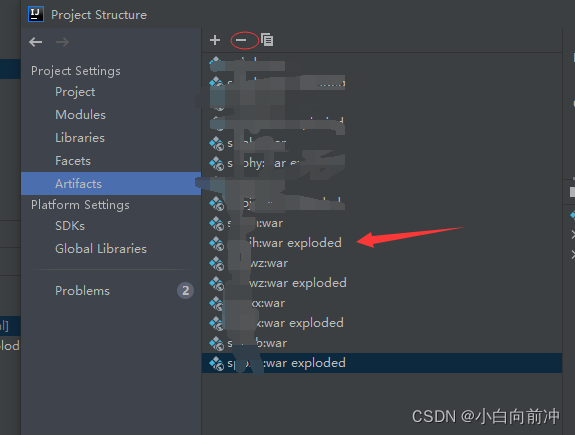
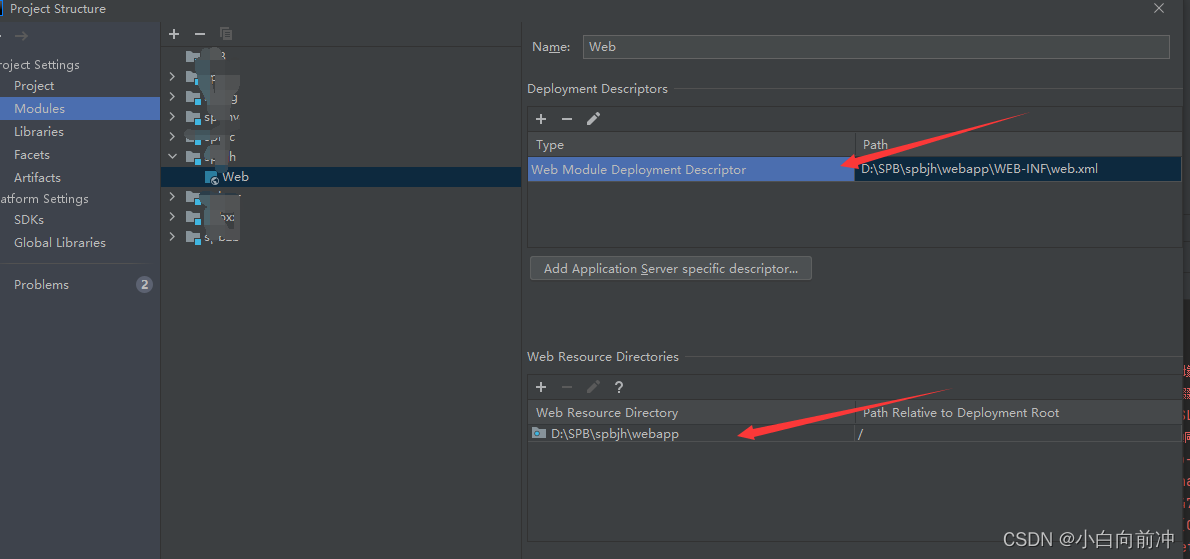
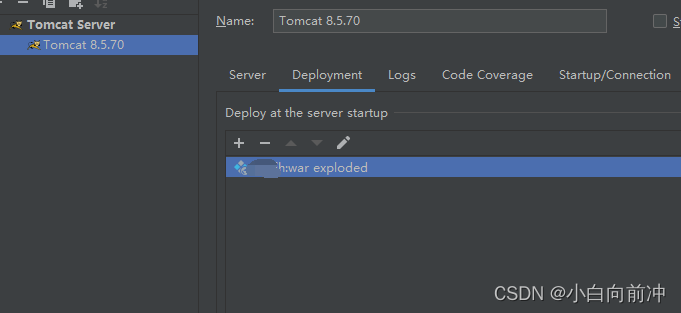
1 First, let’s delete this place

2. Delete this

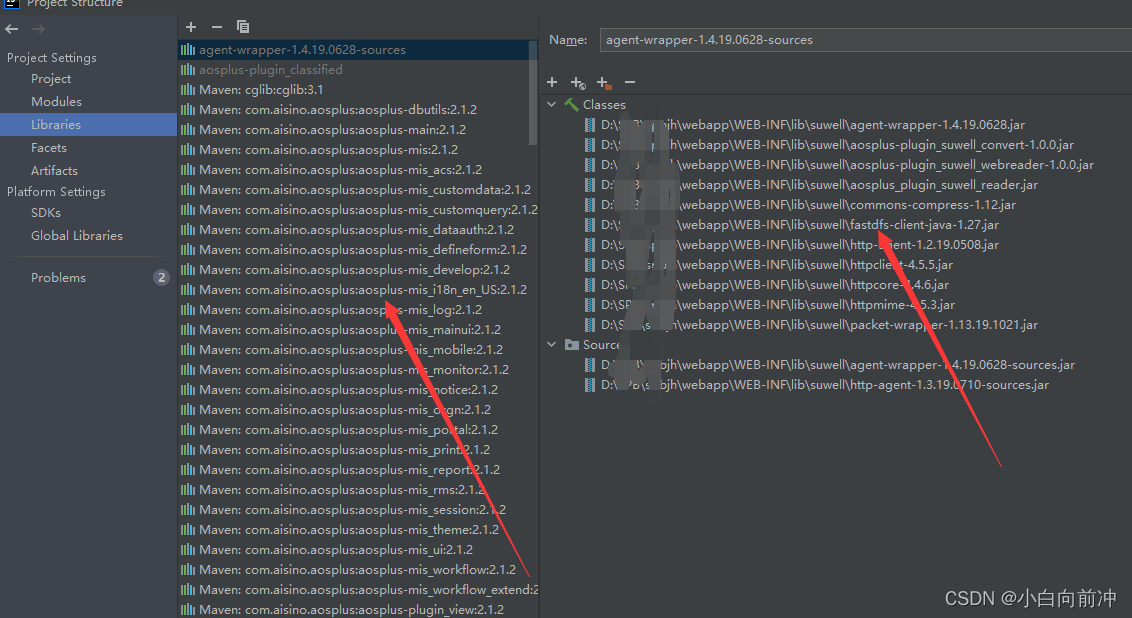
replace this with the configuration in its corresponding directory

sometimes the jar package conflicts, which will also lead to startup failure

Add

again to start.

Error querying database. Cause: java.sql.SQLSyntaxErrorException: Expression #2 of SELECT list is no

Error reporting for startup project:
error querying database Cause: java. sql. Sqlsyntaxerrorexception: expression #2 of select list is no…
solution:
Enter MySQL with CMD root account
execute commands in MySQL

SET GLOBAL sql_mode=(SELECT REPLACE(@@sql_mode,'ONLY_FULL_GROUP_BY',''));

Or use other connection tools to connect (root permission is required);

[Solved] Zookeeper cluster error: Error contacting service It is probably not running. (alicloud server)

1. Error code

java.net.ConnectException: Connection refused (Connection refused)
	at java.net.PlainSocketImpl.socketConnect(Native Method)
	at java.net.AbstractPlainSocketImpl.doConnect(AbstractPlainSocketImpl.java:476)
	at java.net.AbstractPlainSocketImpl.connectToAddress(AbstractPlainSocketImpl.java:218)
	at java.net.AbstractPlainSocketImpl.connect(AbstractPlainSocketImpl.java:200)
	at java.net.SocksSocketImpl.connect(SocksSocketImpl.java:394)
	at java.net.Socket.connect(Socket.java:606)
	at org.apache.zookeeper.server.quorum.QuorumCnxManager.connectOne(QuorumCnxManager.java:648)
	at org.apache.zookeeper.server.quorum.QuorumCnxManager.connectOne(QuorumCnxManager.java:705)
	at org.apache.zookeeper.server.quorum.QuorumCnxManager.toSend(QuorumCnxManager.java:618)
	at org.apache.zookeeper.server.quorum.FastLeaderElection$Messenger$WorkerSender.process(FastLeaderElection.java:477)
	at org.apache.zookeeper.server.quorum.FastLeaderElection$Messenger$WorkerSender.run(FastLeaderElection.java:456)
	at java.lang.Thread.run(Thread.java:748)

2. The cluster is not connected

# The number of milliseconds of each tick
tickTime=2000
# The number of ticks that the initial 
# synchronization phase can take
initLimit=10
# The number of ticks that can pass between 
# sending a request and getting an acknowledgement
syncLimit=5
# the directory where the snapshot is stored.
# do not use /tmp for storage, /tmp here is just 
# example sakes.
dataDir=/usr/local/zookeeper2/zk1/data
# the port at which the clients will connect
clientPort=2181
# the maximum number of client connections.
# increase this if you need to handle more clients
#maxClientCnxns=60
#
# Be sure to read the maintenance section of the 
# administrator guide before turning on autopurge.
#
# http://zookeeper.apache.org/doc/current/zookeeperAdmin.html#sc_maintenance
#
# The number of snapshots to retain in dataDir
#autopurge.snapRetainCount=3
# Purge task interval in hours
# Set to "0" to disable auto purge feature
#autopurge.purgeInterval=1
server.0=ip:2888:3888
server.1=ip:2889:3889
server.2=ip:2890:3890

3. Solution

Put zoo Replace the IP in CFG with the IP found by ifconfig

Compared with many posts on the Internet, I couldn’t find a solution. Finally, I found that it was zoo The IP in CFG is wrong (I use the IP given by alicloud server, but here I need to use ifconfig to find out the IP. The two are different.

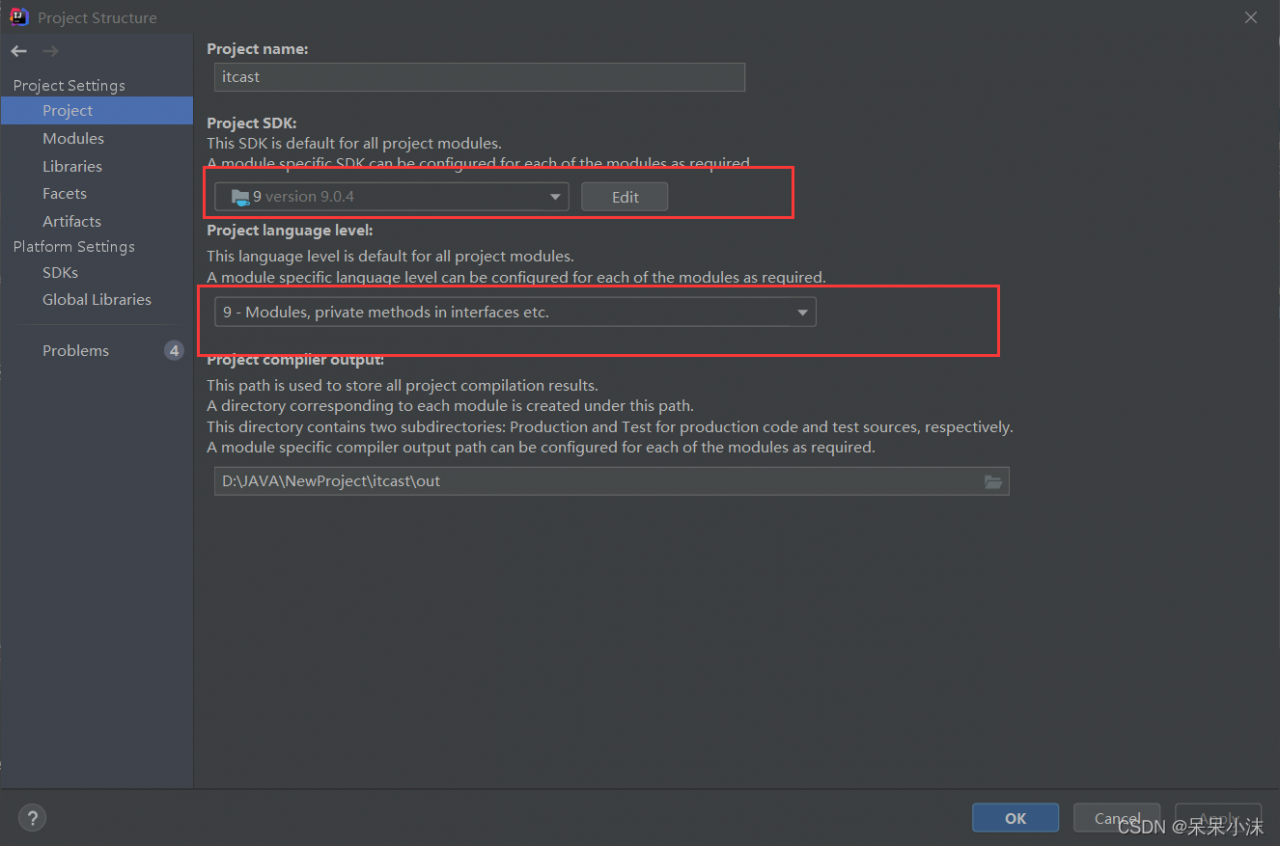
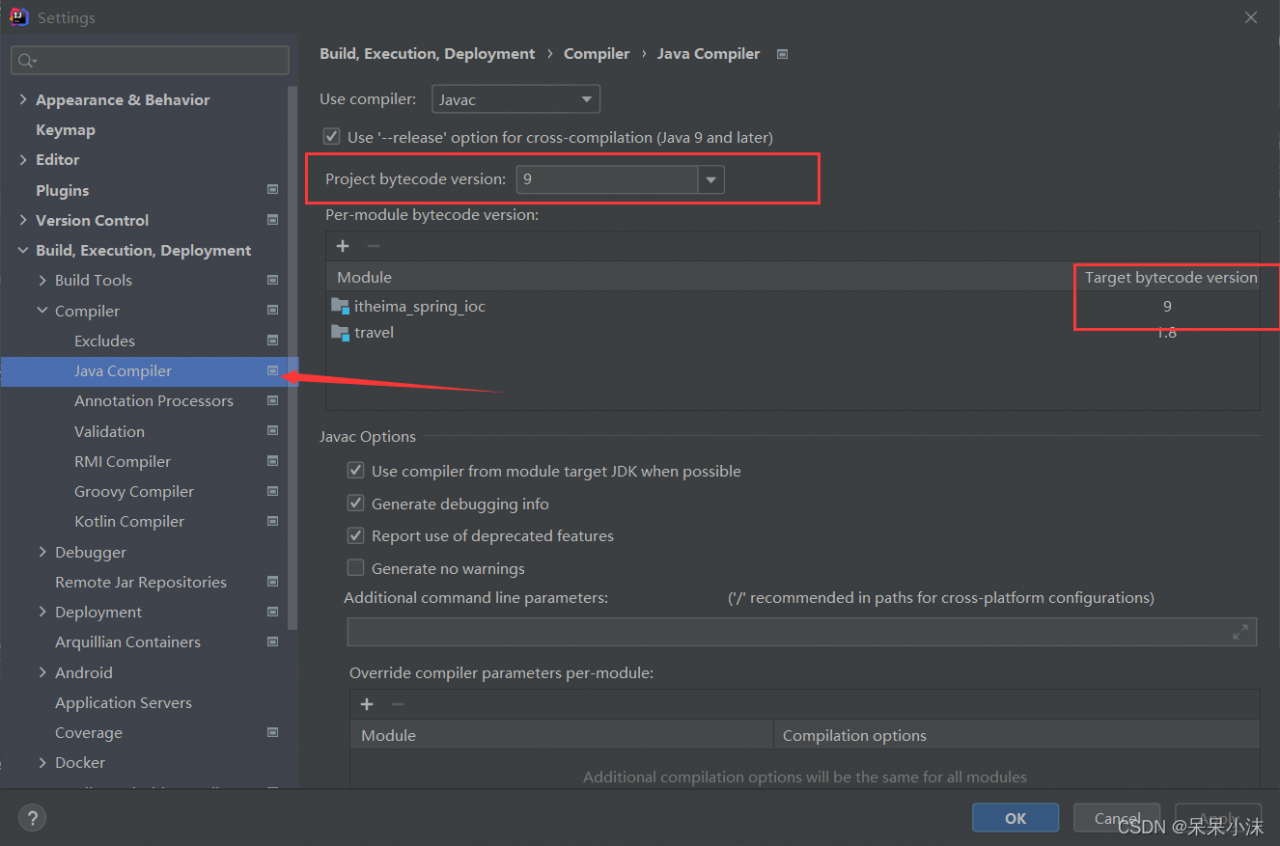
Idea create Maven project Error: [error] no longer supports source option 1.5. Please use version 1.6 or higher, and the idea reports an error: error: Java does not support the error of release version 5

Project scenario:

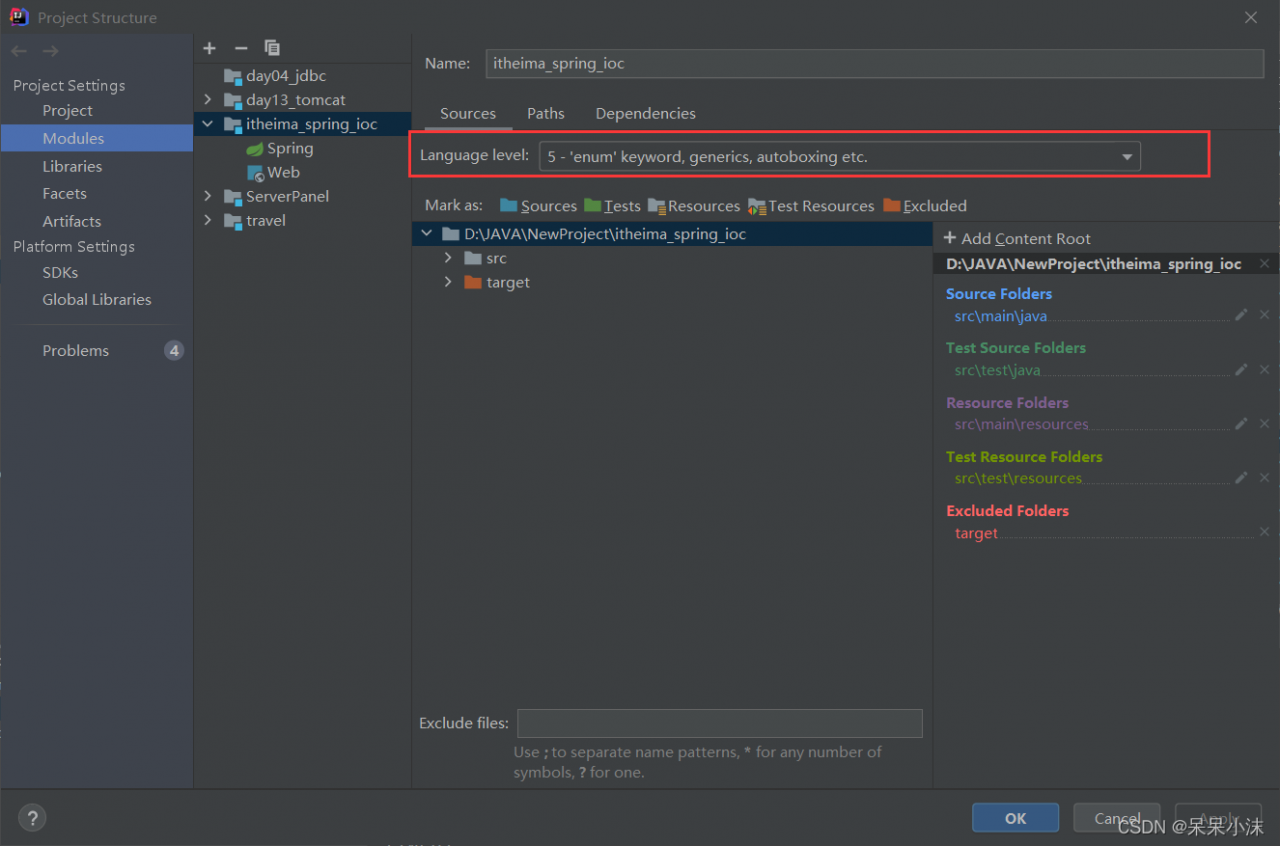
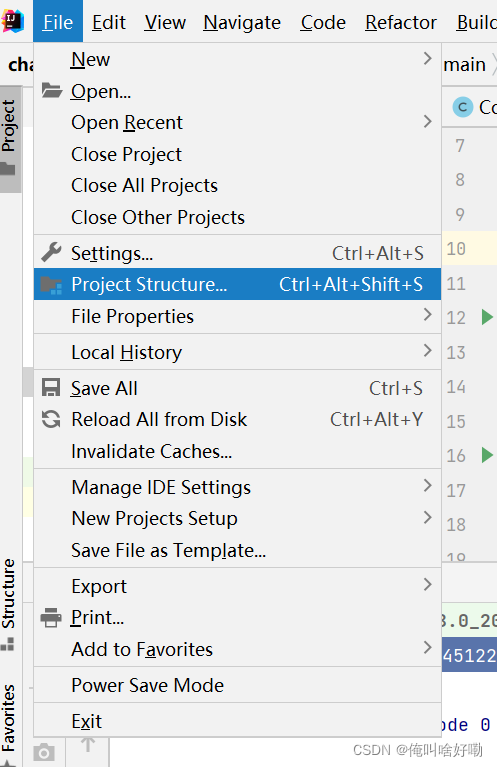
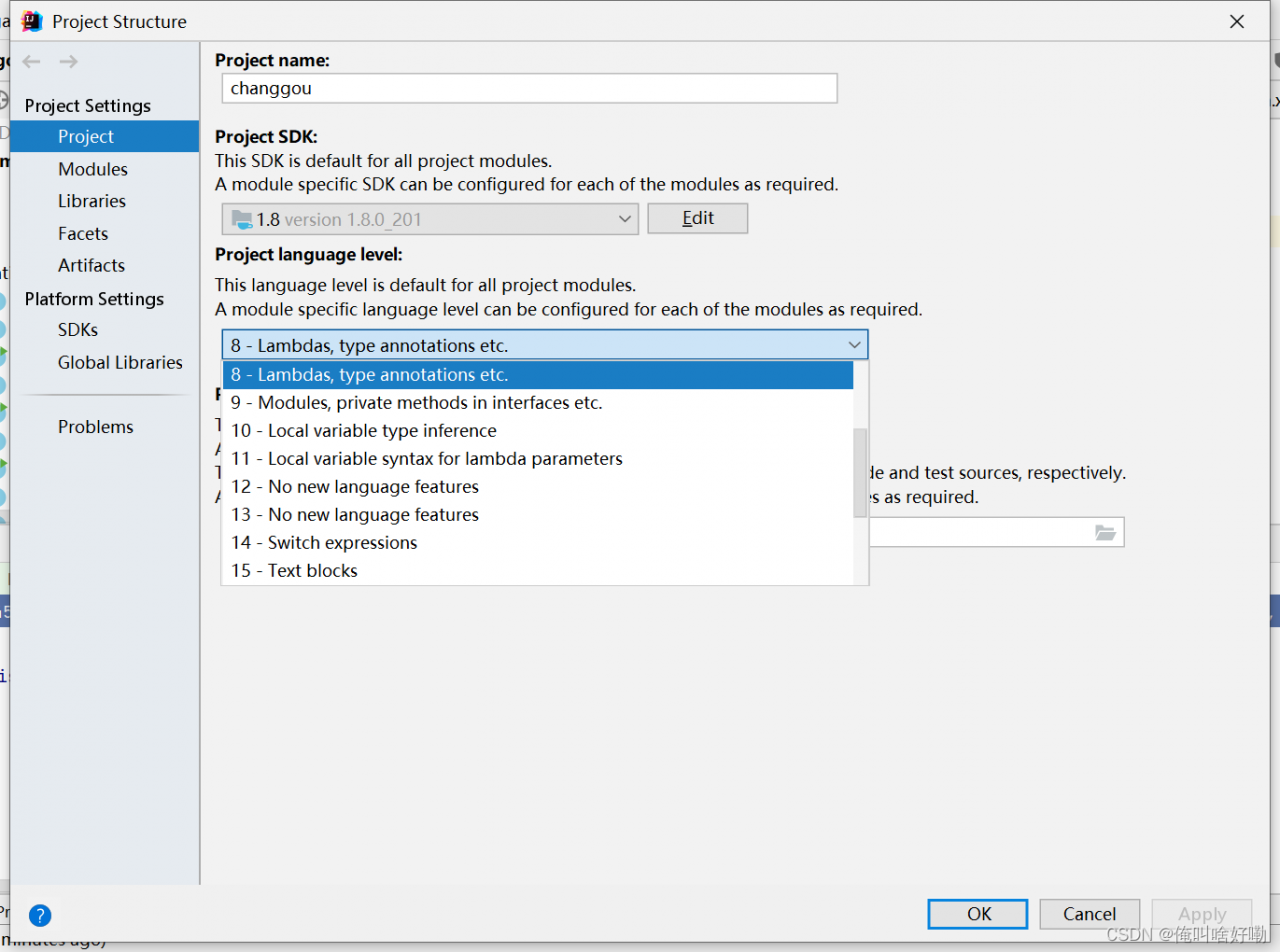
As soon as the Maven project changes the POM file, the language level automatically becomes 5

Problem Description:

question 1: the Tomcat plug-in under move starts with an error
[error] the source option 1.5 is no longer supported. Please use version 1.6 or later
[error] target option 1.5 is no longer supported. Please use version 1.6 or later
idea error: error: Java does not support release version 5. This error


Cause analysis:

Maven is a project management tool. If you don’t tell it what JDK version to use for code compilation, it will be handled with the default JDK version of the compilation plug-in Maven compi ler plugin, which is prone to version mismatch, which may lead to failure of compilation


Solution:

to avoid this situation, the first step when building a maven project is to configure the Maven compiler plugin in the project POM XML file specifies the JDK version of the project source code, the compiled JDK version, and the encoding method

      <plugin>
        <groupId>org.apache.maven.plugins</groupId>
        <artifactId>maven-compiler-plugin</artifactId>
        <version>3.5.1</version>
        <configuration>
          <source>9</source>
          <target>9</target>
          <encoding>utf-8</encoding>
        </configuration>
      </plugin>


Error running ‘Application‘: Command line is too long [How to Solve]

Unable to run the main program, the command line is too long.

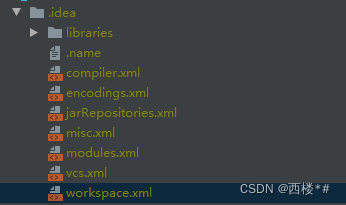
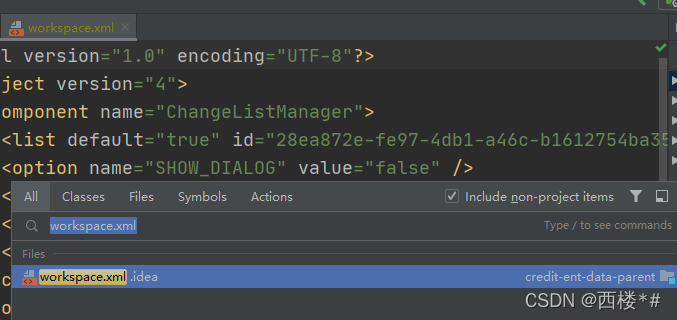
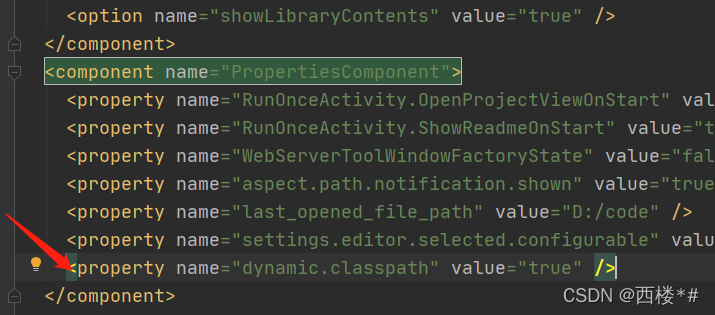
How to solve it?First find the workspace in the project XML file,

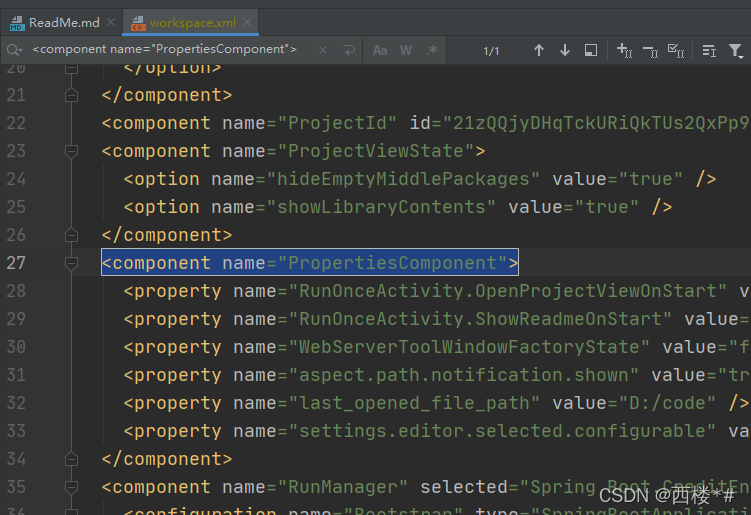
Then find <component name=”PropertiesComponent”></component > Label, as shown below

Then add a line of <property name=”dynamic.classpath” value=”true” /> to the component tag, it becomes the following

Start the project again and no error will be reported

[Solved] IntelliJ idea error: error: Java does not support release 5

Method 1

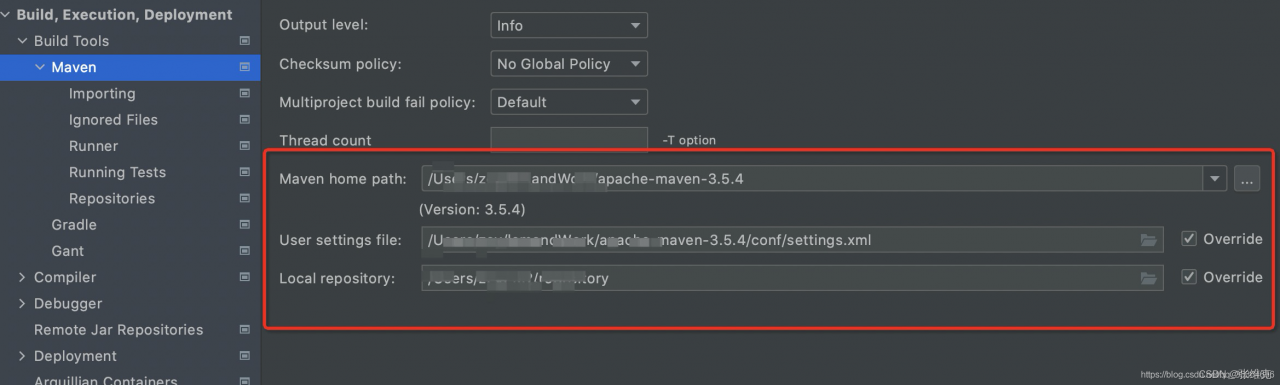
1. Confirm to configure Maven

Find the path in Maven home path and find the Maven address \ conf \ setting xml

Select your own JDK version

<profile>
      <id>development</id>
      <activation>
        <jdk>1.8</jdk>
        <activeByDefault>true</activeByDefault>
      </activation>
      <properties>
        <maven.compiler.source>1.8</maven.compiler.source>
        <maven.compiler.target>1.8</maven.compiler.target>
        <maven.compiler.compilerVersion>1.8</maven.compiler.compilerVersion>
      </properties>
    </profile>

Restart idea

Method 2

In project POM Specify the JDK version in the XML file

<properties>
    <project.build.sourceEncoding>UTF-8</project.build.sourceEncoding>
    <maven.compiler.source>11</maven.compiler.source>
    <maven.compiler.target>11</maven.compiler.target>
</properties>

[Solved] Docker-compose Start error: pyrsistent syntax error: invalid syntax

Error message:

# docker-compose -h
/usr/lib/python2.7/site-packages/paramiko/transport.py:33: CryptographyDeprecationWarning: Python 2 is no longer supported by the Python core team. Support for it is now deprecated in cryptography, and will be removed in the next release.
  from cryptography.hazmat.backends import default_backend
Traceback (most recent call last):
  File "/usr/bin/docker-compose", line 6, in <module>
    from compose.cli.main import main
  File "/usr/lib/python2.7/site-packages/compose/cli/main.py", line 24, in <module>
    from ..config import ConfigurationError
  File "/usr/lib/python2.7/site-packages/compose/config/__init__.py", line 6, in <module>
    from .config import ConfigurationError
  File "/usr/lib/python2.7/site-packages/compose/config/config.py", line 51, in <module>
    from .validation import match_named_volumes
  File "/usr/lib/python2.7/site-packages/compose/config/validation.py", line 12, in <module>
    from jsonschema import Draft4Validator
  File "/usr/lib/python2.7/site-packages/jsonschema/__init__.py", line 21, in <module>
    from jsonschema._types import TypeChecker
  File "/usr/lib/python2.7/site-packages/jsonschema/_types.py", line 3, in <module>
    from pyrsistent import pmap
  File "/usr/lib64/python2.7/site-packages/pyrsistent/__init__.py", line 3, in <module>
    from pyrsistent._pmap import pmap, m, PMap
  File "/usr/lib64/python2.7/site-packages/pyrsistent/_pmap.py", line 98
    ) from e
         ^
SyntaxError: invalid syntax

This is a problem caused by the version of pyristent (0.17.0). Install the old version

 # pip install pyrsistent==0.16.0

[Solved] Error creating bean with name ‘fileVisitController‘ defined in file

When importing the jar package from nexus into the local project, an error occurred during startup:

org.springframework.beans.factory.BeanCreationException: Error creating bean with name 
'fileVisitController' defined in file [D:\dengkun\dengkun_server\dengkun-
api\target\classes\com\dengkun\api\controller\auxiliary\FileVisitController.class]: 
Instantiation of bean failed; nested exception is 
org.springframework.beans.BeanInstantiationException: Failed to instantiate 
[com.dengkun.api.controller.auxiliary.FileVisitController]: Constructor threw exception; 
nested exception is org.apache.ibatis.binding.BindingException: Type interface 
com.dengkun.dao.FileVisitMapper is not known to the MapperRegistry.

After troubleshooting, it is found that the mybatis-conf.xml file in the jar package has the same name as the XML file in other jar packages;

So, change mybatis-conf.xml to mybatis-conf-lct.xml The XML program can start normally

Lotti triggered Java lang.StackOverflowError [How to Solve]

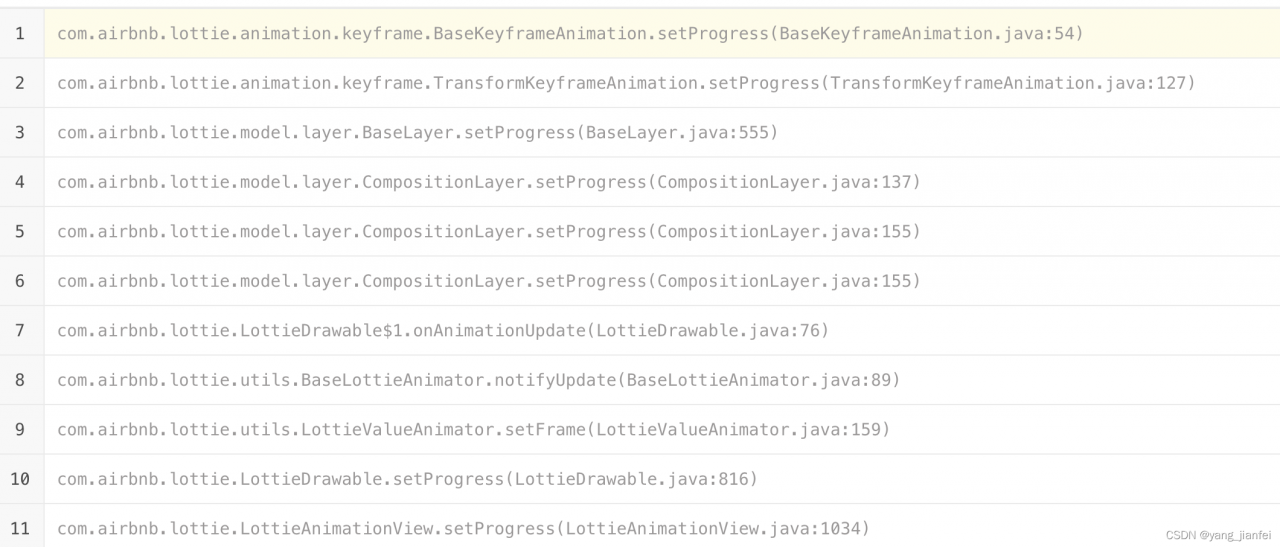
Change Lottie from 2.8.0 in the project Upgrade to version 4.2.0 After the 0 version, the stack memory error suddenly occurred. The last reason was to call the resumeAnimation() method in the onAnimationEnd callback method, and in the resumeAnimation() method, the onAnimationEnd callback method was finally activated into a dead loop.